

Designed for Gmail
Shared inbox management, right inside Gmail.
See the whole shared inbox at a glance: what is unassigned, who has what, and how fast each teammate replies. Keeping adds assignments, statuses, private notes and response-time reports to Gmail, so sharing your mailbox stops being guesswork.
- One owner and one status for every email, inside Gmail
- Nothing new to learn: one browser extension, no new inbox
- Set up in two minutes with Google sign-in


Rated 4.5 /5 on G2
14 days free. No credit card required. Works with the Gmail you already use.
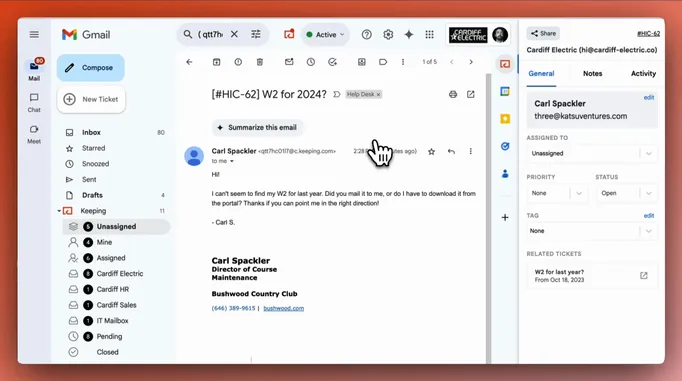
2,000+ companies run their shared inbox in Gmail with Keeping





“We've been able to cut our customer response time down to mere minutes for the vast majority of requests. Vacation and illness coverage has been nearly completely solved.”
“Who’s on this one, and is it done?”
Sharing an email address is easy. Keeping track of who’s handling each message takes more work.
Gmail knows read and unread. It does not know who owns an email, whether it is waiting on the customer, or how long the last reply took. So the manager ends up asking the room, and the room ends up checking the same thread twice.
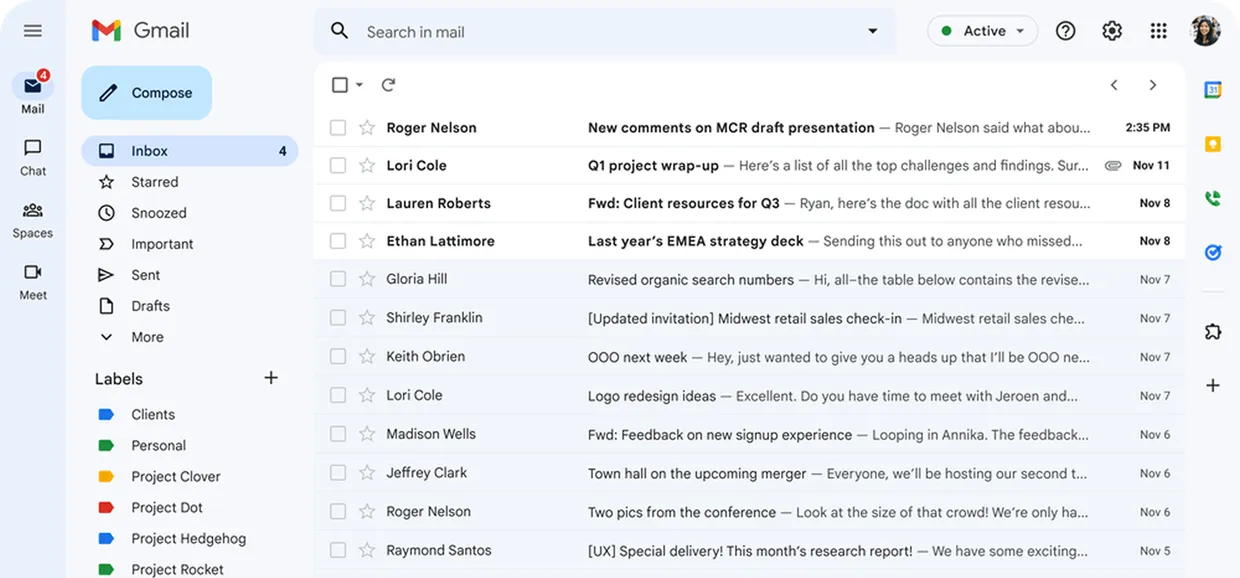
Who has this one?

Has anyone replied?

How fast are we replying?

From incoming email to handled request.
1. Give it an owner.
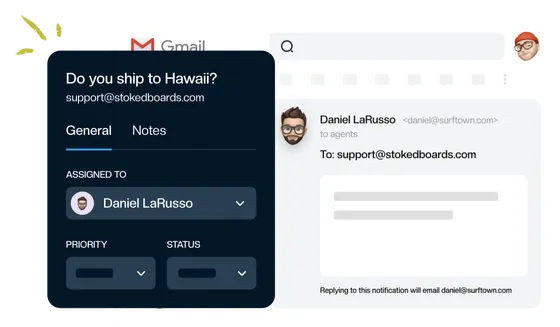
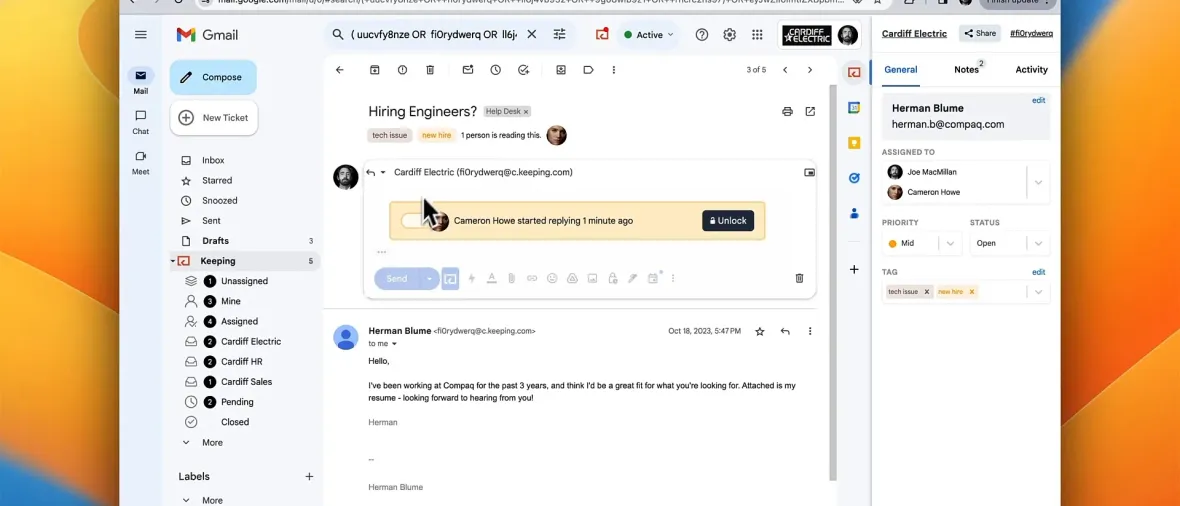
An email arrives at support@. Assign it to a teammate and it moves to their list and out of everyone else’s, so the team can see who has it. Reply, and it is yours.
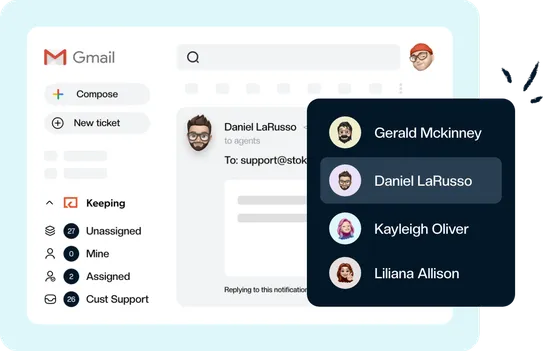
2. Answer together, right inside Gmail.
Leave a private note with an @mention instead of forwarding. If two people open the same email, Keeping shows who is already replying before the second reply goes out.
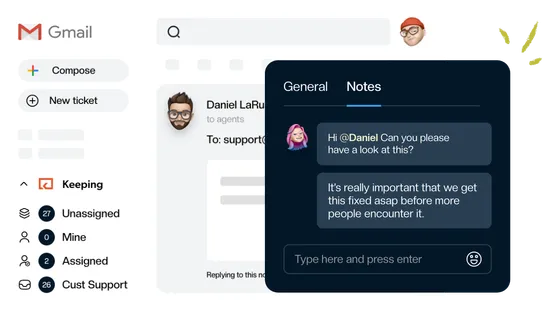
3. Keep its status clear.
Mark conversations Open, Pending, or Closed so your team can see what still needs attention.
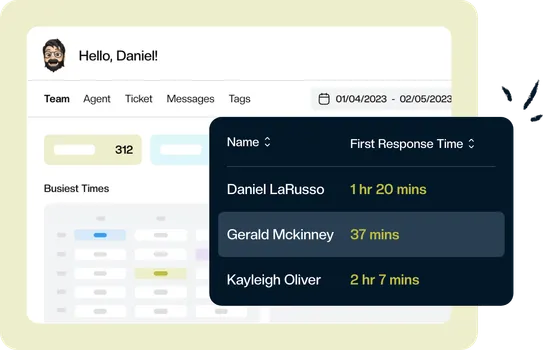
4. See how fast the team replies.
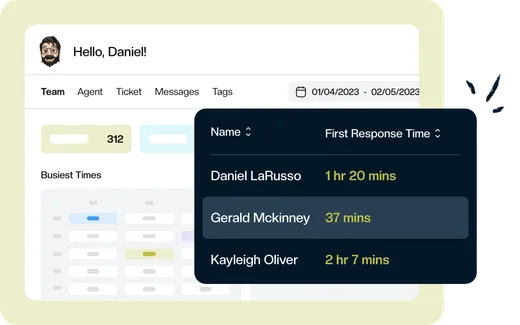
Reports show total requests, requests per day, and each teammate’s first response time and ticket count, so you can spot who is overloaded and share the work before a customer has to chase you.
Your shared inbox. The Gmail your team already knows.
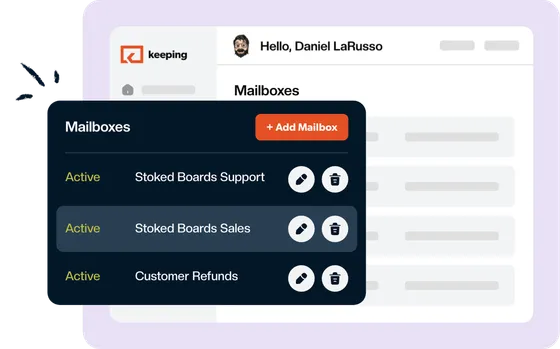
Keeping brings your shared inbox into each teammate’s own Gmail account. Handle emails sent to support@ or info@ alongside your everyday work, with assignment, internal notes, and conversation status close at hand.
Your customers receive ordinary email replies from your shared address.
More ways to keep shared email moving.
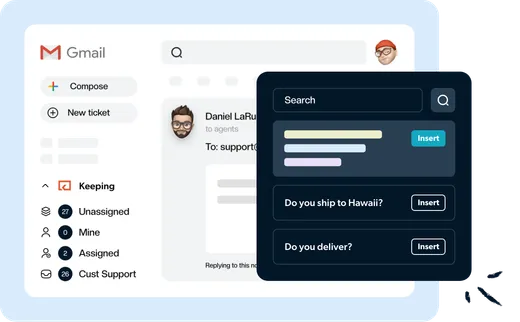
Save your best answers. Use them again.
Give your team a shared set of replies for the questions you answer most. Insert a template, tailor it to the customer, and send it from Gmail.
Let rules handle the routine work.
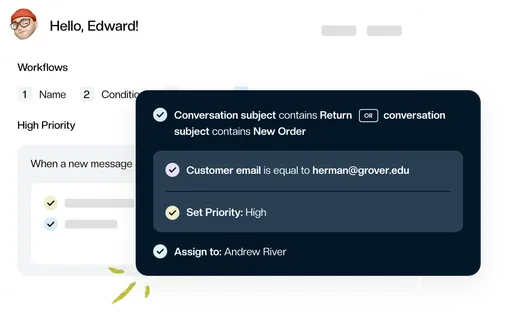
Use workflows and AI to assign incoming emails, add tags, set priorities, or change a conversation’s status. Keeping’s MCP server connects your shared inbox to AI assistants like Claude and ChatGPT, so you can find conversations, draft replies, and check team performance without copying emails between tools.
See where your team needs support.
Every plan includes team reports with total support requests, average requests per day, average first response time, and each teammate’s response time and number of tickets answered.
Watch how Keeping works
“Keeping seamlessly integrates with Gmail, so we don't have to work with another tool. It allows everyone to see responses from the team.”
Shared inbox management without a second tool.
$14 per user per month.
Comparable plans elsewhere run $24 to $55 per user. Nothing to migrate: your email is already in Gmail.
Assignments, statuses, private notes, collision warnings, shared templates, two automation rules and team response-time reports, all in the plan and all inside Gmail.
Rated 4.5 /5 on G2
14 days free. No credit card required. Works with the Gmail you already use.
Frequently asked questions
Do I need to leave Gmail?
No. Keeping is a browser extension for Chrome and Safari. Your team keeps their Gmail, their shortcuts and their phone app, and the shared inbox shows up beside their own mail.
Does it work with a Google Group or a Gmail alias?
Yes. Connect a shared Gmail account with Google sign-in, or forward from a Google Group, an alias, or any other address. Customers keep writing to the same address and get a normal reply from it.
How long does setup take?
About two minutes for the person setting it up. Create the mailbox, connect it with Google sign-in, and invite the team. Each teammate then adds the extension and refreshes Gmail.
Is there a free trial?
Yes. 14 days, No credit card required. The trial is the full product, so you can run real customer email through it before you decide.
What can I see in the reports?
Total requests, requests per day, average first response time, and each teammate’s response time and ticket count. The Advanced plan adds resolution time, busiest hours, breakdowns by tag and mailbox, and CSV export.
Can Keeping assign emails automatically?
Yes. Workflows run rules on incoming email: assign to a teammate, set a tag or priority, change the status, or discard it. Essentials includes two workflows; Advanced adds unlimited workflows, round-robin assignment and response-time SLAs.
“The single best and most impactful purchase I have made for our company, and it didn't break the bank. The ticket management has saved us so much time and money and increased our customer satisfaction score immensely.”
Know who’s handling what. Starting with your next email.
Give your team a clearer way to manage a shared inbox, right inside Gmail.
Rated 4.5 /5 on G2
14 days free. No credit card required. Works with the Gmail you already use.