
Designed for
One shared inbox.
In Gmail and your AI assistant.
Give every customer email an owner and keep your team in sync. Work together in Gmail, or ask your AI assistant to check what needs attention and draft replies using your connected business tools.


 Rated 4.5 /5 on G2
No Credit Card Required · Start in a sample mailbox before connecting your own.


Connect a tool
- PrPrintavoPrint shop
- QBQuickBooksAccounting
- SlSlackChat
- ShShipStationShipping
- What’s waiting in support@?
- Why is Dana’s order late? Draft a reply.
- Assign the shipping question to Michelle
Why is Dana’s order late? Draft a reply.
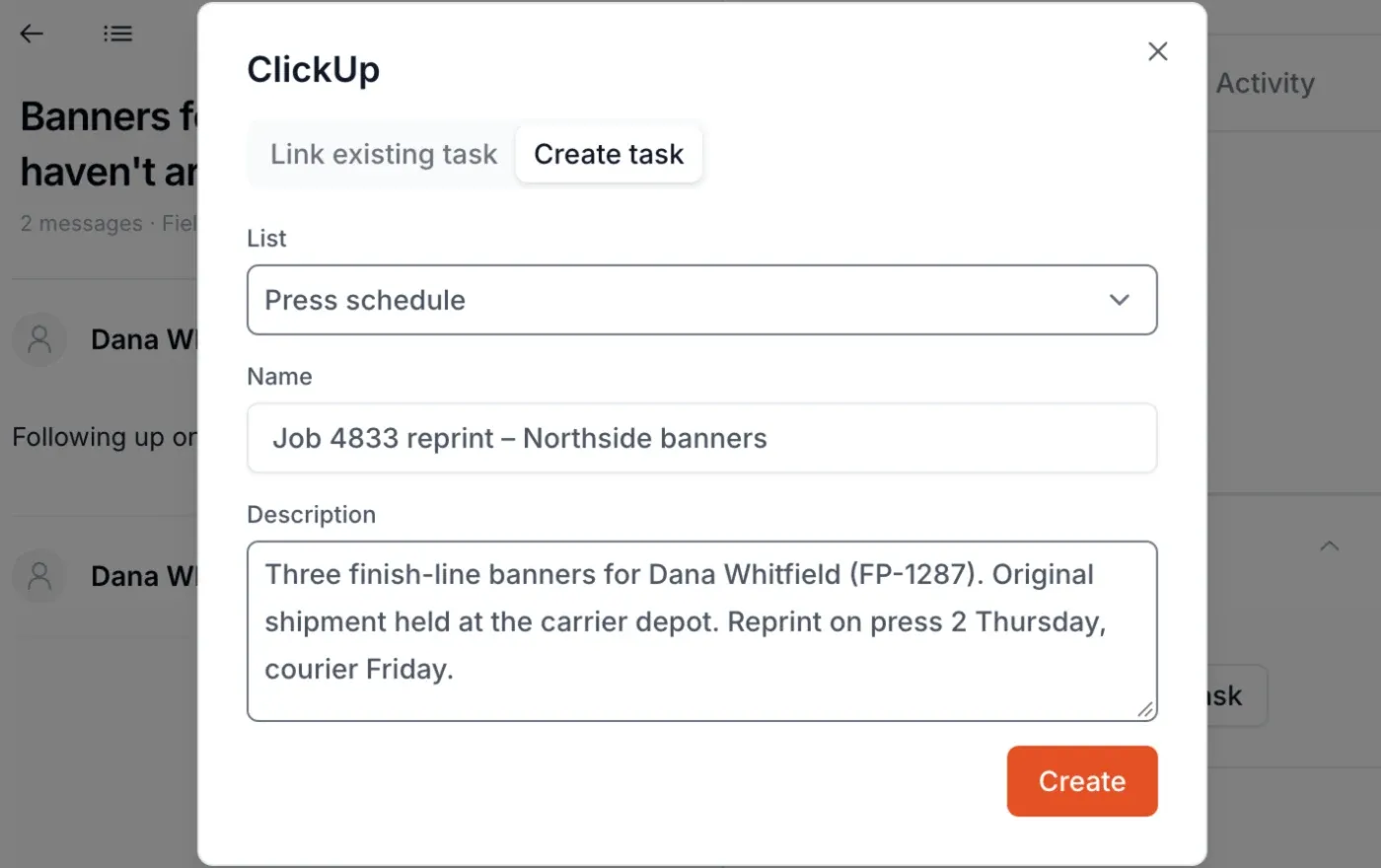
- Keeping · read Dana’s email (FP-1287)
- ClickUp · looked up Job 4833
- Printavo · checked order 4833
- Keeping · saved a draft, not sent

Trusted by teams across the globe since 2019





















Get to know Keeping
A shared address is not a shared inbox. Keeping gives every email to support@ or info@ an owner, a status, and a history your whole team can see, in Gmail or the AI assistant they already use.
See every feature →Every email to support@ or info@ becomes a conversation with an owner, a status, and a history, visible to the whole team in Gmail.
Learn more about Shared Inbox →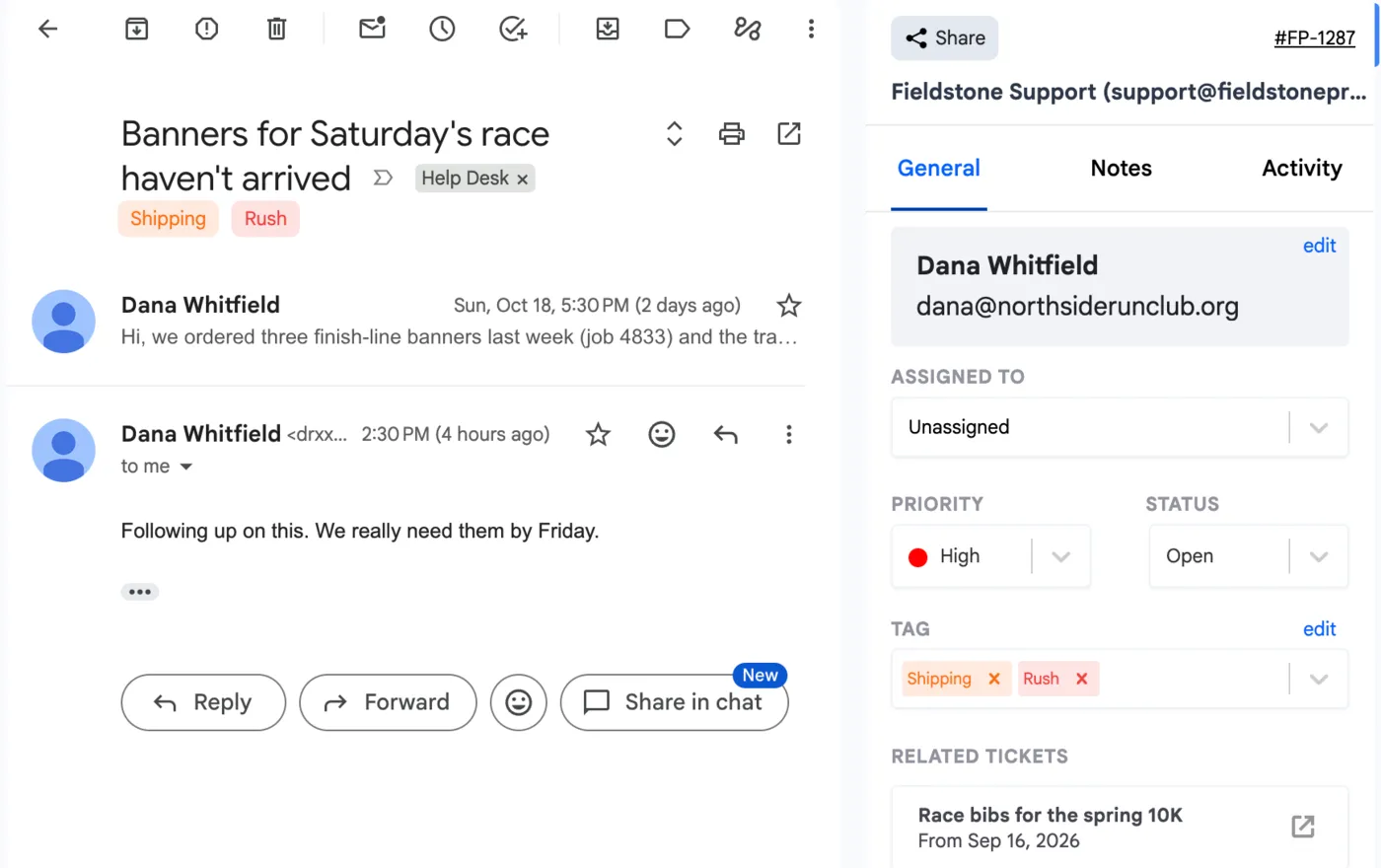
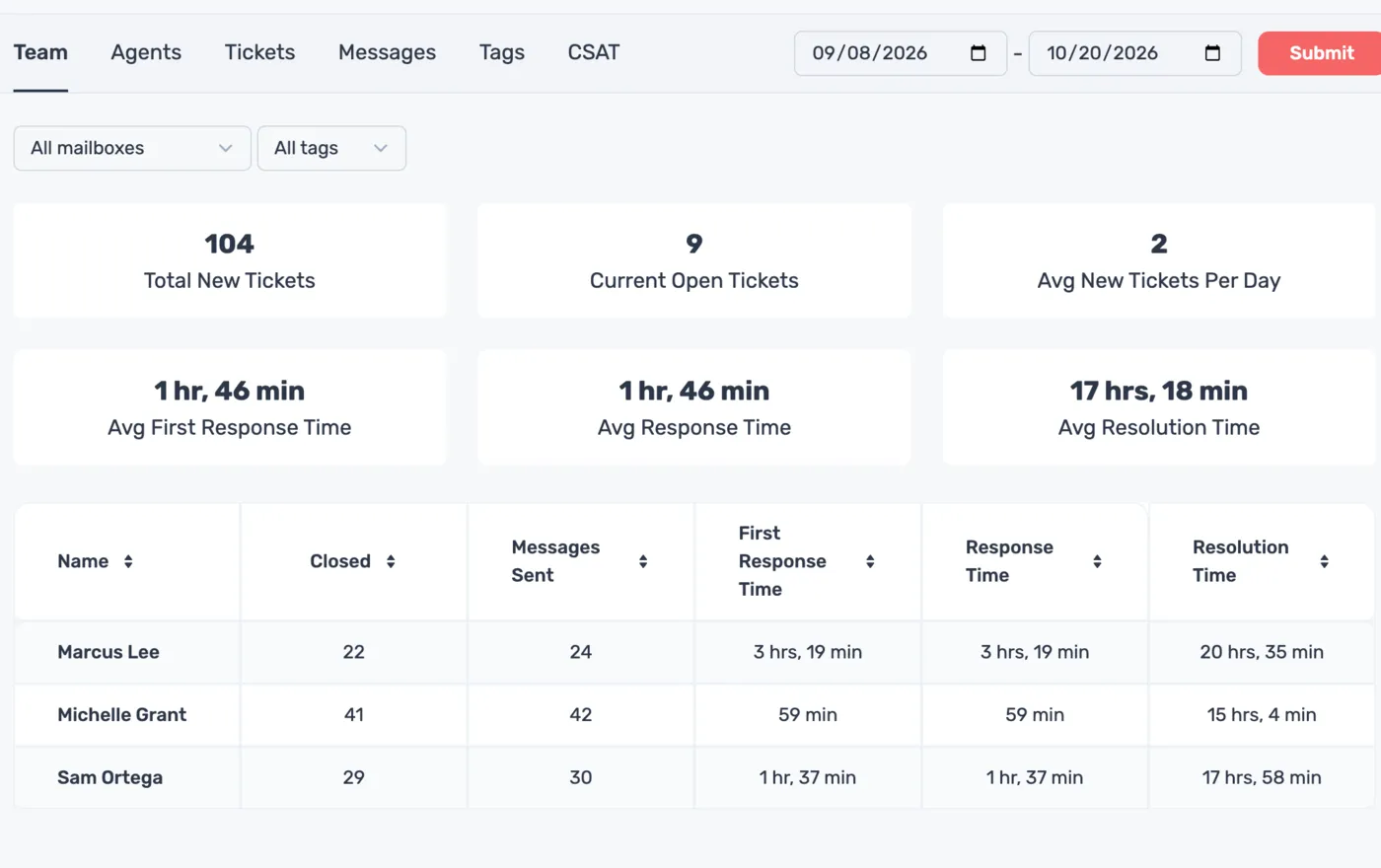
First response time, resolution time, and volume by teammate, tag, and mailbox. Set SLAs for response and resolution, and export any report to CSV.
Learn more about Advanced Reporting →Fieldstone Support · Sep 8 – Oct 11
- 104New tickets
- 92Closed
- 1 hr 46 minAvg first response
Connect Keeping to the tools your team already uses: Shopify, HubSpot, Jira, Linear, Asana, ClickUp, Shortcut, and Zapier.
Learn more about Integrations →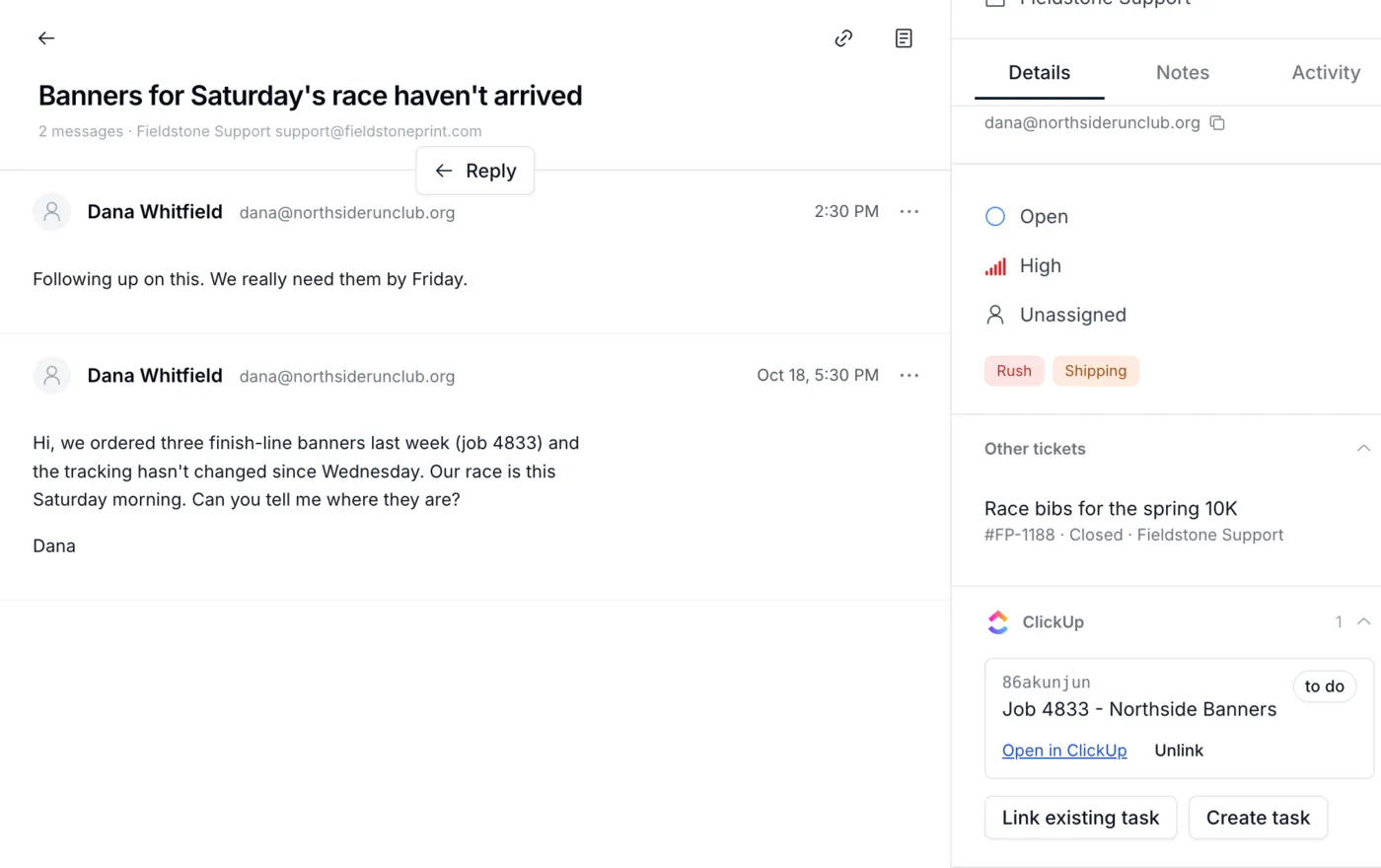
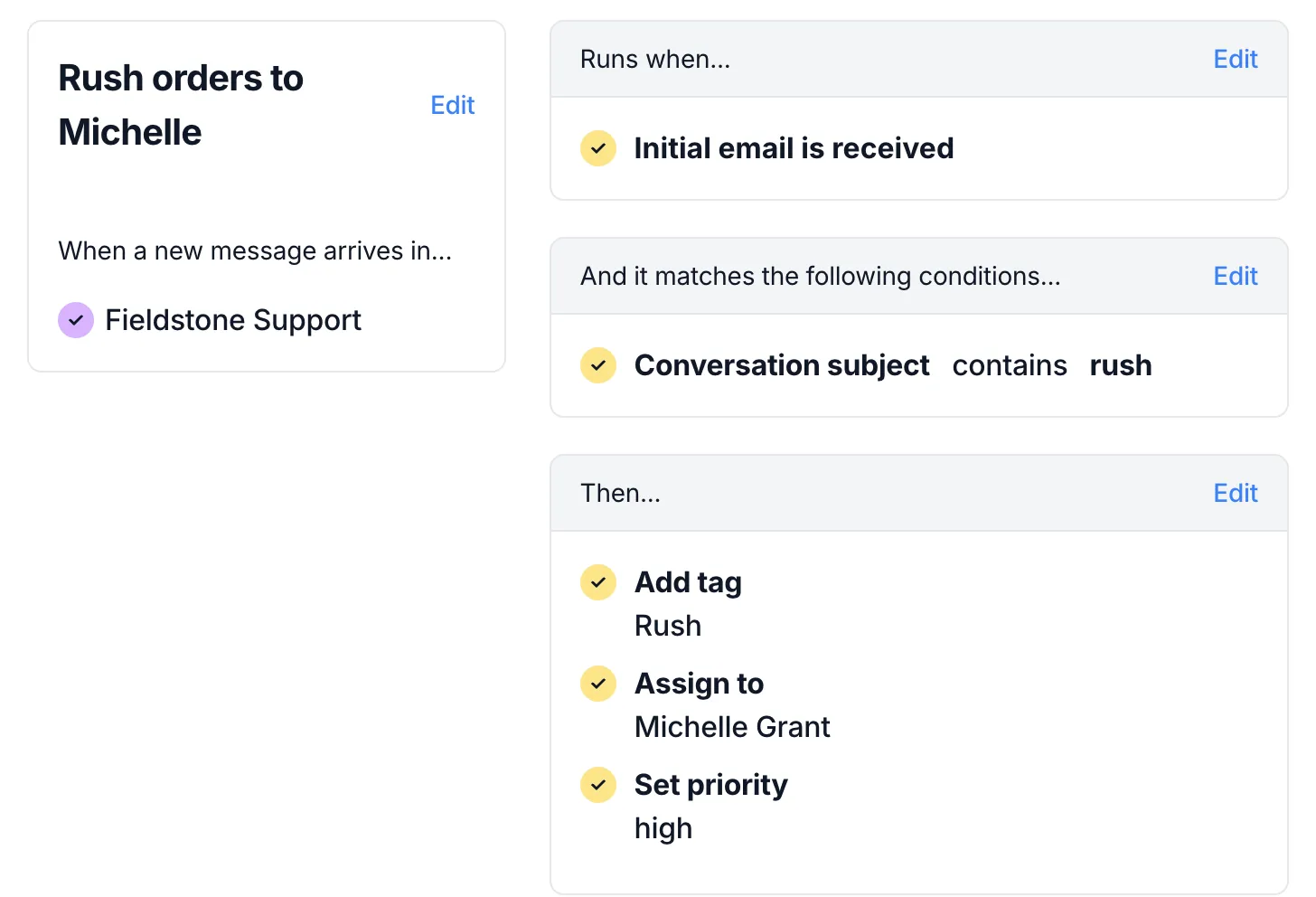
Workflows assign, tag, and close email based on rules you set. Round robin spreads the work evenly, and thank-you replies can close themselves.
Learn more about Automations →Workflow
Rush orders to Michelle
- Runs when
- Initial email is received
- And it matches
- Subject contains rush
- Then
- Add tag Rush
- Assign to Michelle Grant
- Set priority High
Fieldstone SupportLive
Rule ran · Rush orders to Michelle
- RMRaj MehtaRUSH: 500 flyers for Saturday’s open houseMidHighRushUnassignedMGMichelle G.
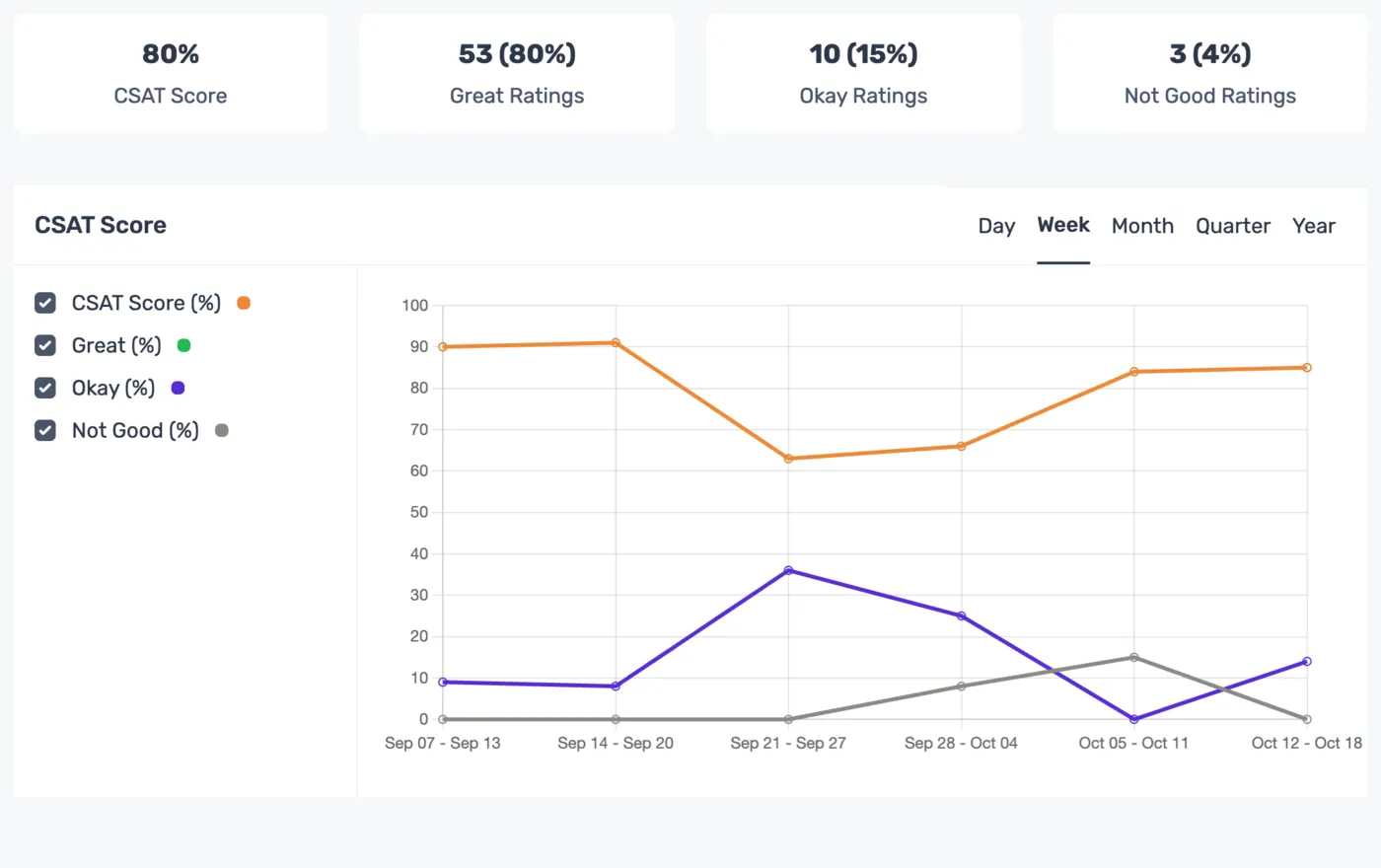
Add a short satisfaction survey to the bottom of your replies, then watch your score change over time.
Learn more about Satisfaction Ratings →MGMichelle Grantto Dana Whitfield
Your banners went on press this afternoon and ship by courier tomorrow. I’ve sent the tracking link separately. Sorry again for the scramble.
Michelle · Fieldstone Print
How did we do?
- Great
- Okay
- Not good
Thanks for the feedback.
SatisfactionLast 6 weeks
80%CSAT score · 66 ratings
Latest ratings
- DWDana WhitfieldJust nowGreat
- PNPriya NairYesterdayGreat
- GOGrace OkaforOct 19Okay
Ownership
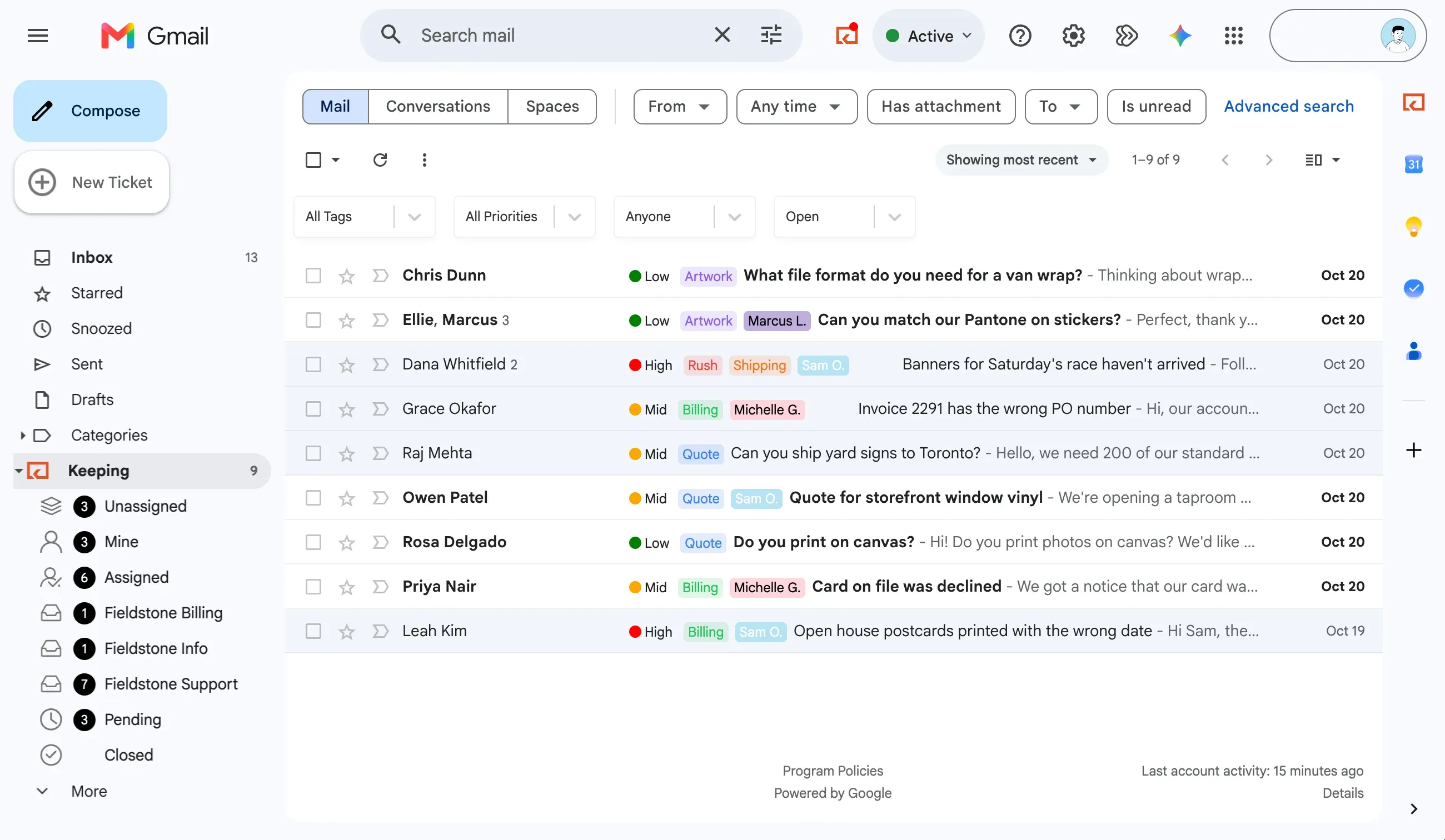
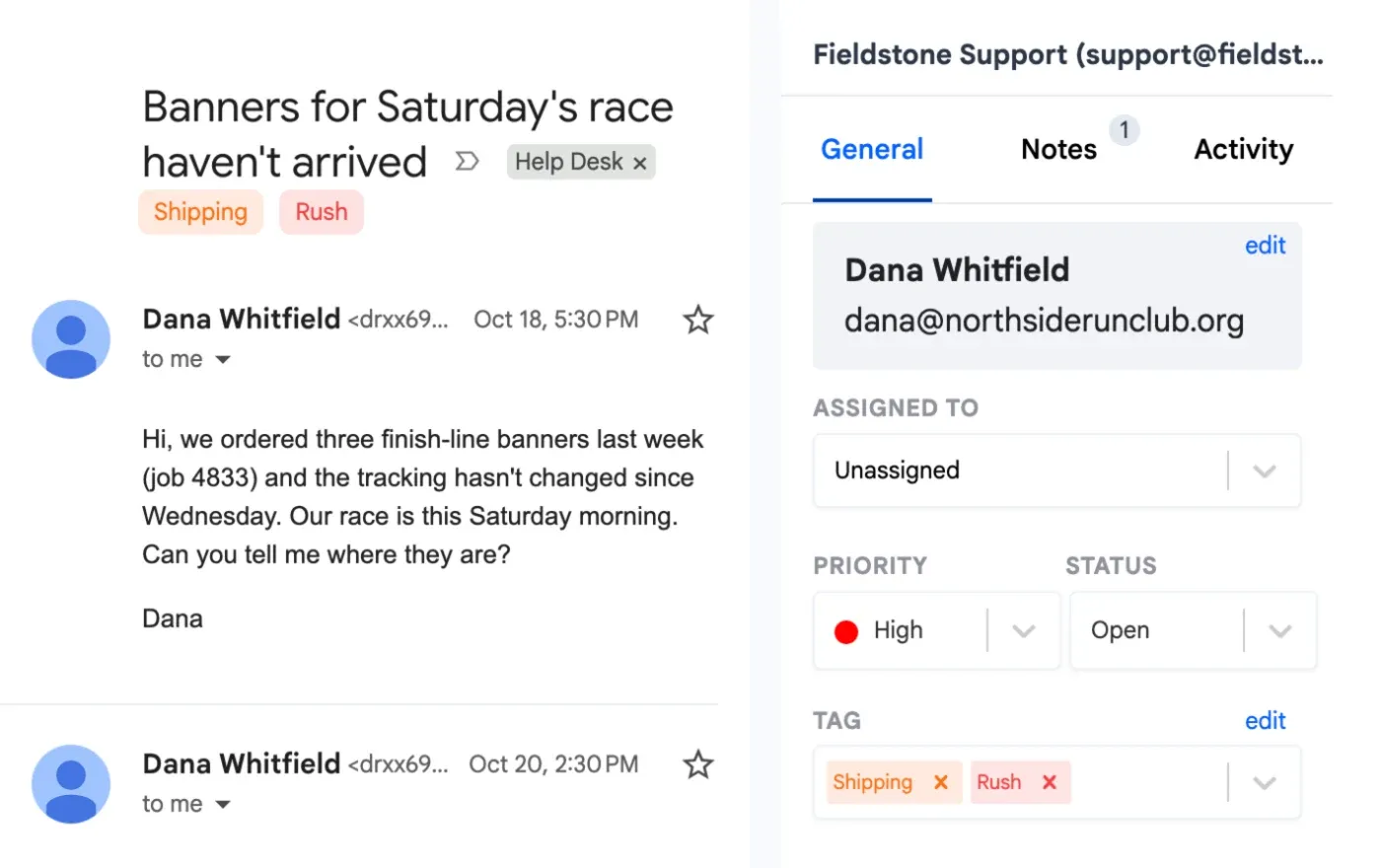
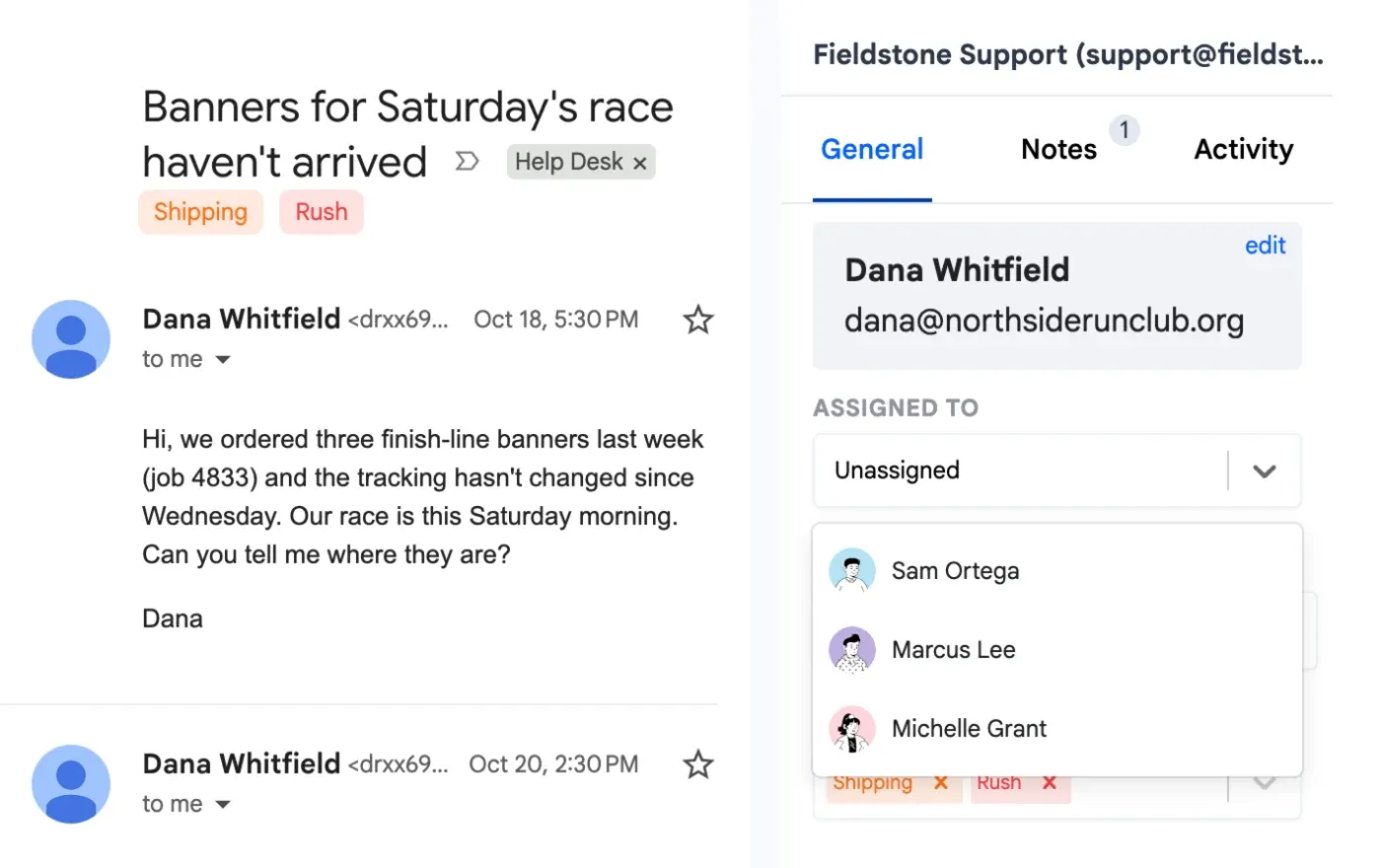
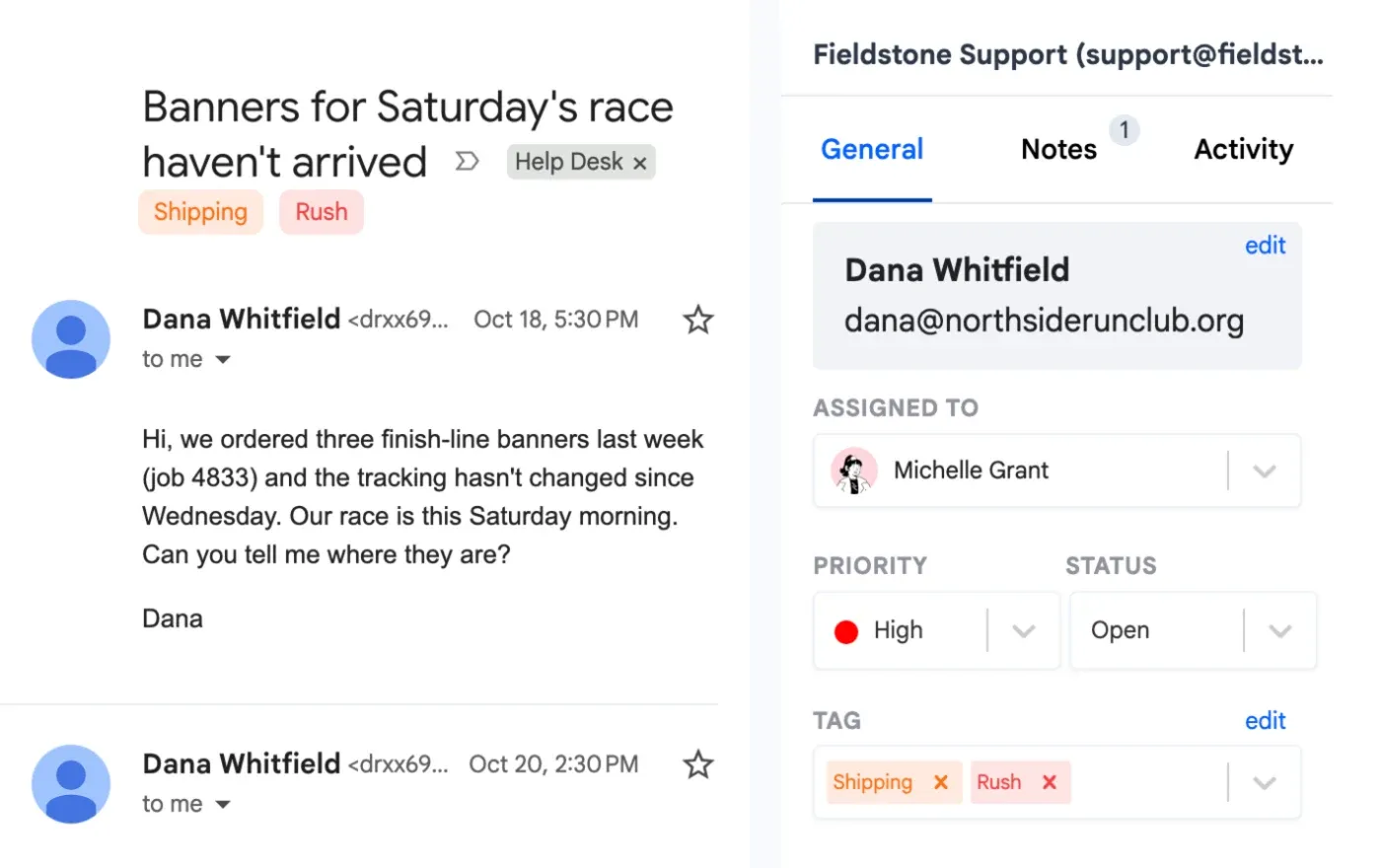
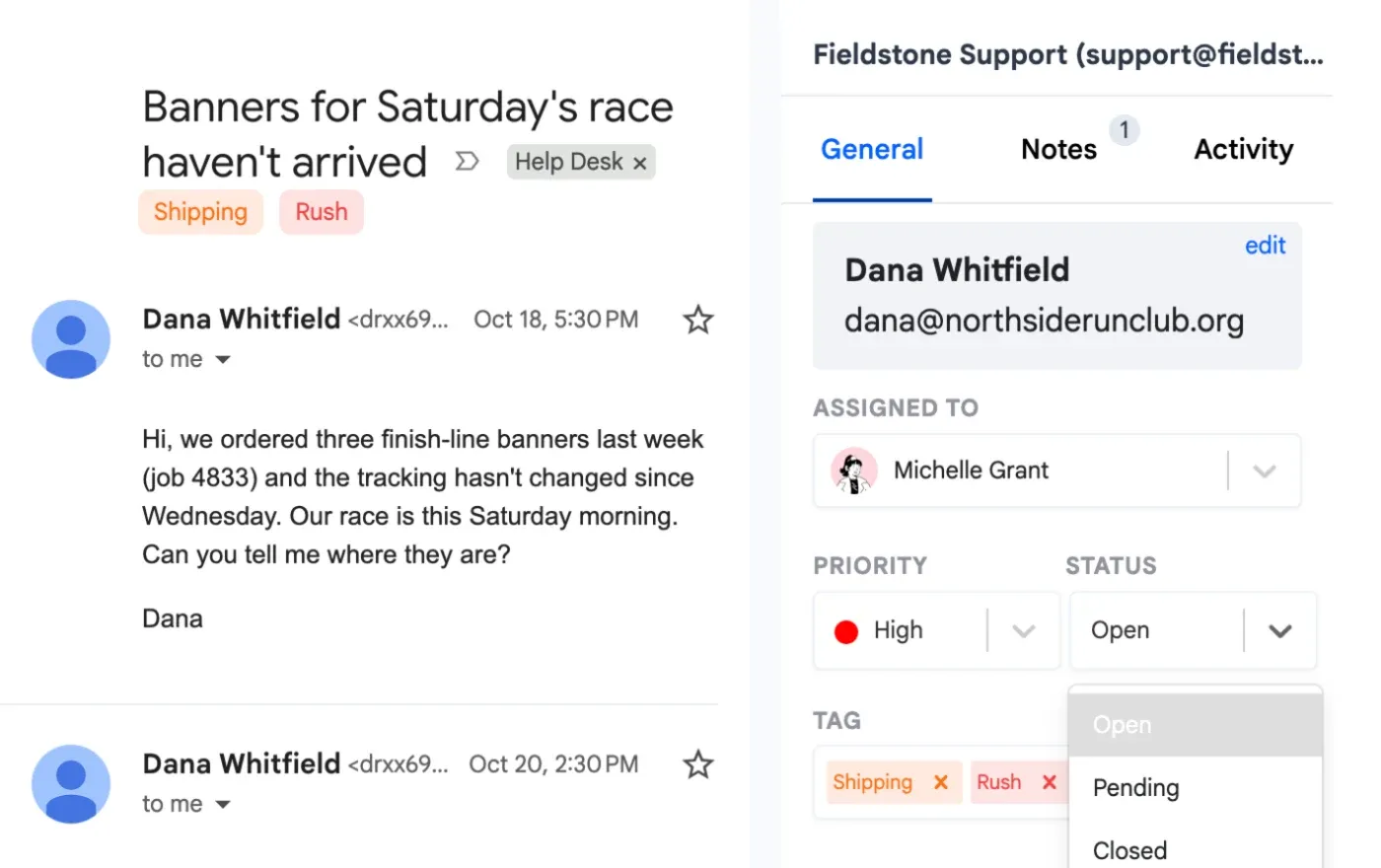
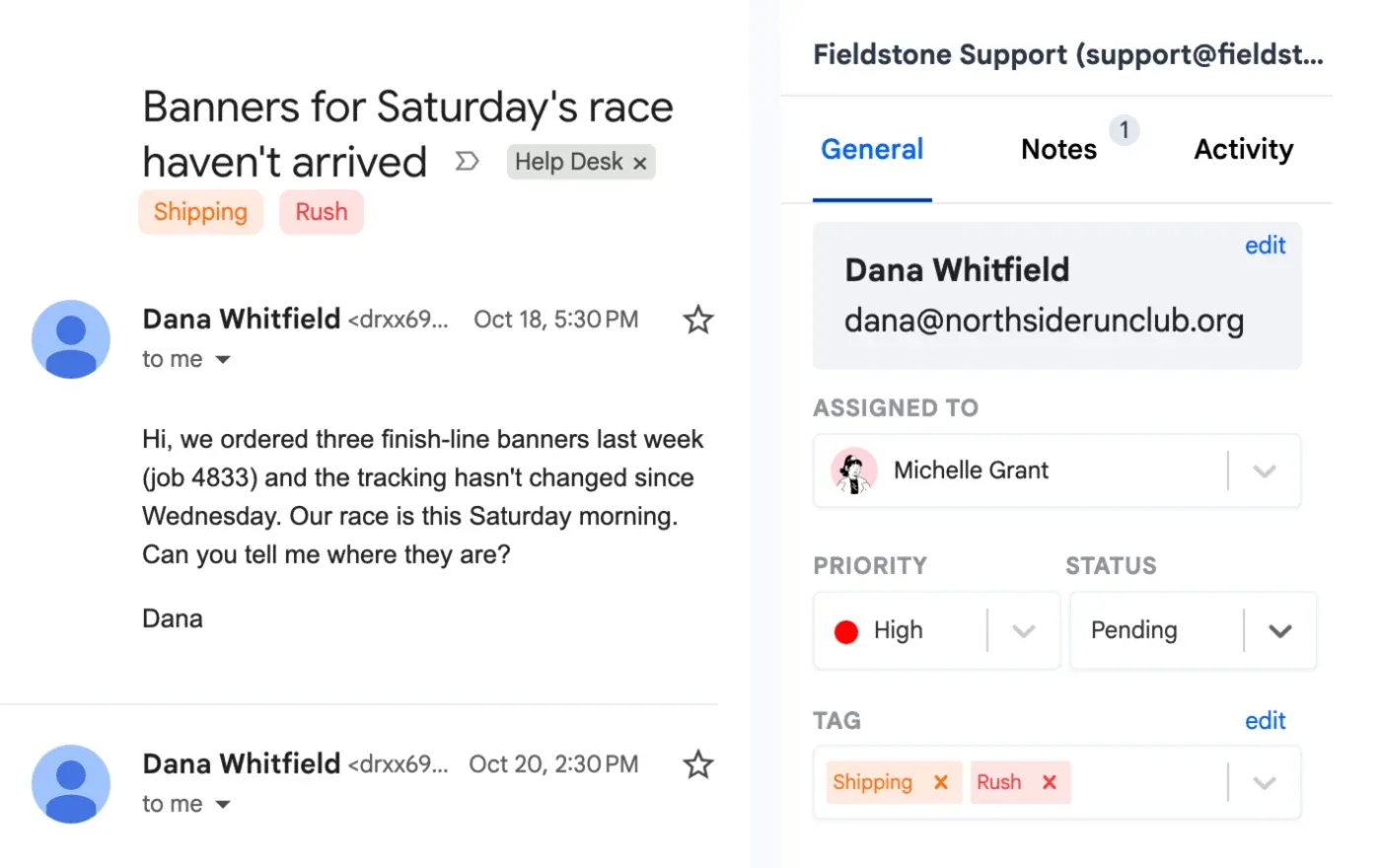
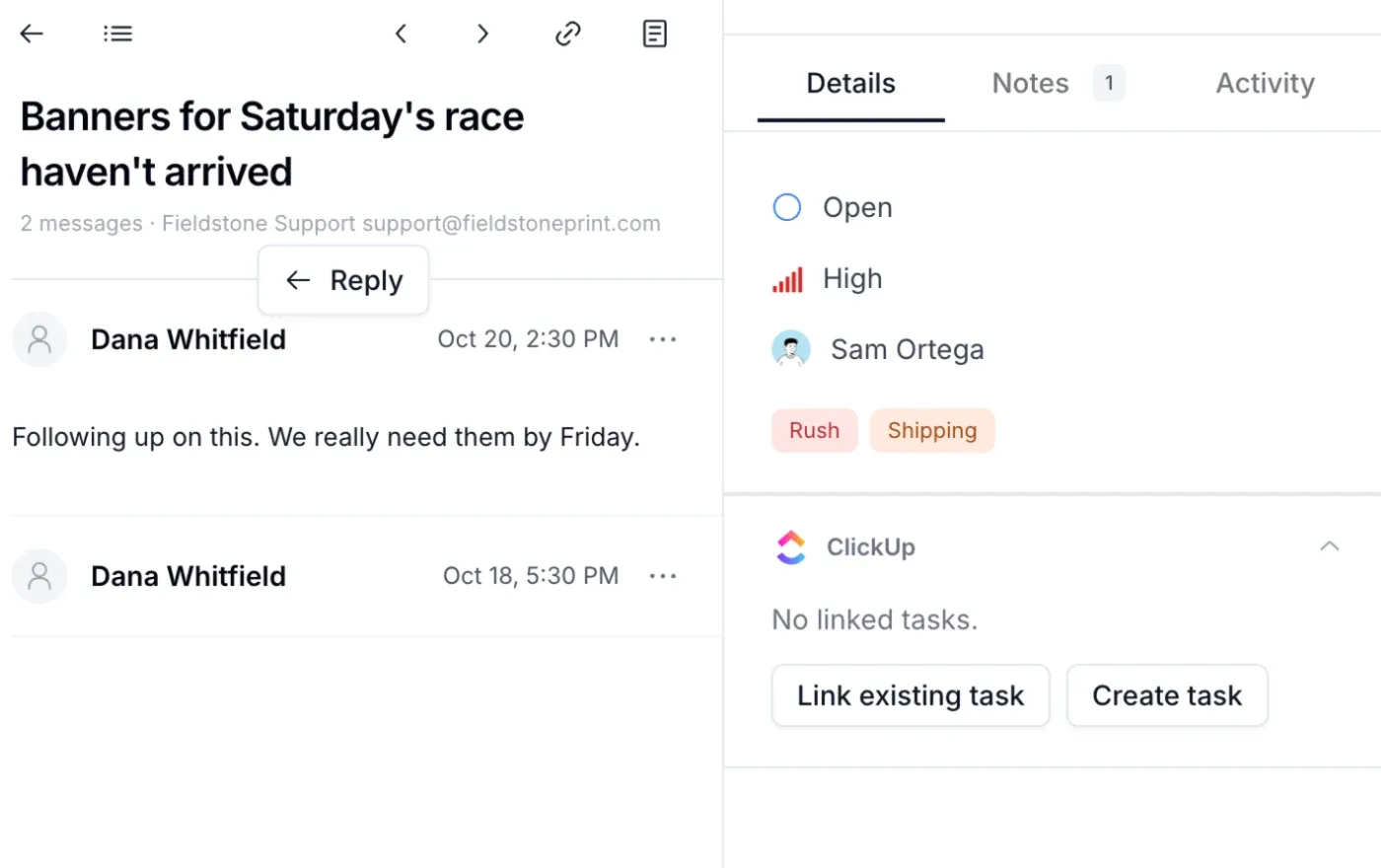
Every email has an owner and a status
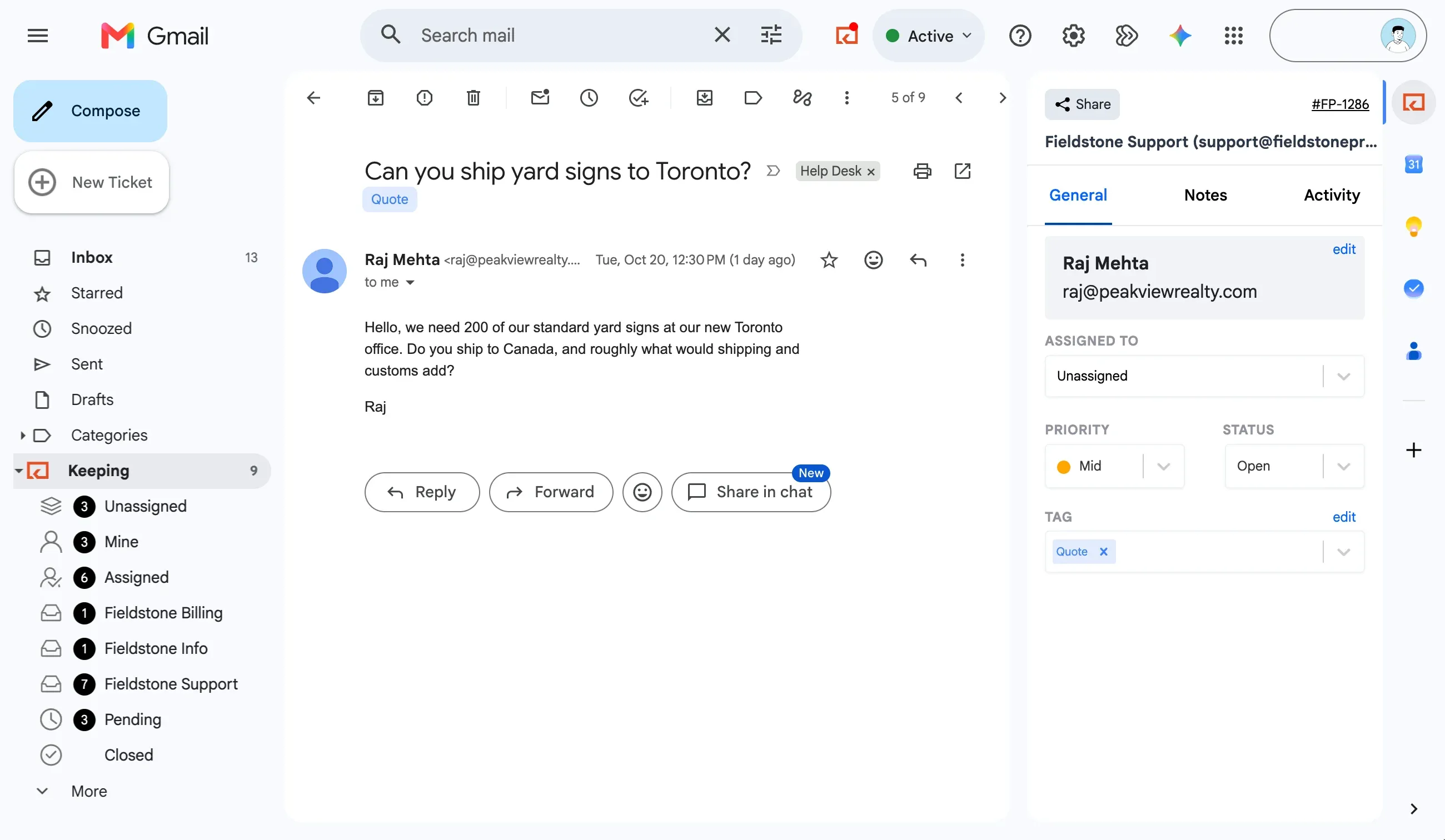
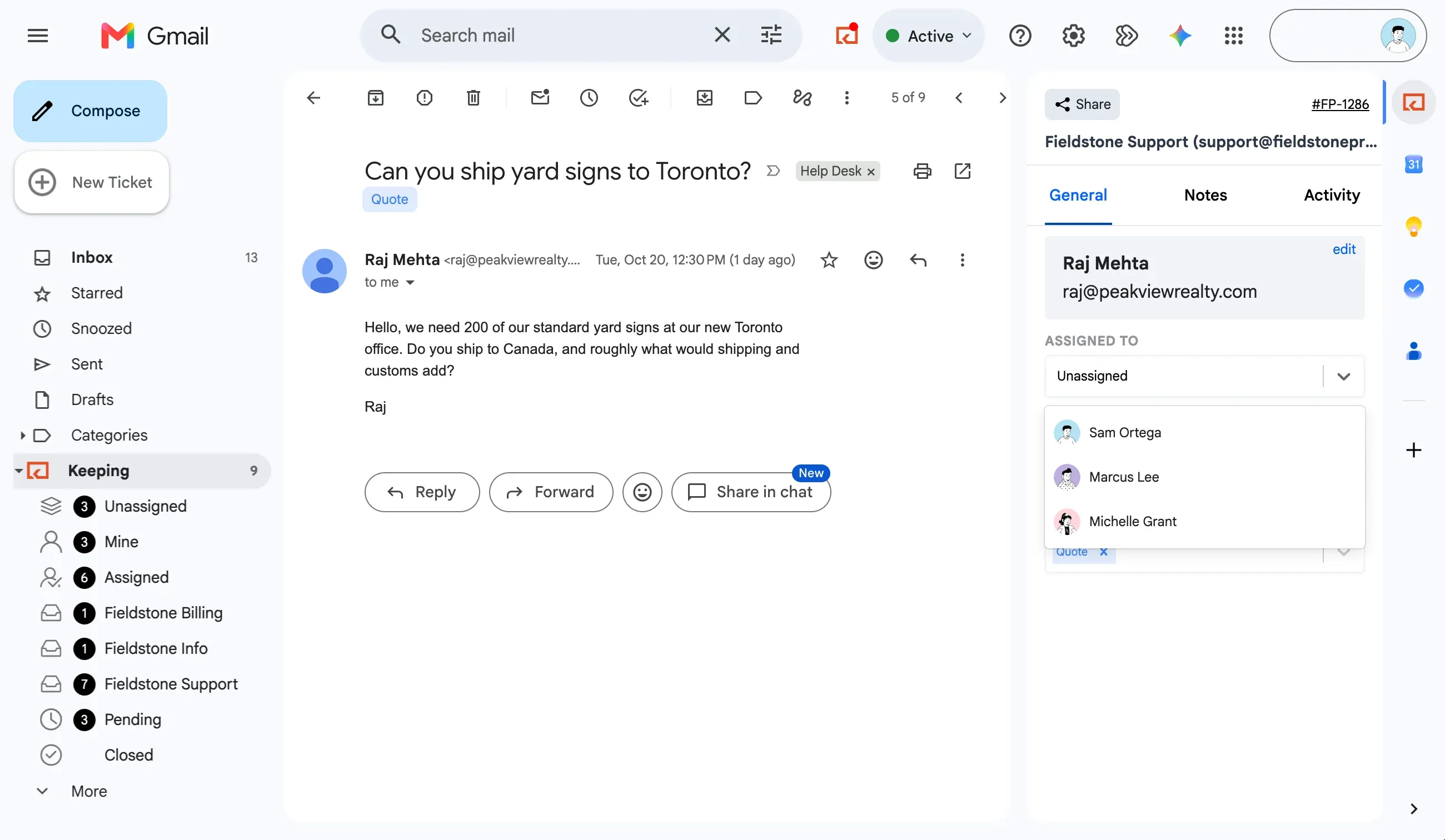
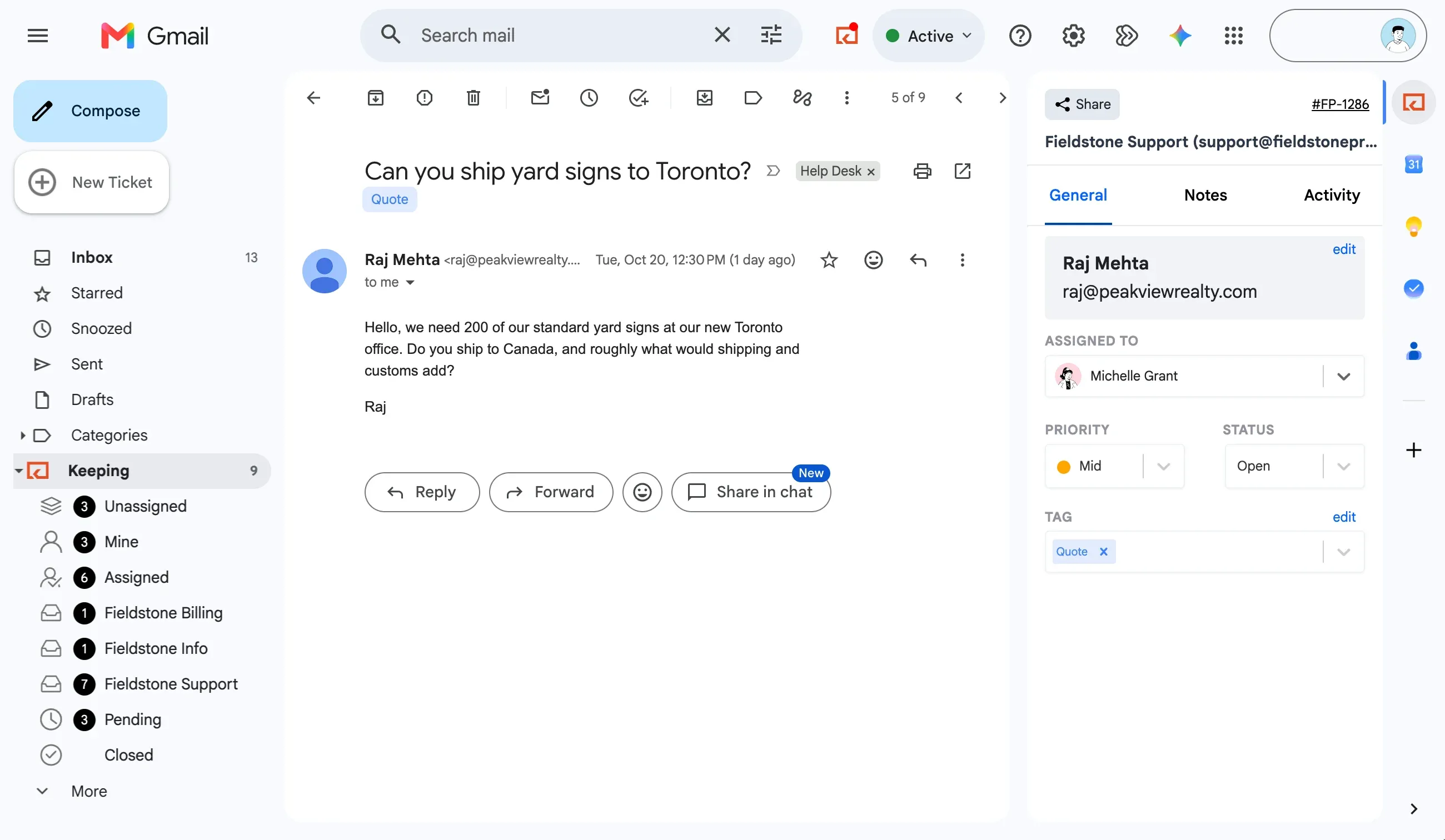
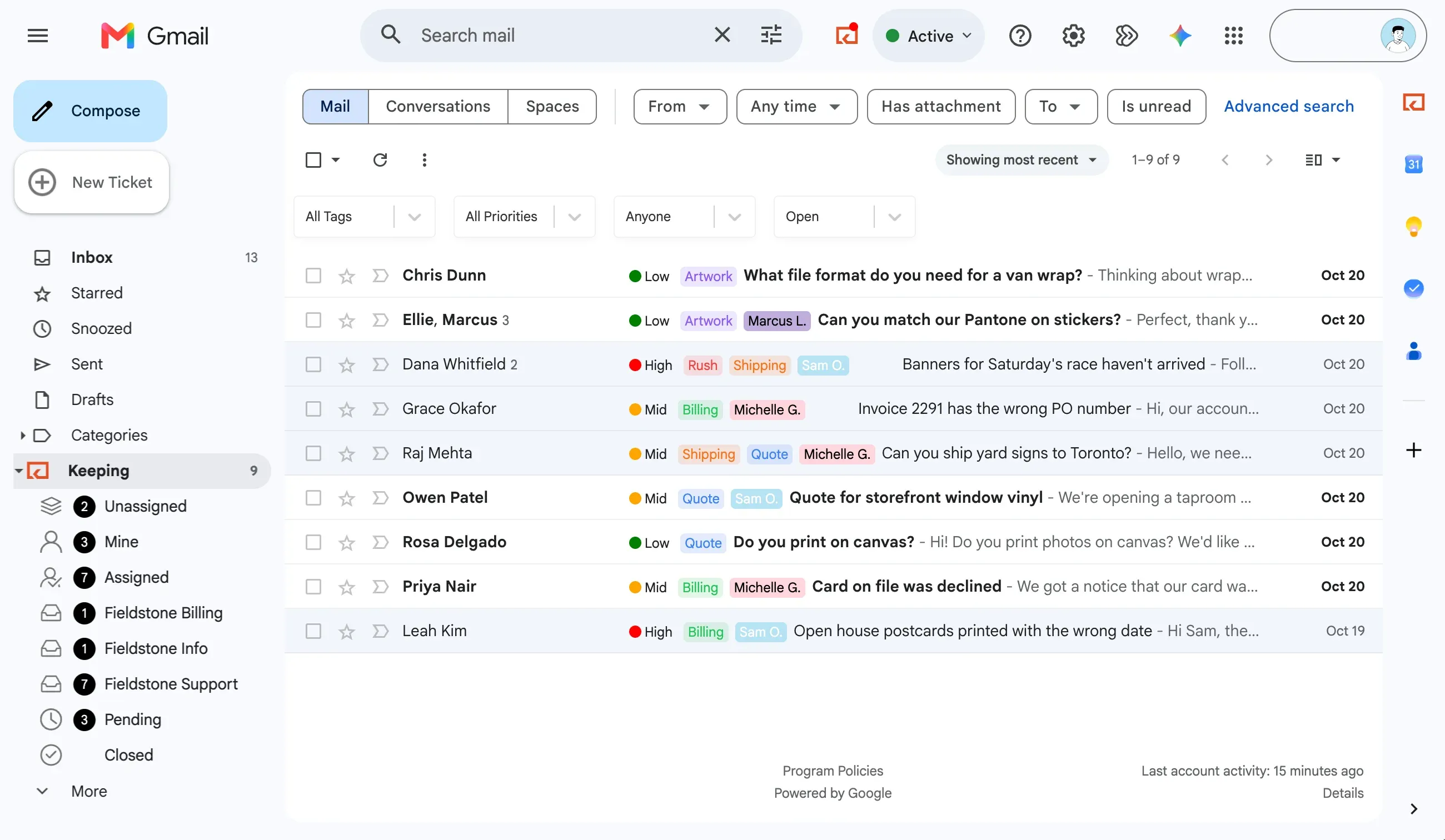
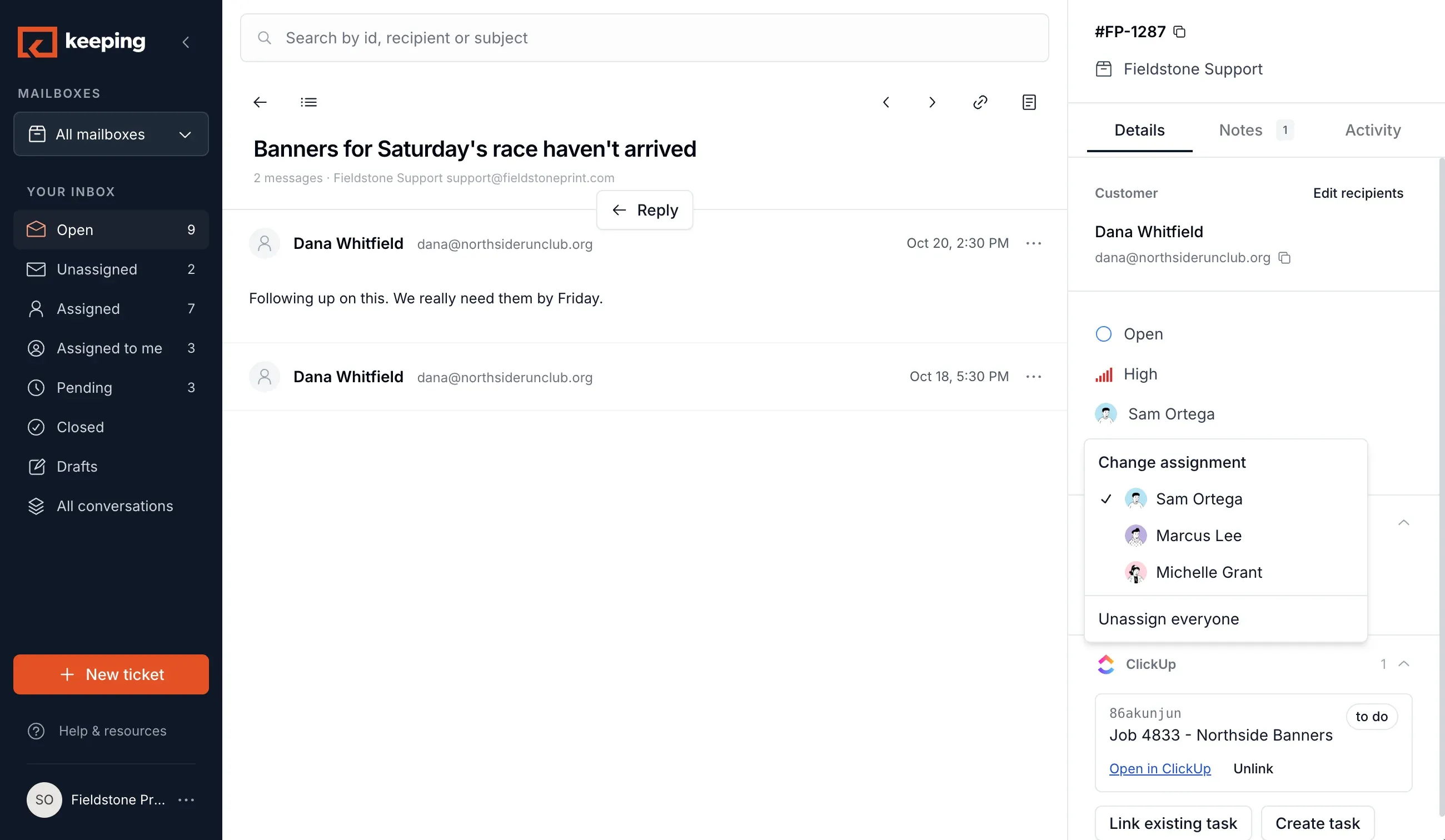
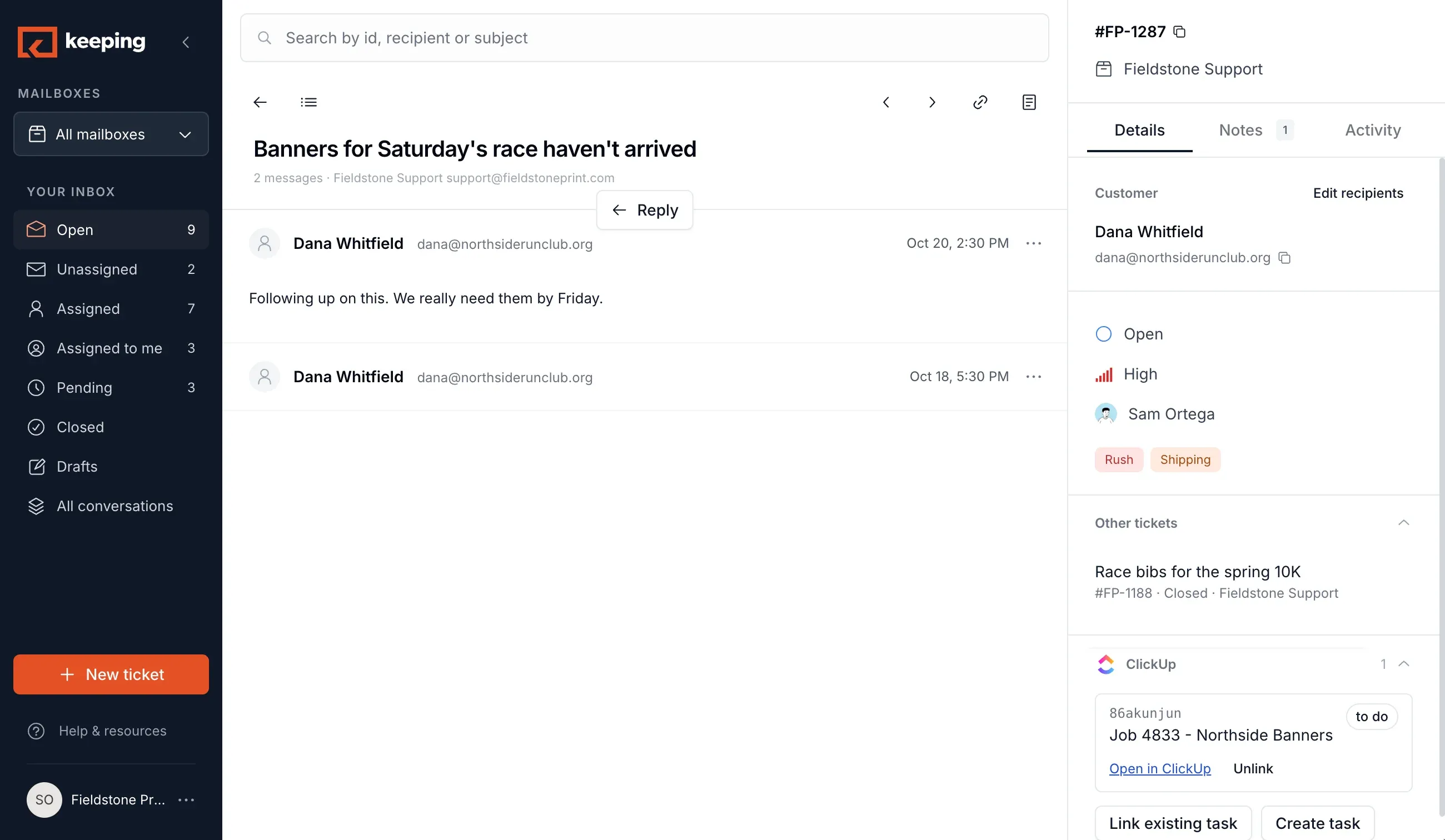
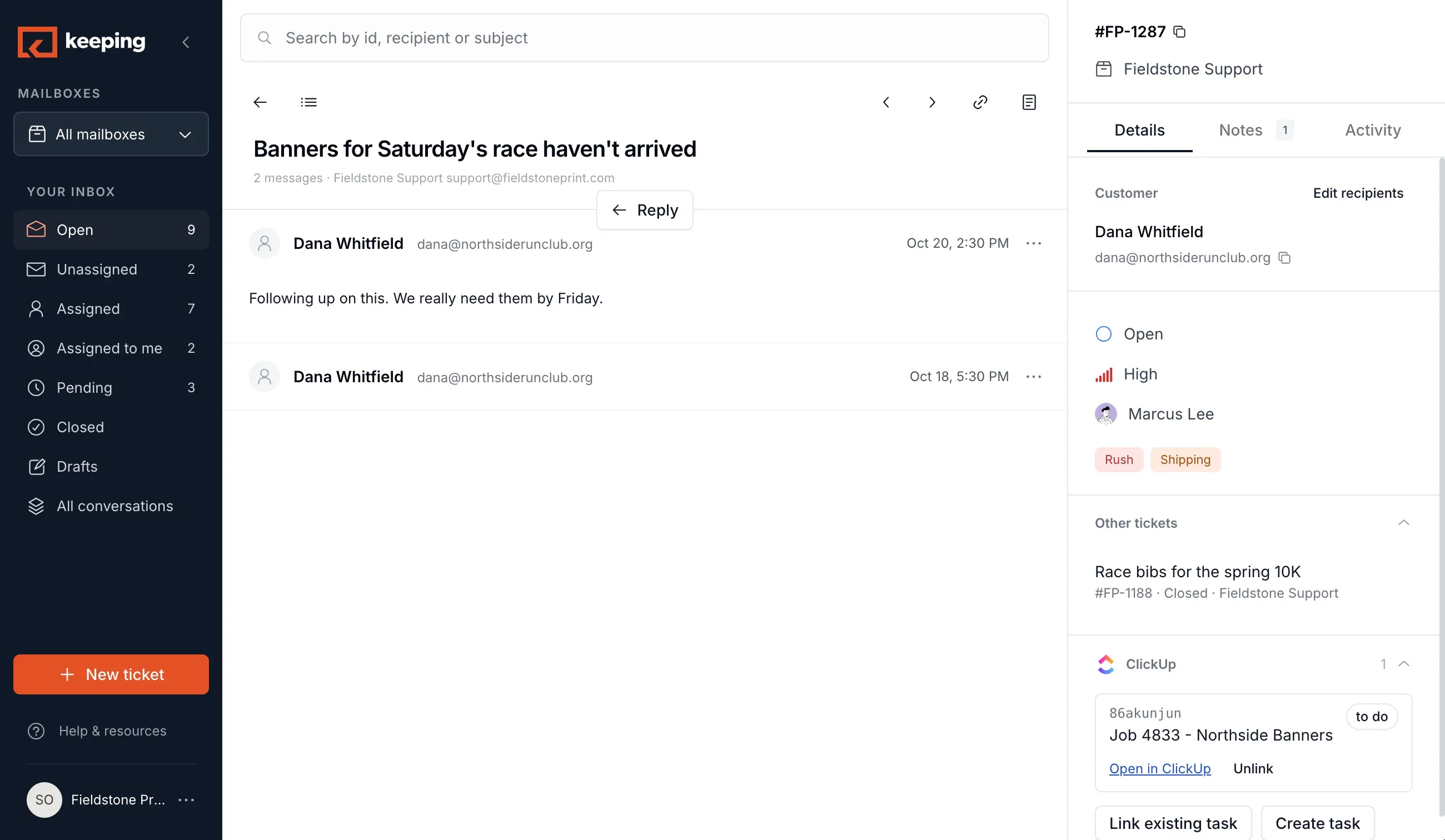
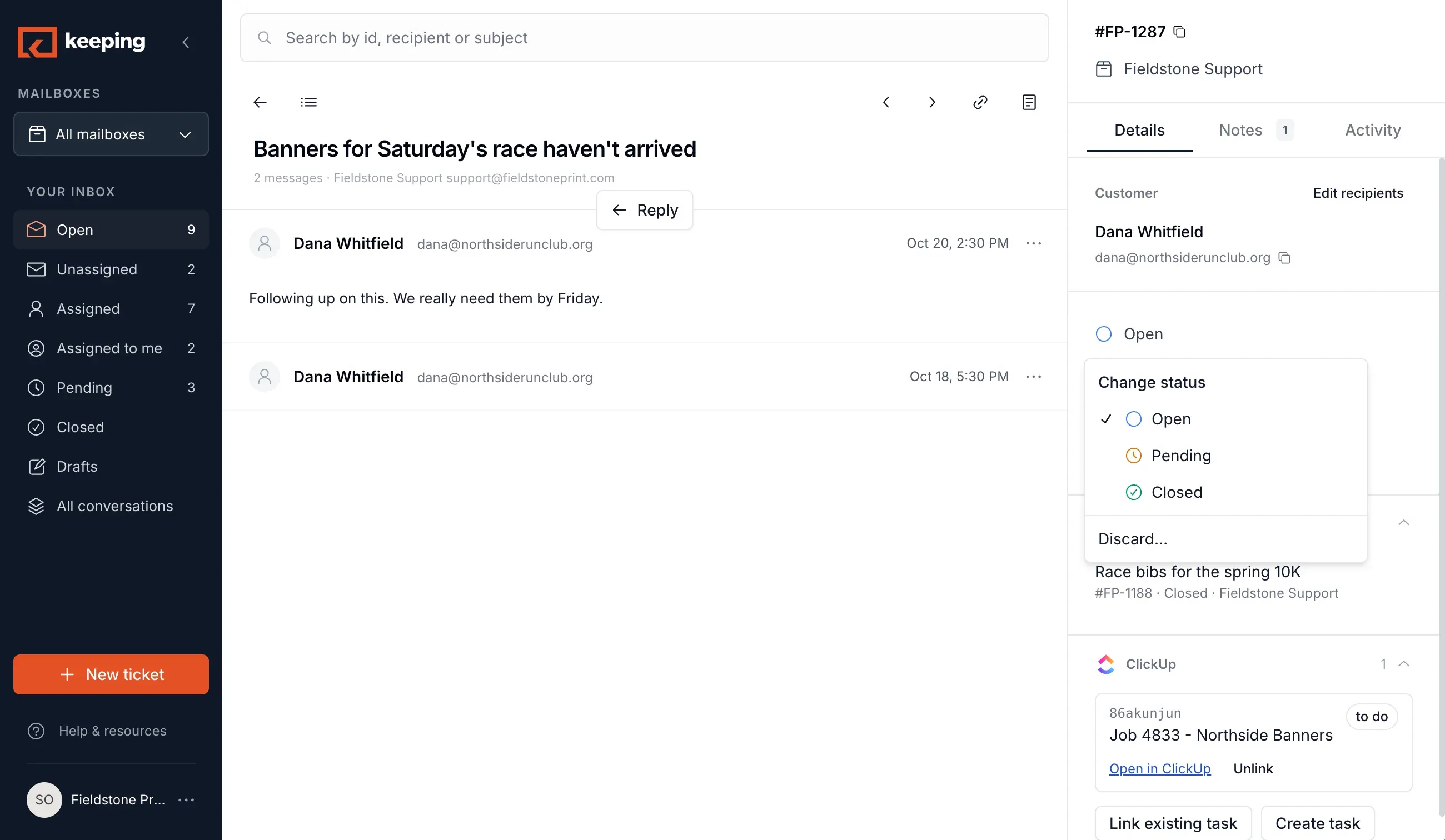
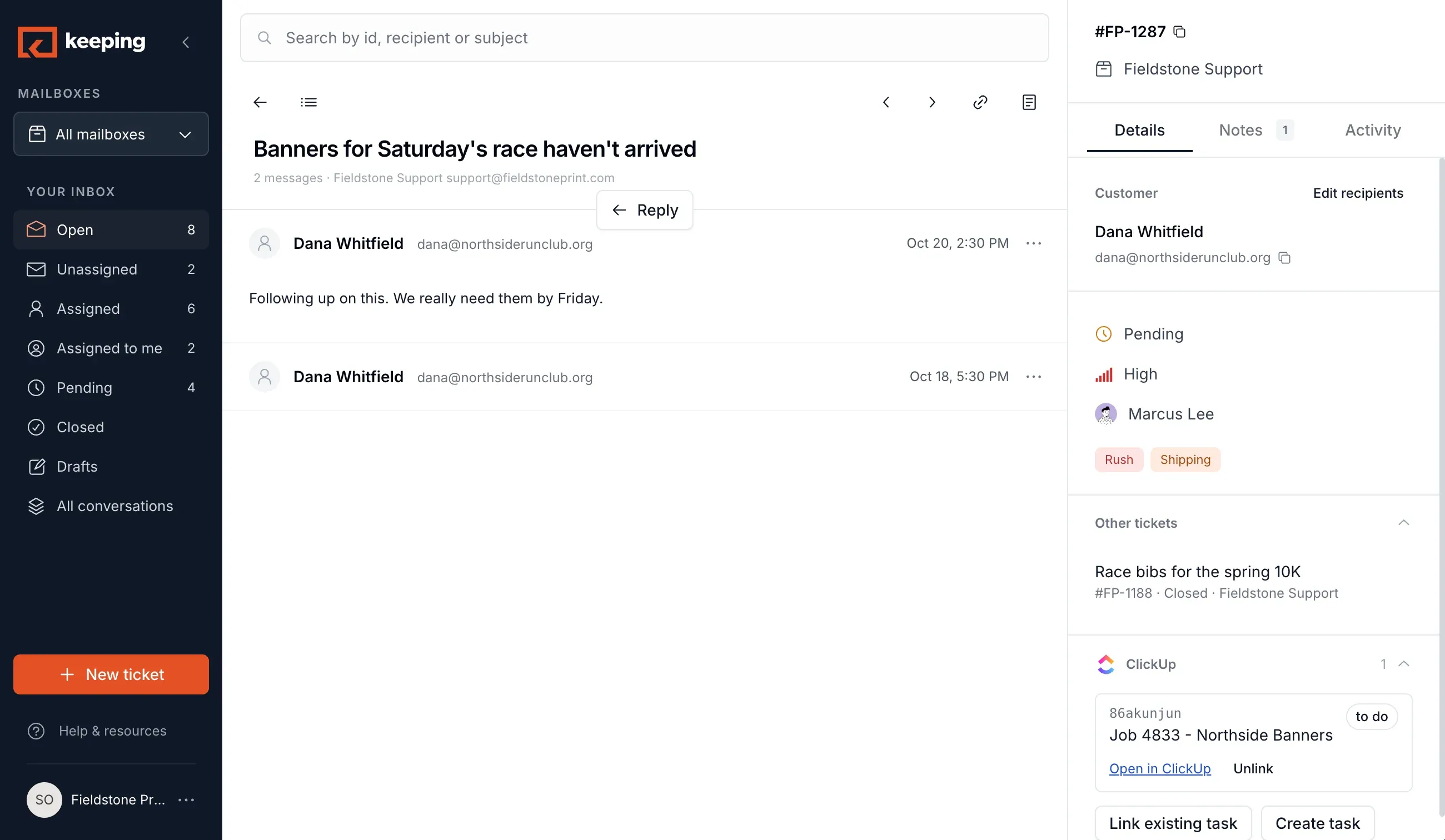
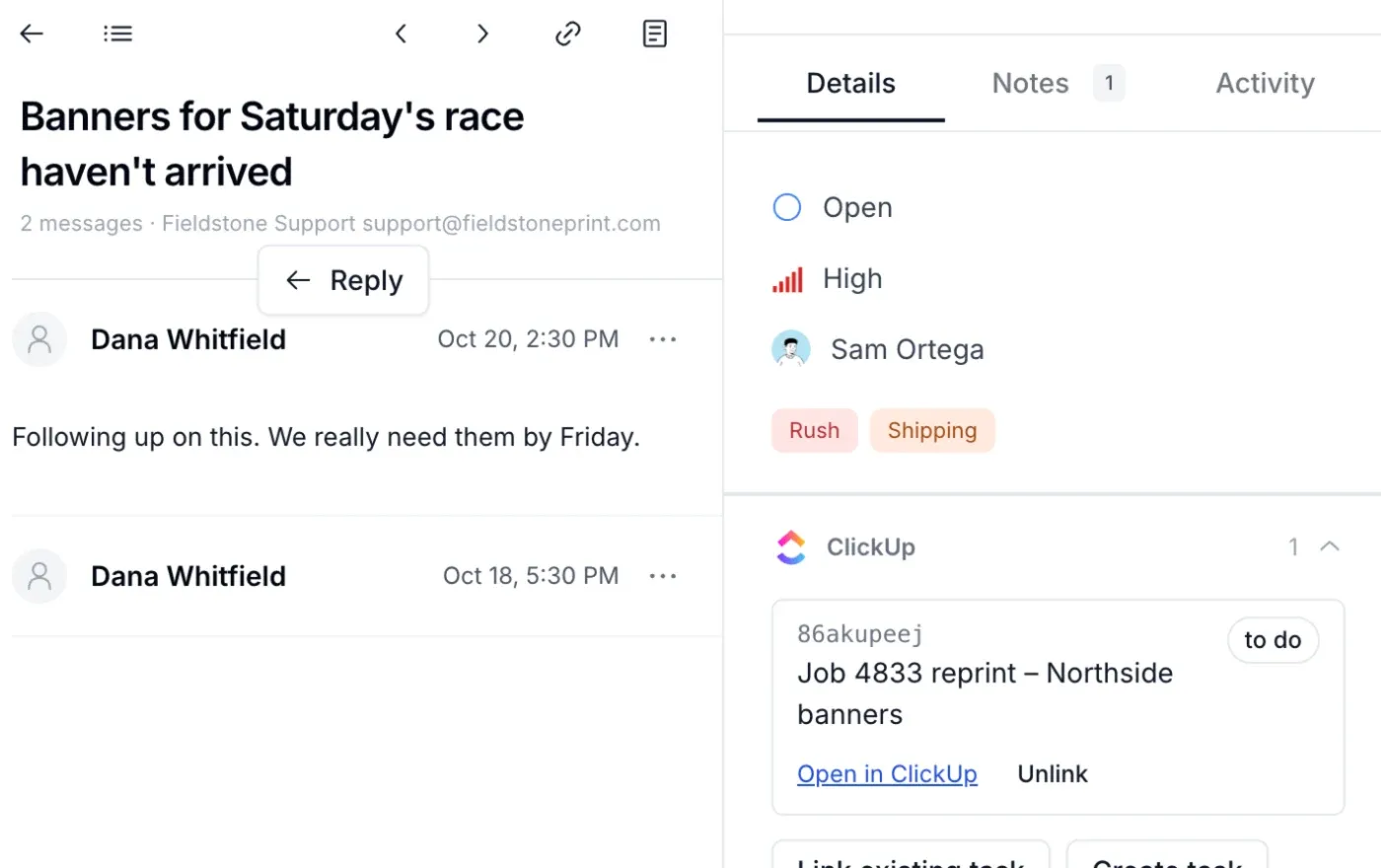
Assign it, see its status, leave a note, and know when a teammate is already replying.
Know who’s handling what
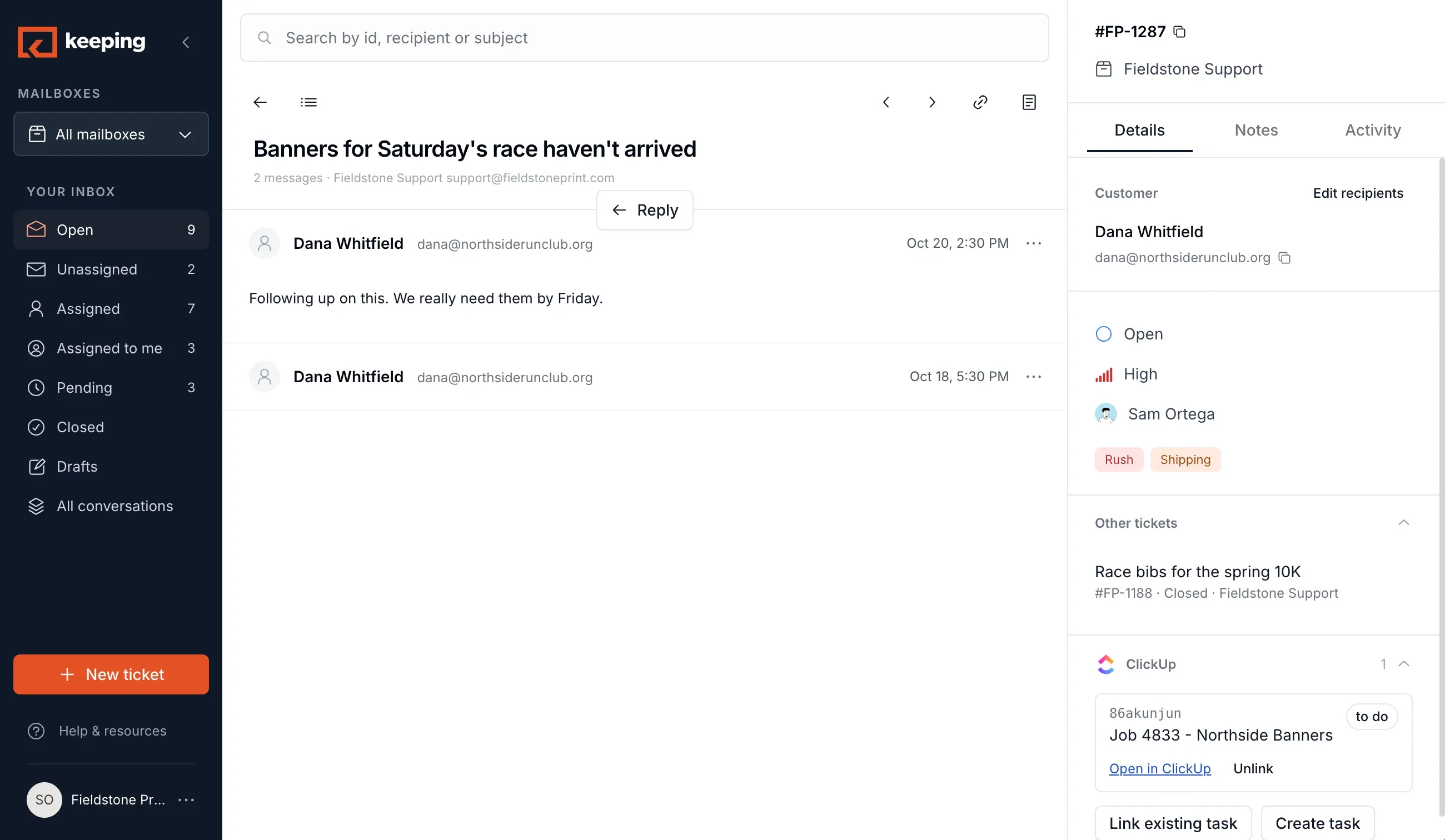
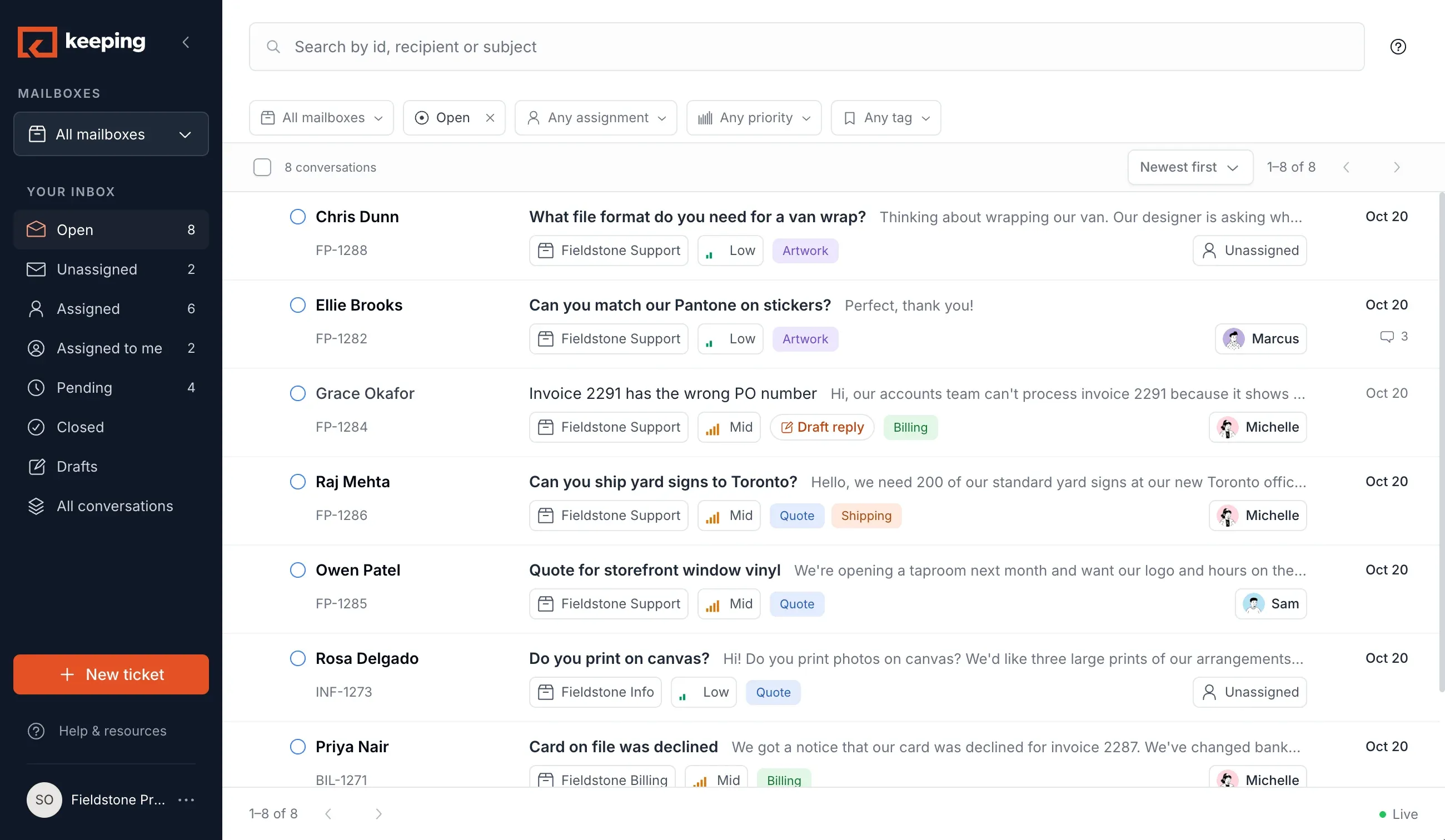
Every conversation carries an assignee and a status, visible to the whole team, in Gmail and online in the Keeping app.
“We have clear ownership, better collaboration, and improved accountability across the team.”
- Dana WhitfieldBanners for Saturday’s race haven’t arrivedMGMichelle G.
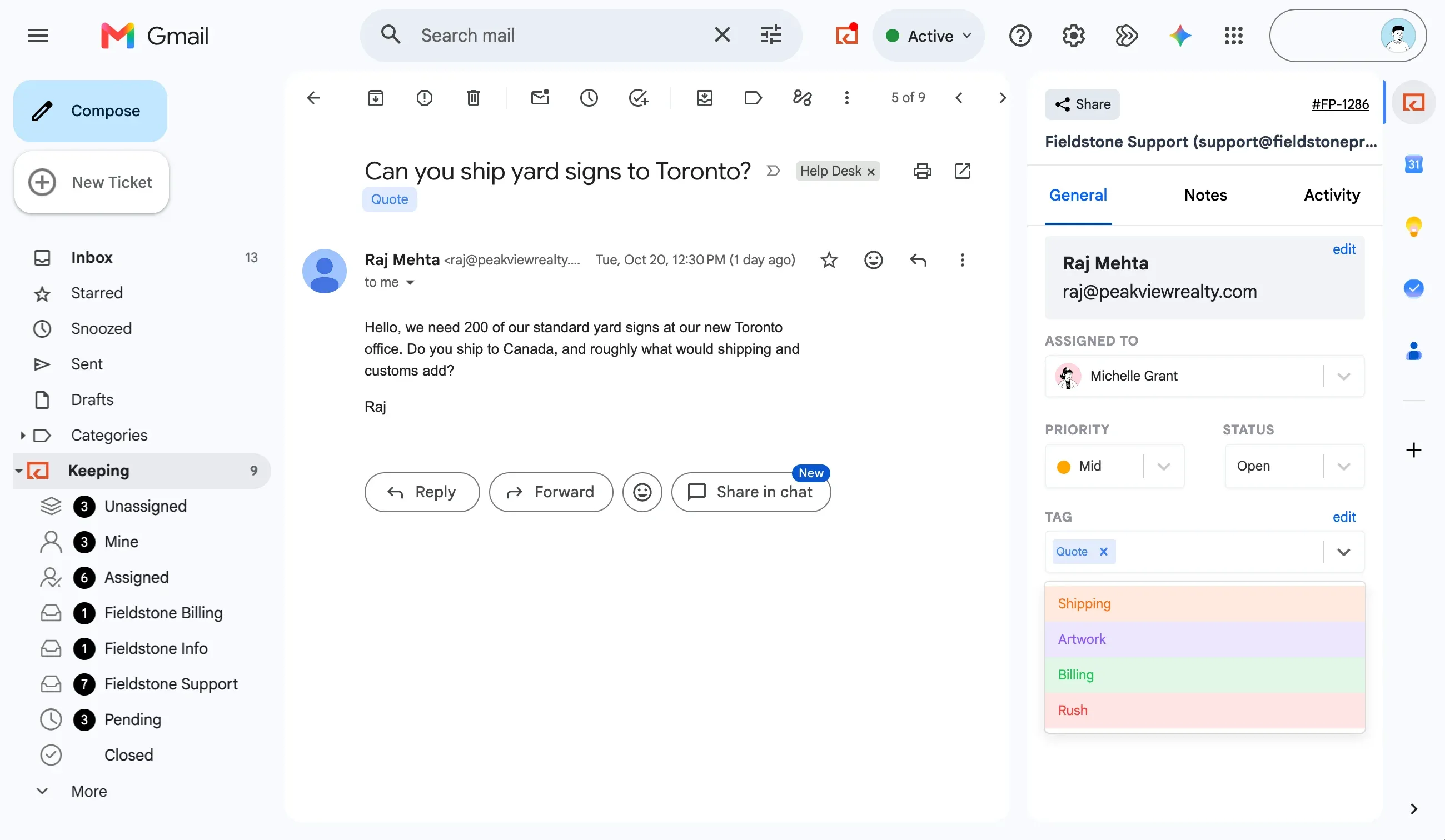
- Raj MehtaCan you ship yard signs to Toronto?SOSam O.
- Ellie BrooksCan you match our Pantone on stickers?MLMarcus L.
- Grace OkaforInvoice 2291 has the wrong PO numberMGMichelle G.
- Owen PatelQuote for storefront window vinylSOSam O.
- Chris DunnWhat file format do you need for a van wrap?Unassigned
No more double replies
See when a teammate has already opened or started answering an email.
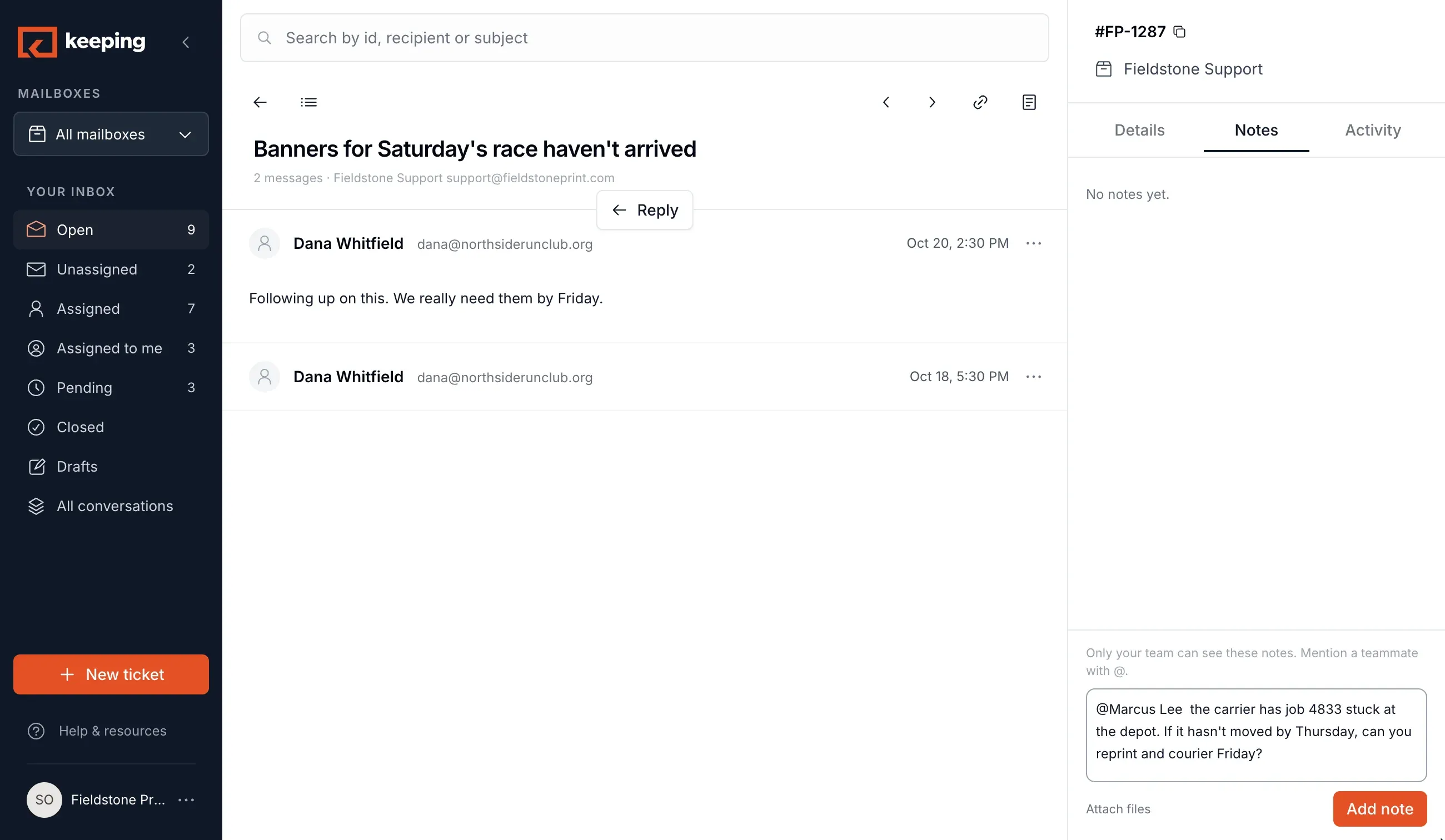
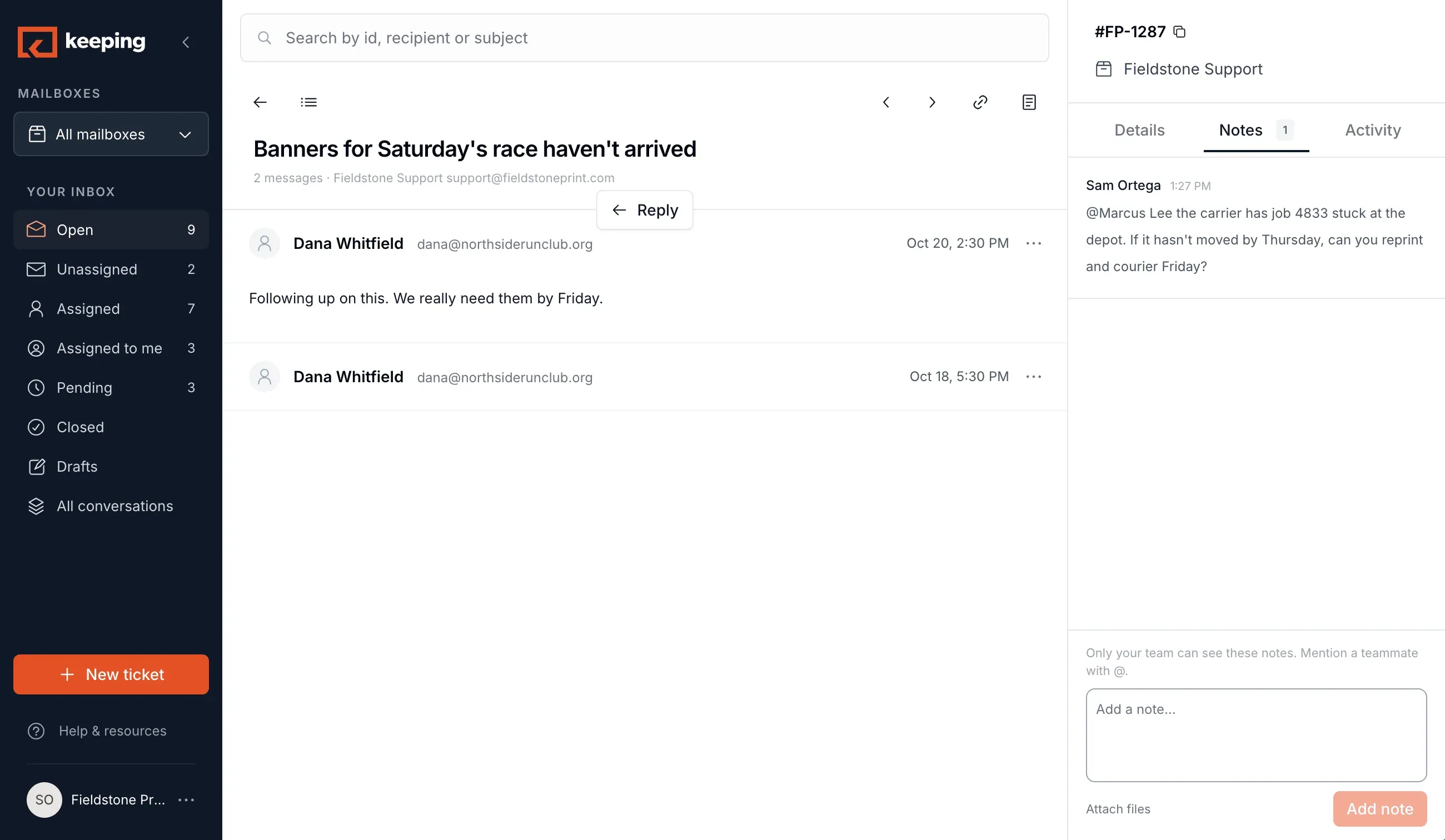
Leave notes for your team
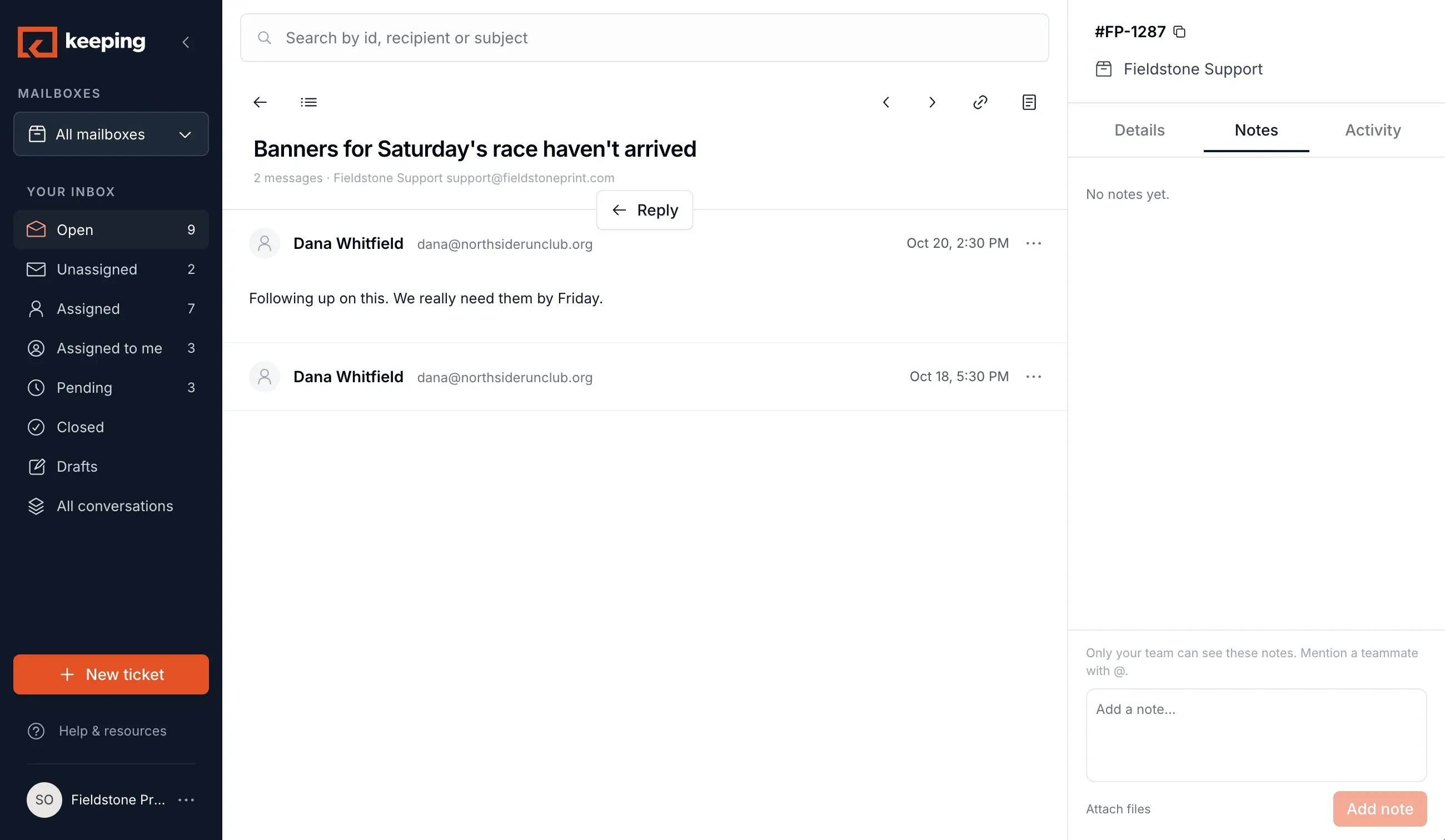
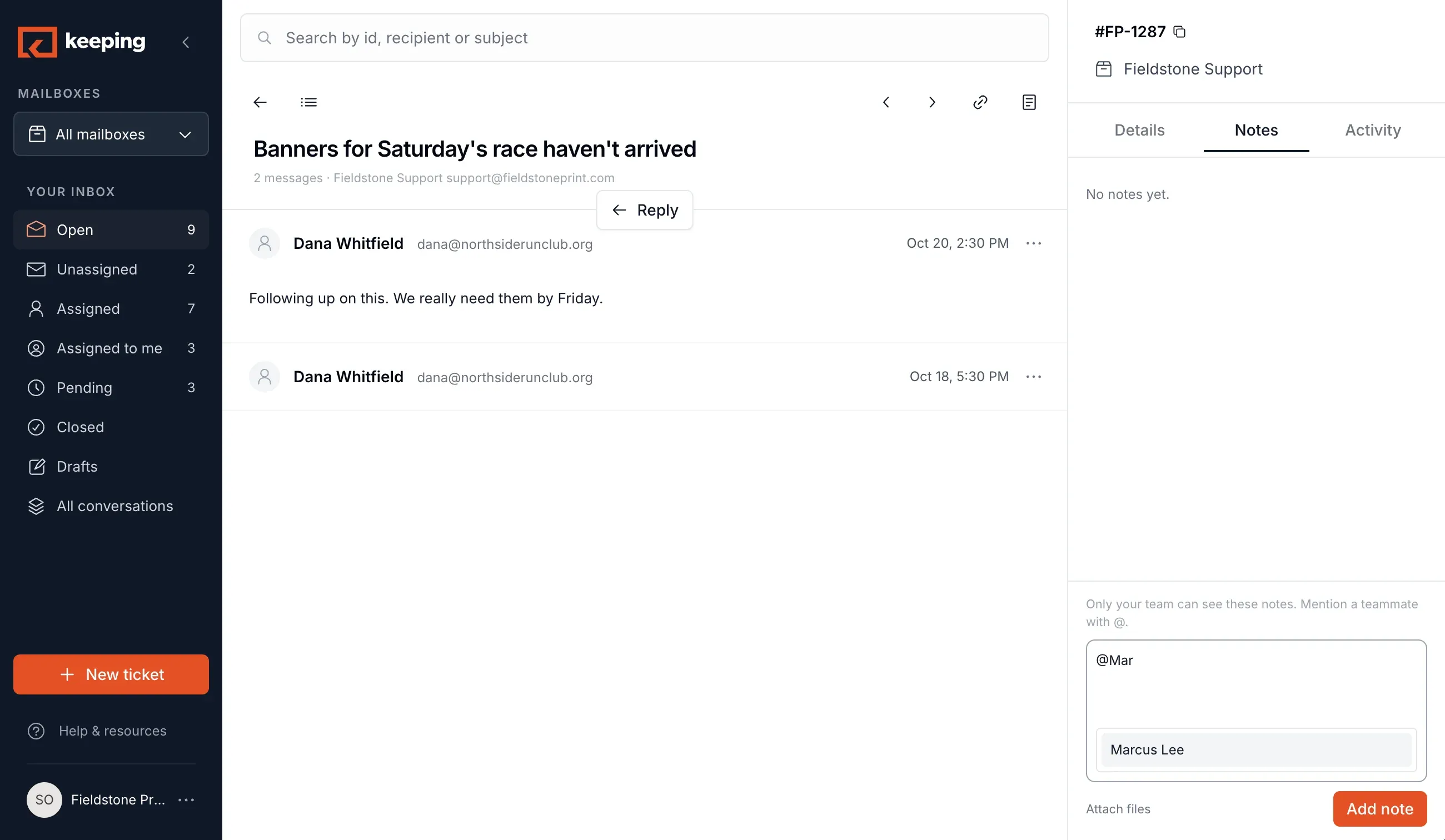
An internal note stays on the conversation, not in a side chat. The customer never sees it.
Banners for Saturday’s race haven’t arrived
Internal notes · Dana can’t see these
- ML
Marcus LeeYesterday, 4:12 PM
Carrier says the box has sat at the depot since Wednesday.@Michelle can you call Dana and offer a reprint?
- MG
Michelle GrantYesterday, 4:30 PM
On it. Reprint on press 2 Thursday, courier Friday. I’ll waive the rush fee.
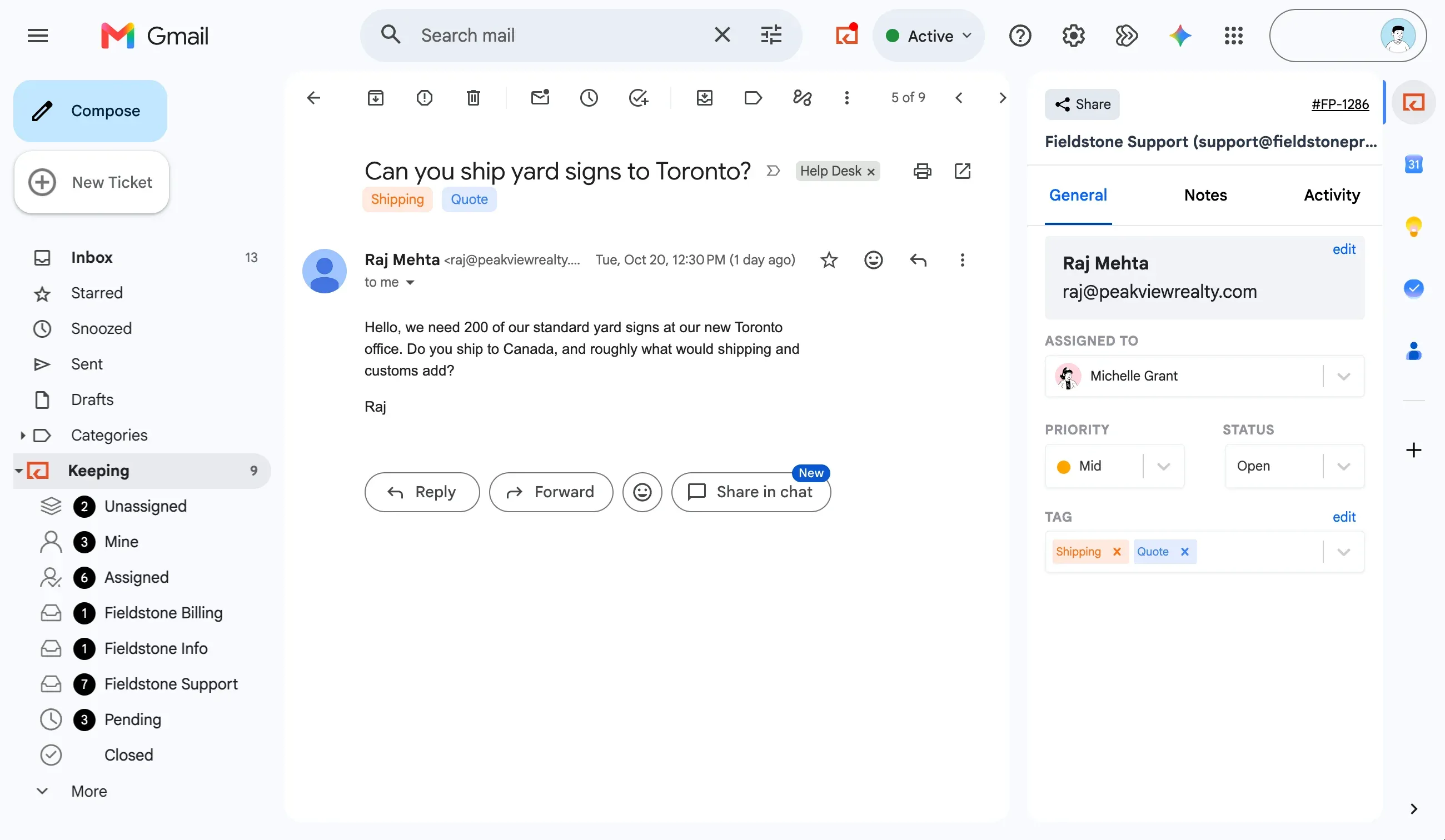
Stay organized with tags
Tag by topic, customer, or urgency. Filter by tag anywhere you open the inbox.
3 of 9 conversations
- Dana WhitfieldBanners for Saturday’s race haven’t arrivedRushShipping
- Raj MehtaCan you ship yard signs to Toronto?QuoteShipping
- Leah KimRush reprint: 250 business cards by ThursdayShippingBilling
See response times
First response time, resolution time, and email volume by teammate, tag, and mailbox.
Average first response
- MGMichelle Grant41 closed59 min
- SOSam Ortega29 closed1 hr 37 min
- MLMarcus Lee22 closed3 hr 19 min
Stop asking “who’s got this one?”
Connect support@ or info@, invite the team, and every email has an owner before the day is out.
Sign Up With GoogleNo Credit Card Required
Keep Your Gmail
Your mailbox stays in Google Workspace. Keeping adds owners, statuses, and notes on top.
Your Team in Minutes
Invite teammates with their Google accounts. No new logins, no training day.
Customers Notice Nothing
They email the same address and get a normal reply from a person, faster.
Gmail
Bring your shared inbox into Gmail
Install the extension and support@ appears beside your own inbox, with owners, statuses, and notes. No new tab, no migration.
Install in Chrome or Safari
Add the extension and your shared inbox is in Gmail, next to every email.
 Keeping for Gmailwas added to Chrome
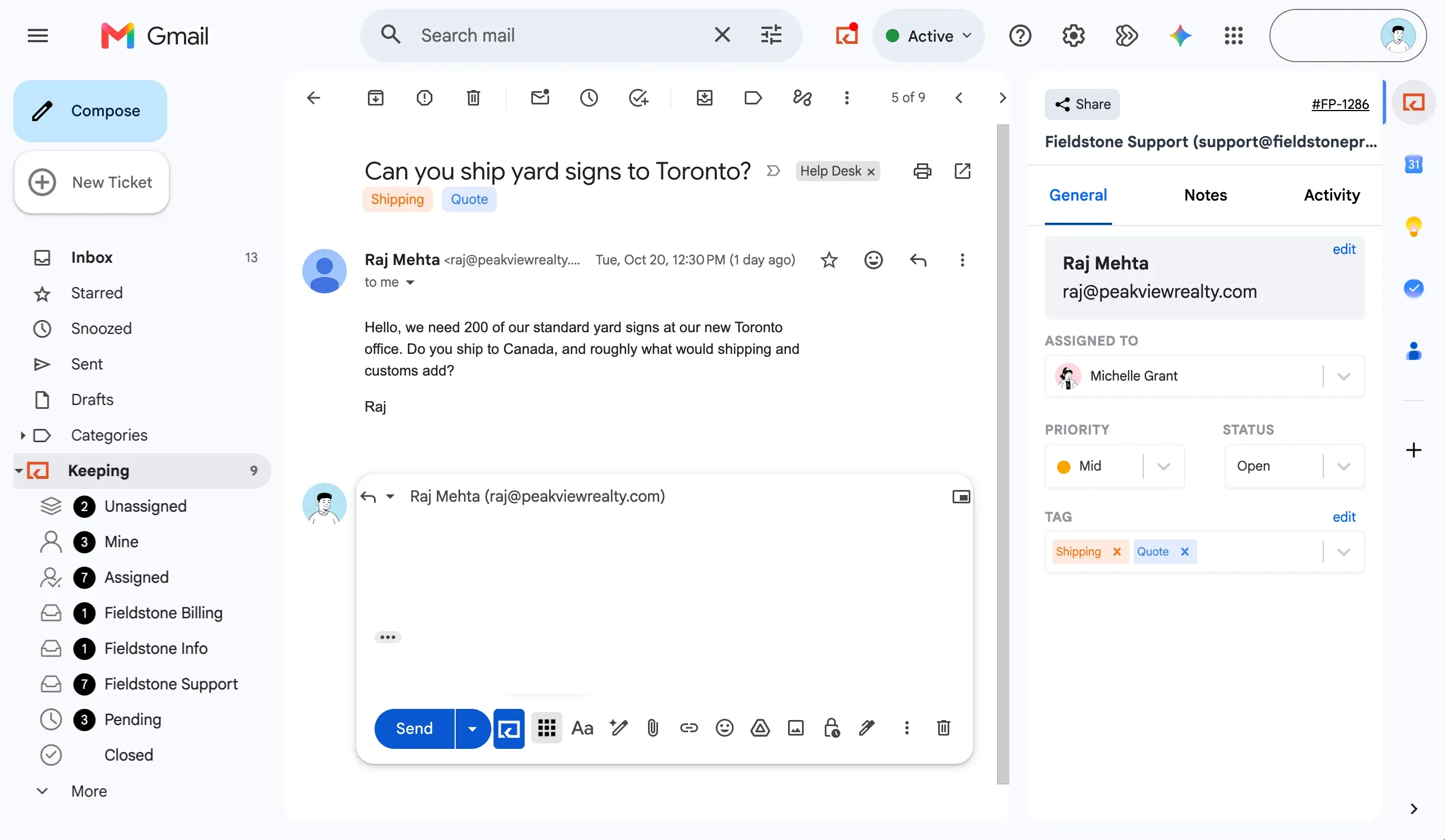
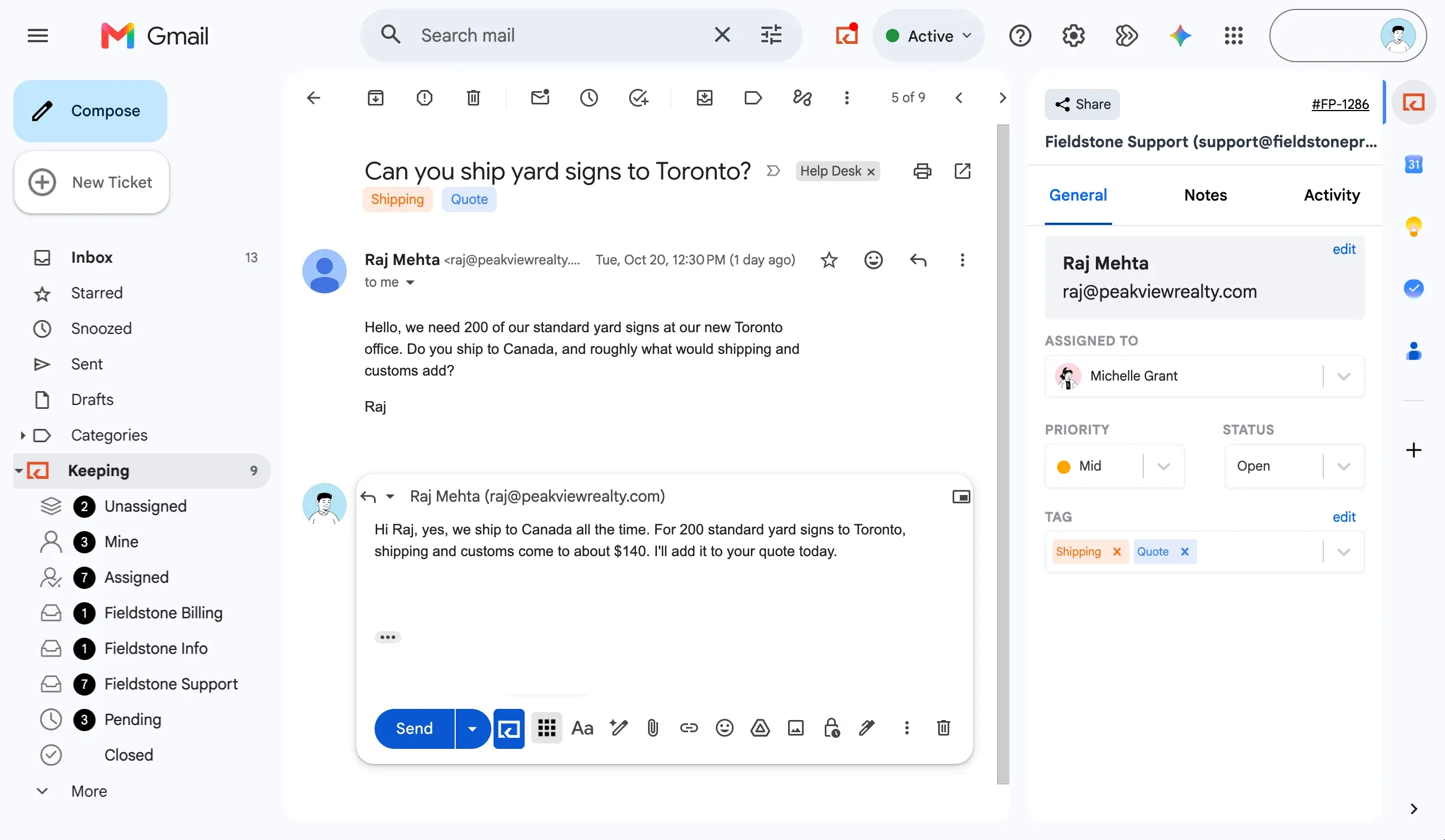
Replies come from support@
No ticket portal, no ticket numbers in the subject. Your customer just gets an email.
“There are no ticket numbers, no ‘reply above this line,’ no nothing. My customers get to interact with my team over email in the most direct and personal way possible.”
Every shared address in one place
support@, info@, hr@, and any other mailbox you share. Unlimited on Advanced.
Shared mailboxes4
- Fieldstone Supportsupport@fieldstoneprint.com7
- Fieldstone Infoinfo@fieldstoneprint.com1
- Fieldstone Billingbilling@fieldstoneprint.com1
- Fieldstone Careershr@fieldstoneprint.com0
+Add a mailbox
Anywhere
Your shared inbox goes where you go
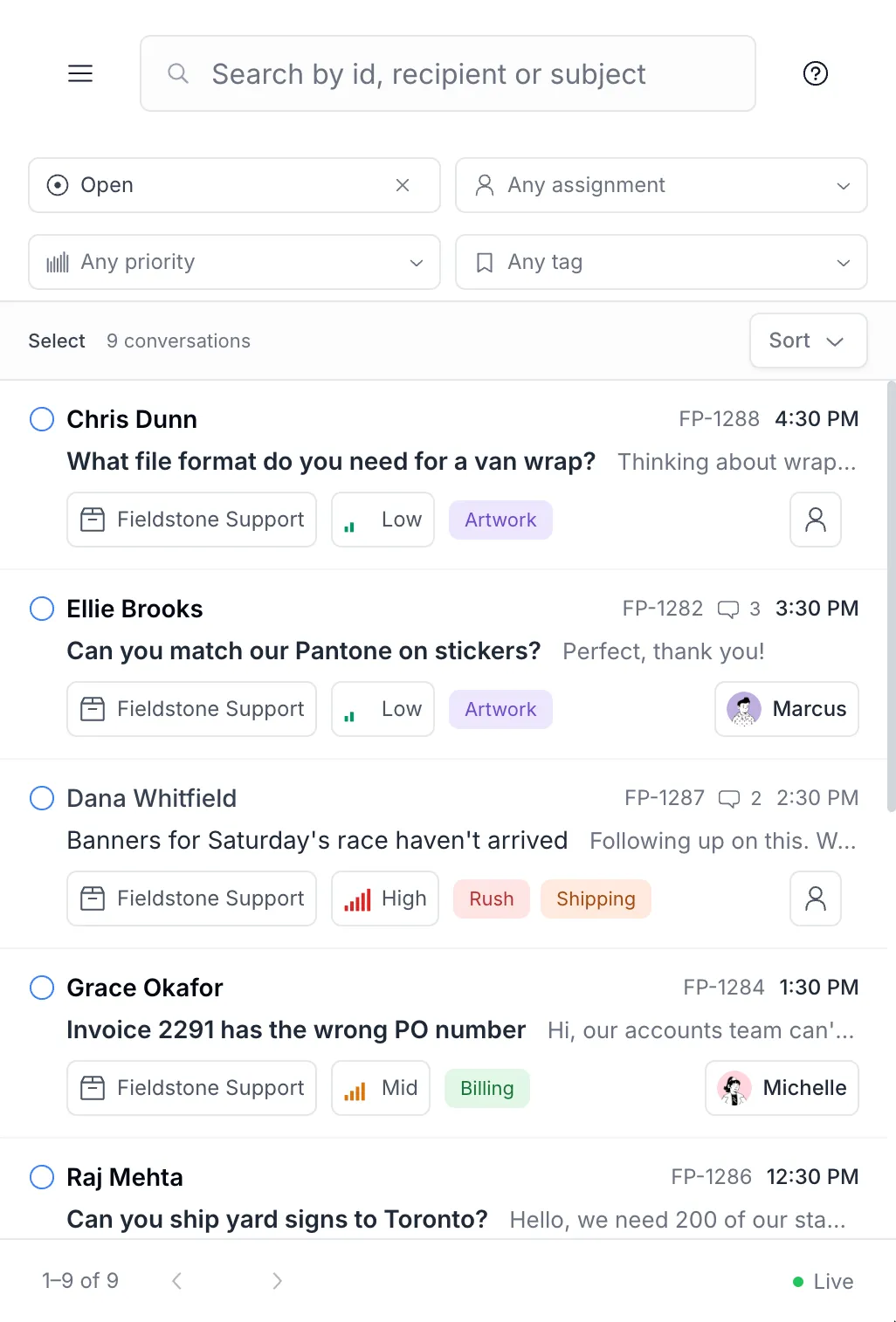
Open the Keeping app when you want the whole team’s queue on one screen, or check what’s waiting from your phone. Every owner, status, and note is the one you set in Gmail.
Online in your browser
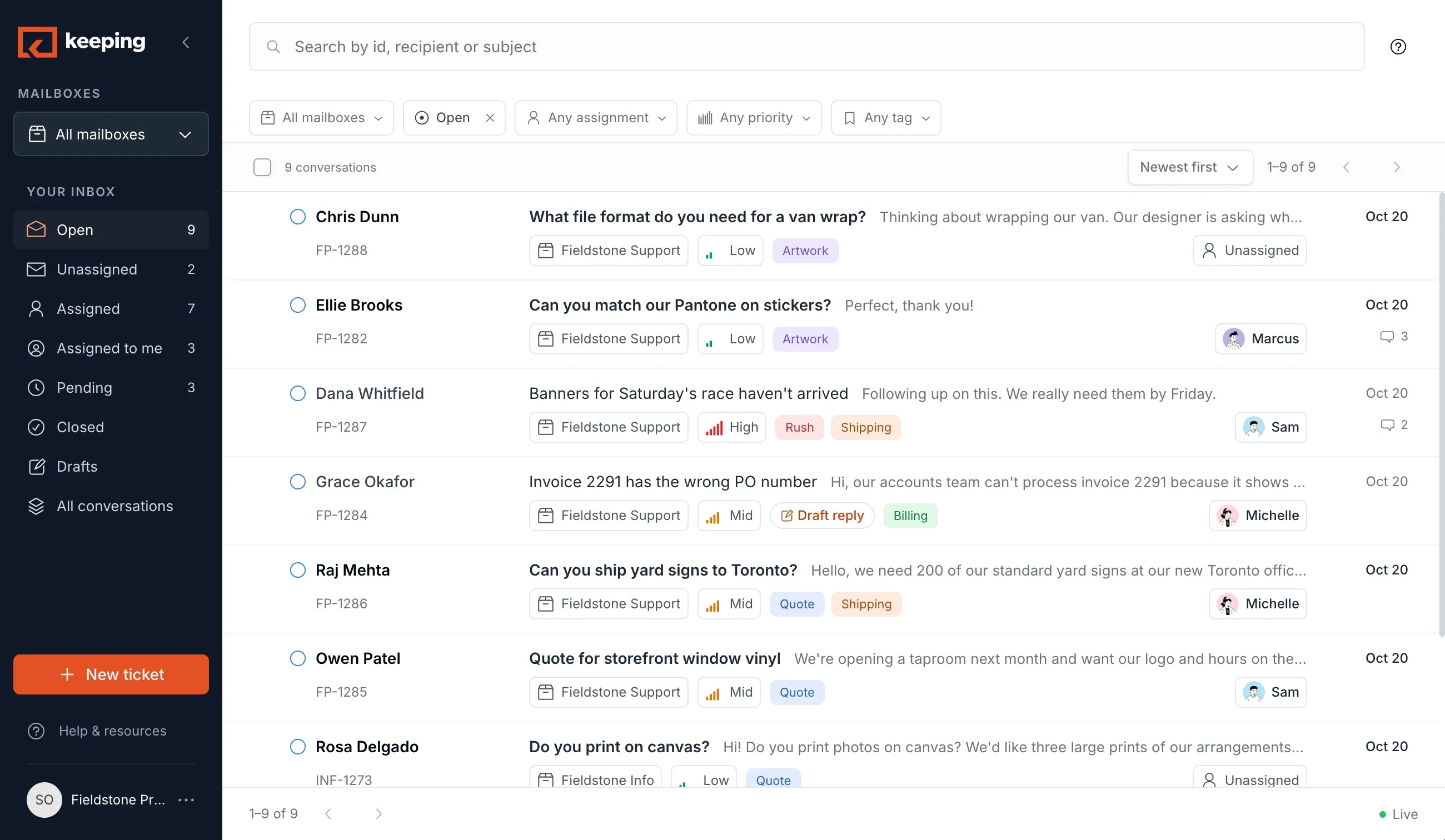
All your mailboxes, team assignments, and reports in one place.
- Chris DunnWhat file format do you need for a van wrap?
- Ellie BrooksCan you match our Pantone on stickers?ML
- Dana WhitfieldBanners for Saturday’s race haven’t arrivedSO
- Grace OkaforInvoice 2291 has the wrong PO numberMG
- Raj MehtaCan you ship yard signs to Toronto?MG
- Owen PatelQuote for storefront window vinylSO
On your phone
See what’s waiting and reply from wherever you are.
In Claude, ChatGPT, or Gemini
The same inbox, through your AI assistant. More below.
Why is Dana’s order late? Draft a reply.
- Keeping · read Dana’s email (FP-1287)
- ClickUp · looked up Job 4833
- ShipStation · checked shipment 1Z 84A 221
Job 4833 shipped Tuesday, but ShipStation shows the carrier has held it at the depot since Wednesday. Dana’s race is Saturday.
I’ve drafted a reply on FP-1287 with the tracking link and a Friday reprint offer. It’s saved as a draft, not sent.
- Keeping · saved a draft, not sent
Your AI assistant
Run your shared inbox from your AI assistant
Connect Keeping to Claude, ChatGPT, or Gemini and handle the inbox from there: see what’s waiting, assign, tag, close, and draft replies. When your assistant is also connected to your orders, docs, or CRM, a draft comes back with the answer, not just the email. Every draft is saved in Keeping for your team to review, never sent for you.
What’s waiting in support@, and what should I know first?
- Keeping · listed what’s open in support@
- Printavo · looked up jobs 4833 and 4851
- QuickBooks · checked invoice 2291
Nine open. Three need you first:
- Grace Okafor, invoice 2291. QuickBooks has it unpaid, and her quote carries PO 7716, not 7710. Reissue it with 7716 and it clears.
- Dana Whitfield, race banners. Printavo shows job 4833 shipped Tuesday but held at the carrier depot since Wednesday. A reprint fits press 2 on Thursday.
- Raj Mehta, yard signs to Toronto. His last order was 200 signs in May at $1,840. You’ve shipped to Canada before; customs ran about $140.
Want me to assign Grace’s to Michelle and draft the corrected invoice?
Because the answer is scattered across tools
Connect your assistant to Keeping and to your orders, invoices, and tasks, and a customer email gets answered with all of it. The draft, tag, or assignment lands in Keeping for the rest of the team.

How ShipTop gave every client email an owner

“Before Keeping, every client email landed in everyone’s inbox and nobody knew who owned it. Now every email has an owner, and even with our volume more than tripling, we resolve conversations just as fast as we did when we started.”
Built for every team that shares an inbox
Customer support is where most teams start. The same inbox runs IT, finance, HR, orders, and admissions, each with its own owners, tags, and reports.
- Customer SupportCustomer support teams of any sizesupport@Dana WhitfieldBanners for Saturday’s race haven’t arrivedMGRushShipping
- IT / Tech SupportIT and technical support teamshelpdesk@Priya NairCan’t get on the VPN from homeMLAccessLaptop
- Finance & OperationsFinance and operations teamsap@Grace OkaforInvoice 2291 has the wrong PO numberMGBilling
- People Operations & HRPeople Operations and HR teamshr@Owen PatelParental leave paperwork for MarchSOBenefits
- eCommerceOnline stores and Shopify teamsorders@Leah KimOrder #4512 still shows processingSOShippingShopify #4512
- EducationSchools, districts, and universitiesadmissions@Jermaine RuckerFall enrollment for two kidsMGAdmissions
New software shouldn’t take a quarter to roll out
Here’s what you can get done with Keeping in just 14 days
Today
Get started
- Connect your existing mailbox in 5 minutes
- Invite your team in 3 minutes
- Add Keeping to Gmail, and to Claude, ChatGPT, or Gemini, in 1 minute
Day 4
Get comfortable
- Customers and clients get replies in minutes, not hours
- Get organized with tags and automations
- Every email has an owner. No more “who’s handling this?”
Day 14
Ask why you didn’t switch years ago
- First response and resolution times, by teammate
- Happier customers
- Ask your assistant what’s waiting instead of digging through the inbox
Day one. Already answering.
Everything is flowing now.
Two weeks in. No looking back.
Support
Support from real people in Brooklyn, New York
Keeping was founded in 2019 and is based in Brooklyn, New York (Go Knicks!). Write to us with a question and you reach someone who works on Keeping every day. First-class support for everyone, not just Enterprise customers.
Verified reviewer · Human Resources

The system is great but their support is top notch as well. Extremely responsive, helpful and knowledgeable.
Honna G. · G2 review
Customer support was also very personal and easy to get ahold of.
Miks M. · G2 review
It was easy to integrate with Gmail and if there was any questions the customer support team always helped.
Katie L. · G2 review
Their customer support is also really great. I emailed them a simple question and they responded quickly and thoroughly.
Lisa G. · G2 review
I really enjoy the simplicity of Keeping as well as the responsiveness of the Keeping team.
Give every shared email an owner, starting today
Set up in minutes, assign emails, track conversations, and answer customers without leaving Gmail.
Sign Up With GoogleNo Credit Card Required
Set Up in Minutes
Connect your mailbox, invite your team, and start assigning emails.
Play in the Sandbox
Use our test mailbox to explore Keeping without connecting your shared inbox.
Enterprise-Grade Security
Your data is protected with SOC 2 Type II compliance.