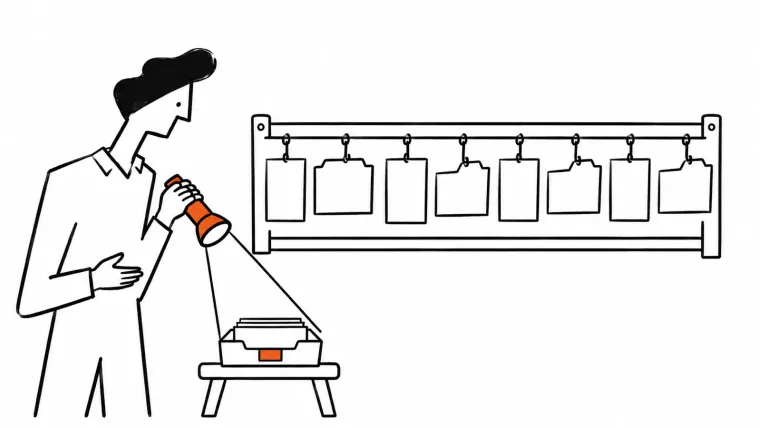

ShipTop provides eCommerce fulfillment in Canada and the US for hundreds of brands, and those brands email a lot. Until early 2025, a message to ShipTop’s support@ address landed in the personal inbox of everyone assigned to that address, so nobody could tell who owned it.
Now every client email has one owner in Keeping. Volume has more than tripled since then, and roughly the same team has absorbed it.
ShipTop at a glance
| Company | ShipTop |
|---|---|
| What they do | Warehousing, order fulfillment and shipping for brands |
| On Keeping since | February 2025 |
| Shared addresses | 9: support, claims, freight, accounting, receiving, returns, billing, careers, hello |
| Conversations | More than tripled since March 2025 |
| The result | Every email has an owner, with average time to resolve about the same |
What shared email looked like before Keeping
ShipTop didn’t have a real system for its group addresses. A client email went to everyone assigned to that address, in their own inbox, and each person had their own copy to deal with.
That setup failed in two opposite ways. If one person replied, the others often couldn’t see it, so an email could get answered twice or not at all.
Ready to transform how you work in Gmail?
Teams love Keeping because you can collaborate on a shared inbox without ever leaving Gmail. It's not magic, but it feels magical.
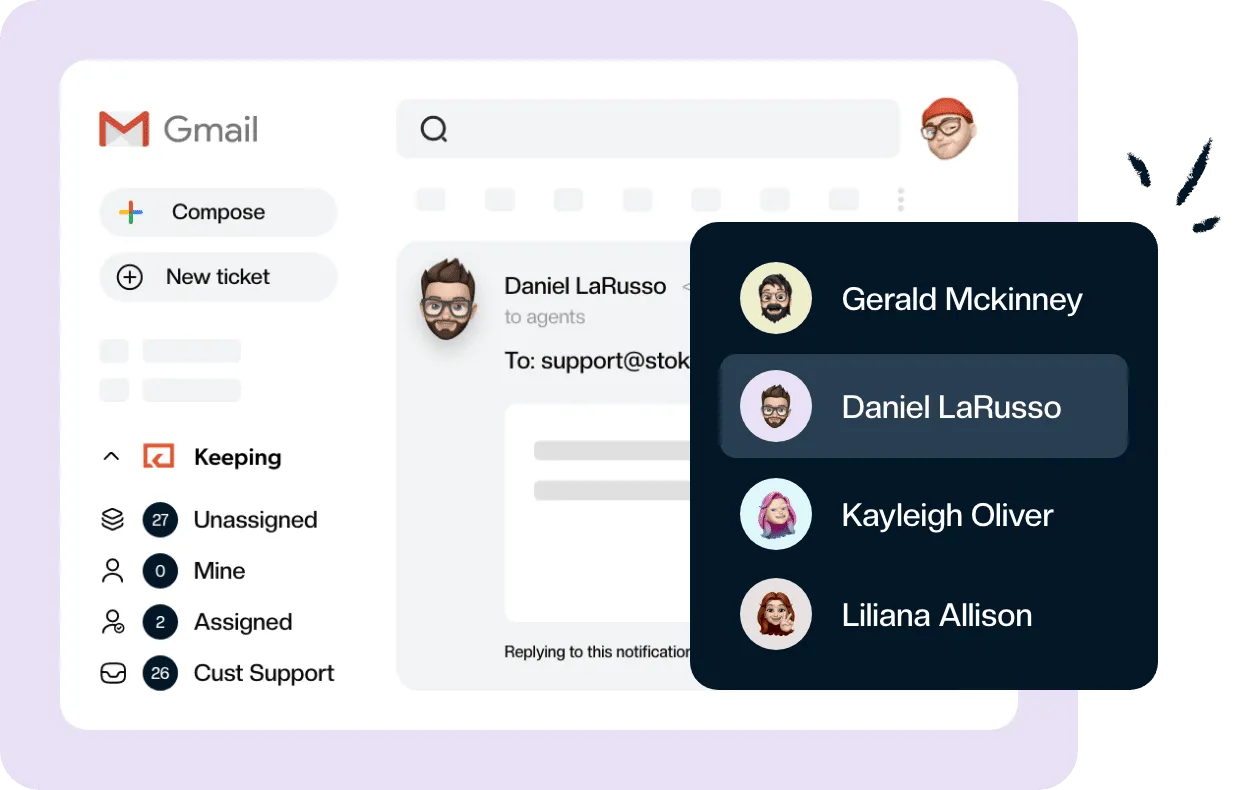
Brands write to ShipTop about orders, inventory and shipments, and those questions cover warehouses in two countries. Everyone’s inbox flooded, and it got hard to tell what still needed an answer. If that sounds familiar, our guide to Gmail shared mailboxes compares your options and what each costs.
What ShipTop needed from a shared inbox
The team had a short list:
- A way to assign each email to a person
- A place to comment on and discuss emails internally
- A way to track response-time KPIs
They looked at Zendesk, Freshdesk and Intercom before choosing Keeping. Today, nearly everyone on the team uses Keeping from inside Gmail, so a client question and a teammate’s note sit in the same place as the rest of their email.
How ShipTop runs shared email now
ShipTop gives each job its own address. Six went into Keeping in the first week: support, claims, freight, accounting, receiving and returns. Billing, careers and hello followed in 2026.
Support, Freight & Customs, Accounting and Sales use it most. Accounting is the largest by a distance, and support comes second.
Assignment does most of the work: it’s what puts one name on each email. Internal notes do the rest, so a question about a client gets answered next to the client’s email, where the next person can find it.
Two routing setups you can copy
Automatic routing saves ShipTop the most time. The team’s rough estimate is 6 hours a week.
Route vendor invoices to accounting
Vendor invoices make up a large share of ShipTop’s total email volume. They now go straight to the right person on the accounting team instead of landing in everyone’s inbox.
If your invoices arrive with a predictable subject line, you can set up the same handoff with a Keeping workflow:
- Run the workflow when the first email in a conversation arrives.
- Match on the subject, such as “starts with New invoice from”.
- Assign it to the person who handles invoices, and add a tag if you want to report on them later.
Route customs broker emails to two teams
Customs broker emails matter to two teams at ShipTop, so each team has its own rule. When a customs email reaches the freight address, a workflow assigns it to someone in freight. When one reaches the accounting address, a second workflow assigns it to someone in accounting.
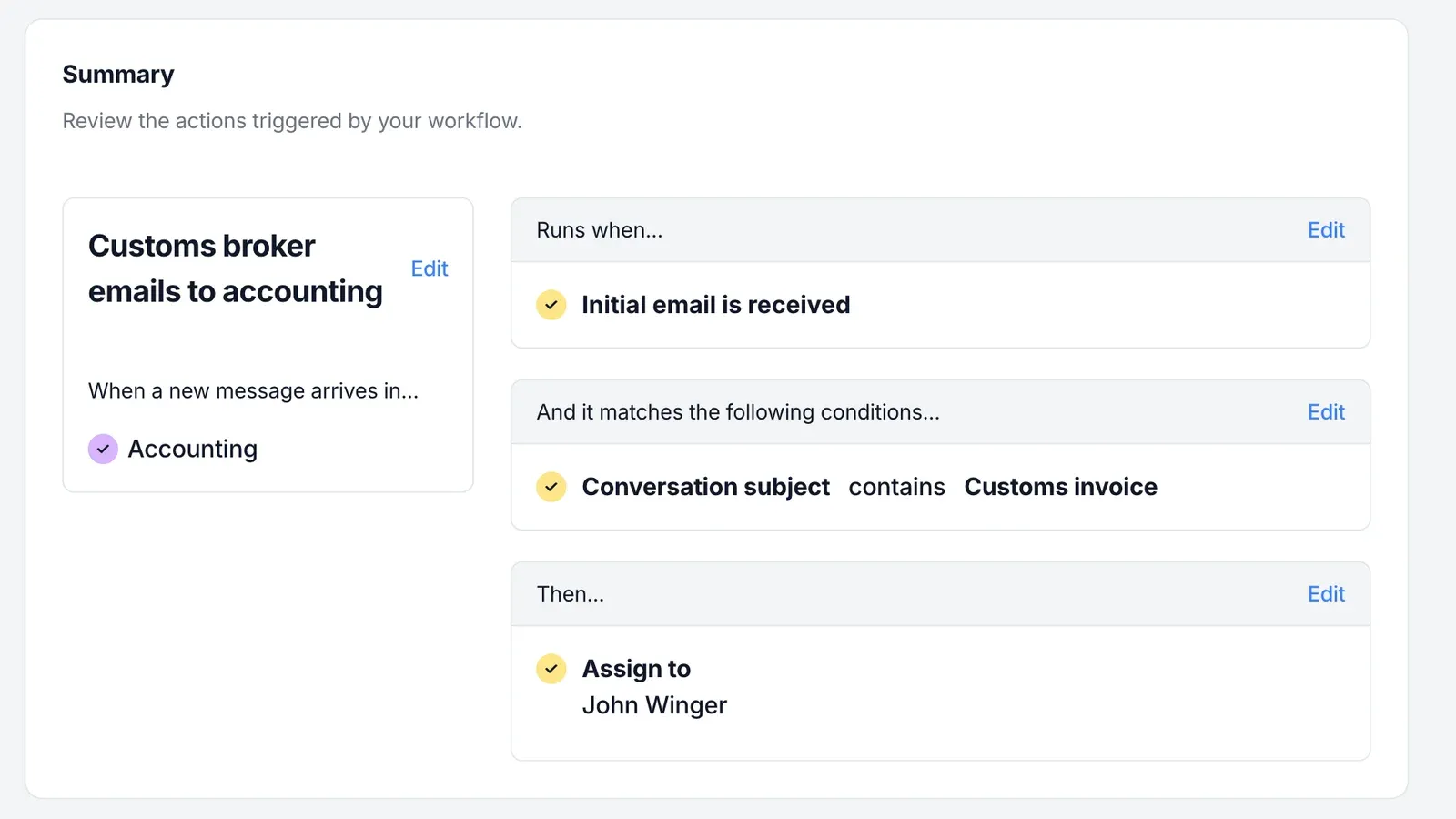
The pattern works for any email that belongs to a specific person: find a phrase that’s always in the subject, then assign on it. Our guide to Gmail rules covers what Gmail’s own filters can do, and where a team needs shared rules instead.
Claude drafts, a person sends
ShipTop has also started using AI in its client email process. The team connected Keeping to Claude through the Keeping MCP server. Claude drafts replies to client emails. The team reviews, edits and sends each one from Keeping, so they get the speed of AI with a person checking every answer before it reaches a client.
MCP access comes with every Keeping plan, limited on Essentials and full on Advanced and HIPAA.
What changed for ShipTop and its clients
For clients, the biggest change is consistency. Every email has an owner, so nothing falls through the cracks.
The rest shows up in the results:
- Volume: more than tripled since March 2025.
- Team: roughly the same team absorbed that growth.
- Time to resolve: the average has stayed about the same.

“Before Keeping, every client email landed in everyone’s inbox and nobody knew who owned it. Now every email has an owner, and even with our volume more than tripling, we resolve conversations just as fast as we did when we started.”
Claudia Jamshidpour, Head of Client Success, ShipTop
Who this setup fits
This setup suits a team that runs on Google Workspace and has several group addresses, each with its own job. You don’t need ShipTop’s volume. Duplicate replies and unclear ownership start showing up with far fewer emails, and ecommerce teams see them once order questions pile up.
If a client email to your team lands in five inboxes and nobody’s sure who has it, start with one address and assign everything that comes in for a week. Try Keeping free for 14 days, with no credit card.
About ShipTop
ShipTop is an eCommerce fulfillment provider helping fast growing brands with warehousing, order fulfillment and shipping across Canada and the US. Find out more at shiptop.com.