
Keeping is the Drag alternative that's built for customer support
Keeping and Drag both turn Gmail into a shared inbox. But Drag is a kanban board layered on top of your email - and to get real support features like SLAs, round-robin assignment, and custom fields, you'll need Drag's most expensive Pro plan.


Rated 4.5 /5 on G2
No Credit Card Required
Why choose Keeping over Drag
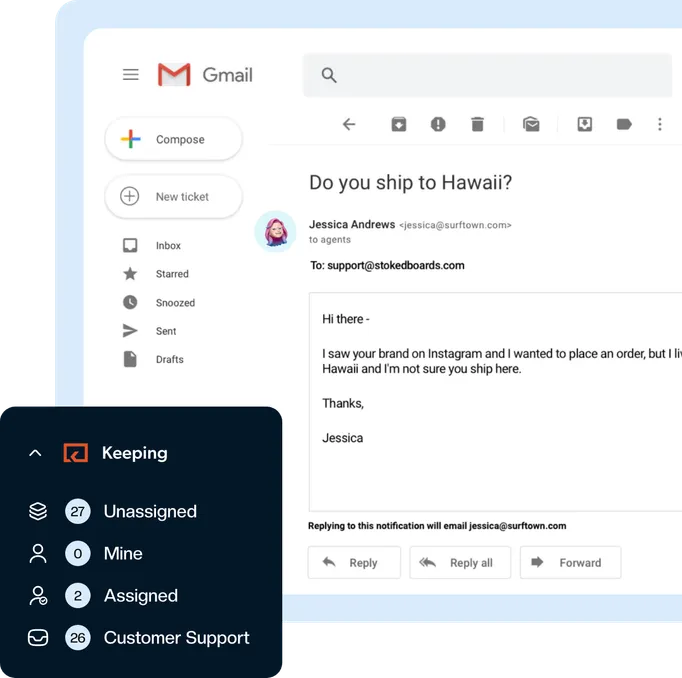
Drag is a kanban board layered on top of your email, and the features a support team actually uses — SLAs, round-robin assignment, custom fields — need its most expensive Pro plan. Pick Keeping for every customer support feature on one simple plan, without slowing your Gmail down.

Easy set up
Create a Keeping mailbox, forward your shared email address or connect with Google, and invite your team.
Learn More about Easy set up
Communicate status
Know where every support email stands by marking them as Open, Closed or Pending. No more requests slipping.
Learn More about Communicate status
Shared notes
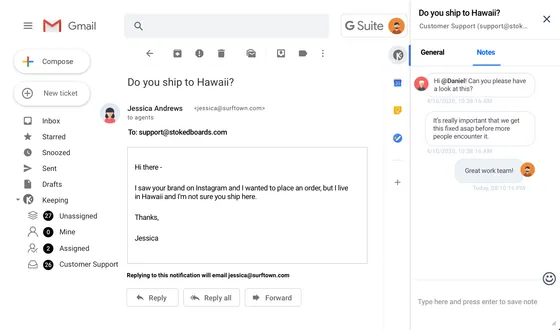
Easily share notes with your whole team to communicate what needs to be done or how to follow up.
Learn More about Shared notes
Multiple mailboxes
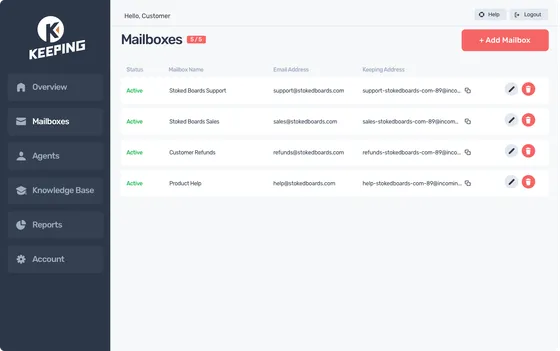
Add as many shared inboxes as you like - respond from your personal inbox without having to manage multiple logins.
Learn More about Multiple mailboxes
Advanced reporting
Advanced reporting gives you the data you need to know to measure your team’s performance.
Learn More about Advanced reporting
Response templates
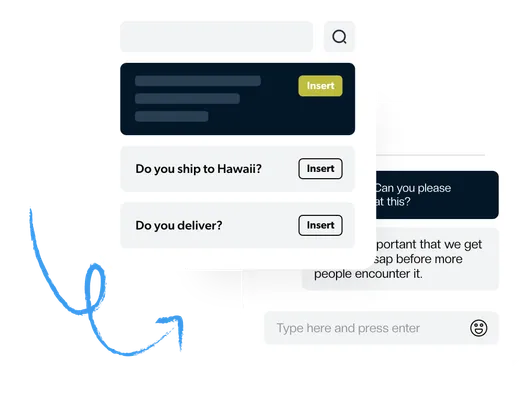
Getting the same questions over and over again? Easily save and share canned answers across your team.
Learn More about Response templates
Collision detection
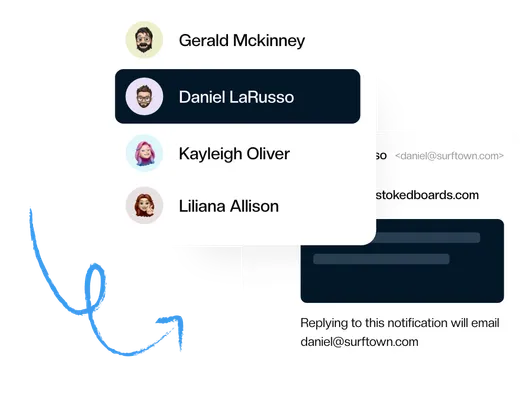
Keeping prevents multiple team members from working on the same support request at the same time.
Learn More about Collision detection
Confirmation receipts
Let your customers know you're listening with an automatic reply - customizable by mailbox.
Learn More about Confirmation receipts
Keeping is more affordable
Drag's pricing looks cheap until you need the features a support team actually uses. SLA rules, round-robin assignment, business hours, and custom fields are only available on Drag's Pro plan ($30/user/month). Even automation is capped at 10 rules on Drag's Starter plan.
Keeping's most comprehensive plan includes unlimited workflows, SLAs, round-robin assignment, and advanced reporting - everything on one plan, with no feature gates and no metered "AI credits" waiting to become a bill.
You get Drag's top-tier feature set for less, and you can start on Keeping's entry plan instead.
Keeping is more reliable
Drag works as a Chrome extension that redraws your Gmail into boards. Reviewers report that it slows Gmail down as email volume grows - exactly when your support inbox is busiest - and describe a glitchy system with automations that didn't work.
Keeping was built from the ground up for customer support inside Gmail. There are no boards to configure and nothing bolted on top of your inbox: most teams are up and running in about 15 minutes, and Gmail stays fast.
Keeping's streamlined design is optimized for busy support teams.
A quick comparison on price
See how Keeping and Drag compare across every feature and why Keeping is the best Drag alternative for most small businesses.
| Features |  |  |
|---|---|---|
| Built for customer support | Yes | Kanban boards |
| Shared inboxes | Unlimited | Yes |
| Unlimited workflows & automations | Yes | 10 rules on Starter |
| SLAs, round-robin, business hours | Yes | Pro plan only ($30/user/month) |
| Custom fields | Yes | Pro plan only ($30/user/month) |
| Advanced reporting | Yes | 3-month history on Starter |
| Self-service cancellation | Yes | Email required to cancel |
| Pricing (most popular plan) | Yes | $24 - $30/user/month |
The Drag alternative your team will love
No compromises. All the features you need to manage customer support from inside Gmail.
Collaborate in Gmail
Adding customer support to your operation no longer means opening an extra browser tab. Manage your shared inbox from your own Gmail account. No external app!
- Add collaboration to email
- Stop duplicated work
- Share the workload
Simple & Streamlined
Our instant setup and Gmail integration are designed for the busiest teams. There’s no complex software to configure. You’re up and running and supporting customers in minutes.
- Get started in minutes
- One home for multiple mailboxes
- Save time with shared templates
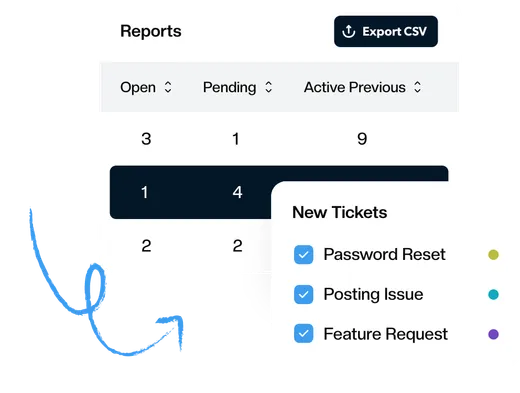
Best-in-Class Analytics
Advanced reporting gives you the data you need to know how your team responds to customers. Track first response time, resolution time, busiest times, and much more.
- Reports by agent, tag, and mailbox
- Understand how your team can improve
- Visualize the data over time
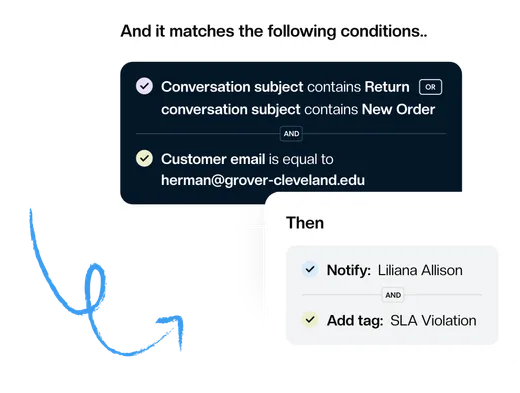
Automate Everything
Focus on what’s essential and let workflows handle repetitive tasks. Automatically assign tickets, set priority and tags, or change the status based on the content of your email.
- Improve team efficiency
- Respond to customers faster
- Nothing slips through the cracks
Connect the Tools You Use
Keeping is a powerful tool that can help you to stay organized and productive. But it can be even more powerful when you connect it to your other tools, such as Shopify, Zapier, or HubSpot.
Learn More about Connect the Tools You Use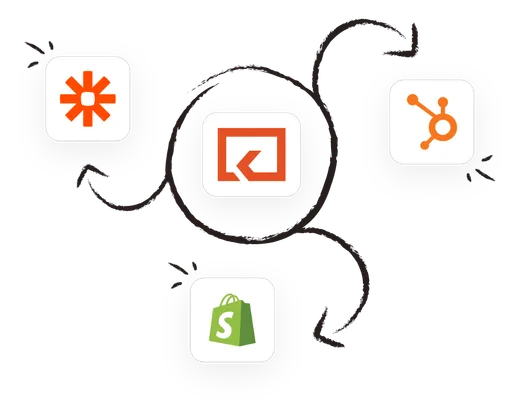
All the essentials that you and your team needs
Made for busy teams
Collaborate with team members in real-time — no more forwarding emails and confusion around who is doing what.

Try us for free
There's no credit card required to get started. Get set up and connected in less than 10 minutes.

Secure and safe
Security and safety are at the core of everything we do. We publish our security policies and procedures so that you can see how we protect your data.
Advanced
$24
per user per month
billed annually
Our most comprehensive plan at a price you can afford.
See What's IncludedOur customers love us for a reason
Don’t just take our word for it, see what our customers are saying about us.

Rated 4.5 /5 on G2

“Keeping helps our customer service team stay on top of inquiries & recognize when an issue has been handled.”
“It's a great tool for tracking and sharing support emails with colleagues. I love how Keeping email has its own inbox inside Gmail.”
“Keeping seamlessly integrates with Gmail, so we don't have to work with another tool. It allows everyone to see responses from the team.”
“Seeing our shared mailbox right in GSuite, the automatic setup, and the ability to keep track of issues are my favorite features.”
“At our university, Keeping gives us control over the responses of all our agents, as well as ensuring that all emails are being responded to.”
“Our HR department uses Keeping, and it works amazingly well for us to keep organized. It's a simple but robust ticketing system.”
“I like that we can use it right inside our Gmail. I also like that we can assign and prioritize incoming requests.”
“Keeping makes it simple to stay on top of our work orders, and I love that it is integrated with Gmail.”
“Tried them all - Keeping is perfect for our startup. Exactly the features we needed, like Gmail integration and collision detection.”