
Front pricing starts at $25 per seat per month on annual billing. Professional costs $65 and Enterprise costs $105. Paying monthly raises Starter to $35 and Professional to $85, while Enterprise is annual only. Your bill also depends on which plan your team fits, the AI tools you add, and whether you need paid onboarding.
Front (also called Front app or FrontApp) is a shared inbox and customer service platform for email, chat, SMS and social, with teammates working in Front’s own app. If you’re researching Front app pricing for a growing team, budget for your next headcount milestone: Starter stops at 10 seats, and Professional stops at 50.
Prices checked on Front’s pricing page on September 28, 2026. All figures below are in US dollars, before taxes and any negotiated discounts.
Front pricing at a glance (2026)
Front shared inbox pricing has three tiers. Here are the published subscription rates and the limits most likely to affect your budget, checked September 28, 2026.
A complete help desk, inside Gmail?
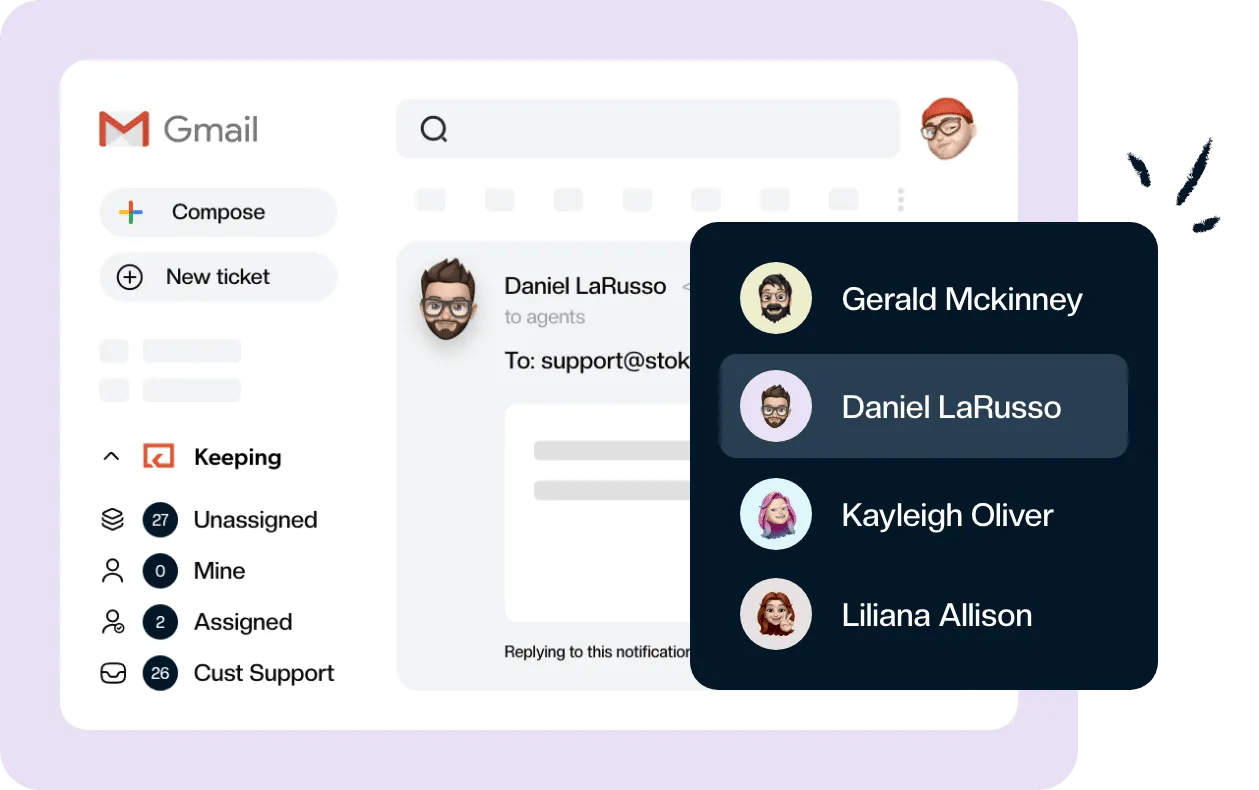
Keeping turns your Gmail into a fully featured help desk. It's not magic, but it feels magical.
| Plan | Per seat/month, annual billing | Per seat/month, monthly billing | Seat cap |
|---|---|---|---|
| Starter | $25 | $35 | 10 |
| Professional | $65 | $85 | 50 |
| Enterprise | $105 | Annual only | No cap published |
The plans also differ on channels, automation rules, workspaces and how far back analytics go.
| Plan | Channels | Automation rules | Workspaces | Analytics retention |
|---|---|---|---|---|
| Starter | One channel type; 10 channels per seat | 10 | 1 | 6 months |
| Professional | Multiple types; 30 channels per seat | 20 | Up to 5 | 24 months |
| Enterprise | Multiple types; 50 channels per seat | Unlimited | Unlimited | Unlimited |
As of September 28, 2026, Front’s annual-billing rates are $25, $65 and $105 per seat per month. Starter supports up to 10 seats, Professional up to 50, and Enterprise requires an annual contract. Monthly subscriptions cost $35 for Starter or $85 for Professional, before add-ons.
A channel type and a channel are different limits. An email-only Starter team can connect multiple email addresses, but it cannot combine email with Front Chat on that plan. The per-seat allowance controls the number of connected channels, so five Professional seats allow up to 150 channels.
Front labels Enterprise “most popular.” Choose a plan by the channels, automation and reporting your team needs.
What do the Front plans include?
The plan comparison puts several operational features on Professional even when your team has fewer than 10 people. The following inclusions were checked September 28, 2026. Prices in the headings are per seat per month on annual billing.
Front Starter pricing: $25 per seat
Starter covers shared inboxes, ticketing, assignment, basic analytics, up to 10 automation rules and a public knowledge base. It’s a reasonable starting point for a small team handling one channel type without complex service commitments.
For Front email pricing, that means $25 per seat per month on annual billing, or $35 per seat per month on monthly billing. Front Chat pricing starts at the same rate when chat is your chosen single channel type. Front’s pricing FAQ names email, Front Chat or SMS as the Starter choices. Its comparison table also lists Slack as eligible when used alone, so confirm Slack availability before buying for that use case.
The more consequential omissions are ticket SLAs, business hours and Salesforce/HubSpot account-and-contact sync. Starter’s analytics history is six months, so annual performance comparisons may also require a higher plan.
Front Professional: $65 per seat
Professional adds multiple channel types, macros, SLA rules, business hours, CRM sync, advanced analytics and 24-month analytics retention. You also get SAML SSO, SCIM provisioning, up to five workspaces and up to 20 automation rules.
This is the tier to examine if separate teams need their own workflows, or a manager needs more than basic reporting. For a team evaluating email collaboration software, the practical question is whether those requirements justify moving beyond Starter before reaching its seat cap.
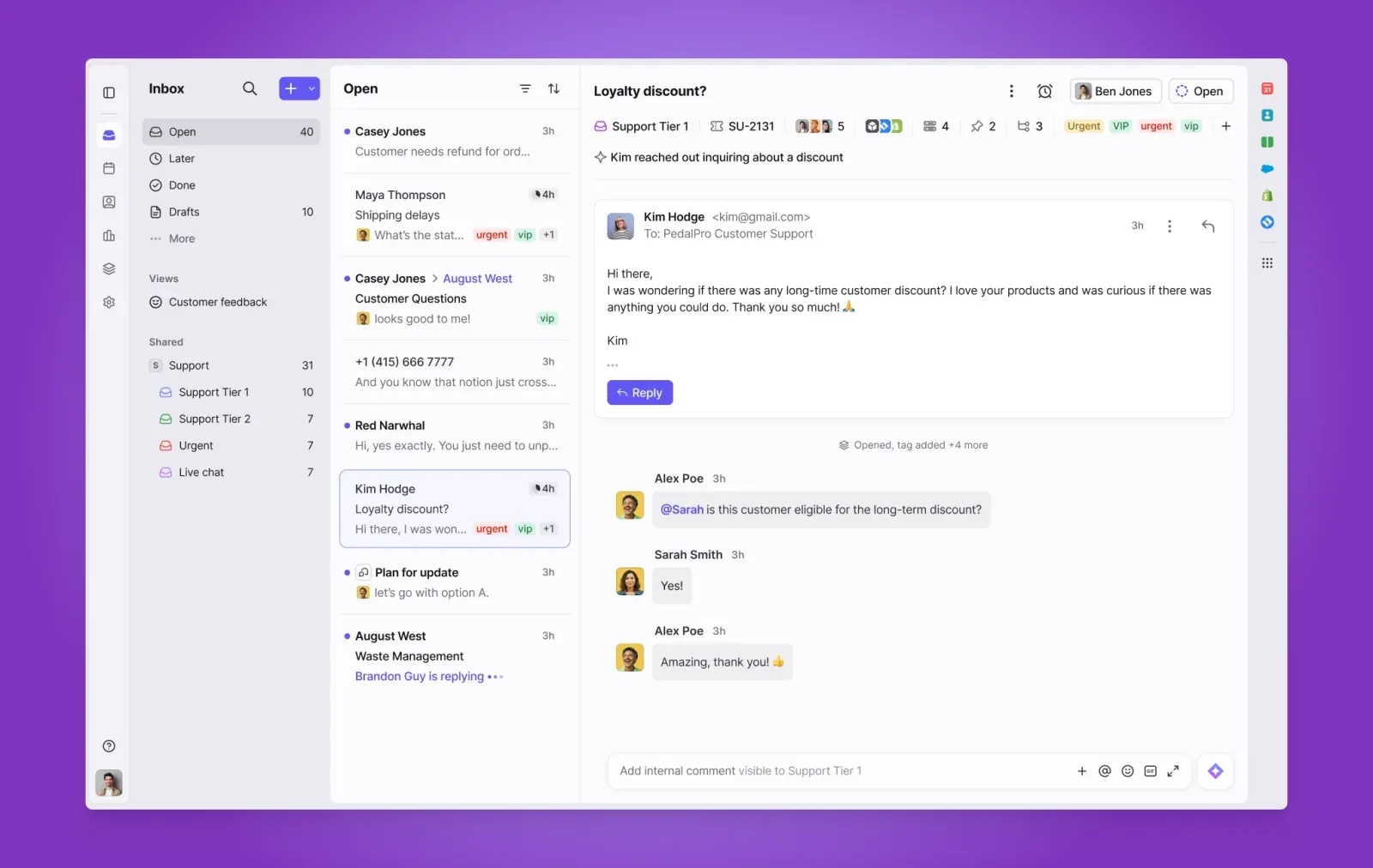
The API allowance rises from 50 requests per minute on Starter to 100 on Professional. If an integration needs more requests than your plan allows, budget for a higher plan or for Front’s API rate increase add-on.
Source: Front
Front Enterprise: $105 per seat
Enterprise adds unlimited rules and workspaces, custom reports, custom roles and permissions, and a higher allowance of 50 channels per seat. Its API limit is 200 requests per minute. Copilot, Smart QA and Smart CSAT are included, but Autopilot remains an add-on.
A team can have a reason to choose Enterprise below 50 seats, especially if it needs all three included AI tools. However, Front does not publish an Enterprise seat minimum: ask Sales before treating a small-team estimate as an available offer.
Front AI pricing and other add-ons
As of September 28, 2026, Front charges $20 per seat per month for Copilot, $20 for Smart QA and $10 for Smart CSAT on its lower tiers. Enterprise includes those three tools. Autopilot has separate usage pricing on every plan, starting at $0.05 per conversation, with final pricing discussed with Sales.
| Add-on | Published price, checked September 28, 2026 | Budget note |
|---|---|---|
| Copilot | $20 per seat/month | Included in Enterprise |
| Smart QA | $20 per seat/month | Included in Enterprise |
| Smart CSAT | $10 per seat/month | Included in Enterprise |
| Smart QA + Smart CSAT bundle | $25 per seat/month | $5 less than buying them separately |
| Autopilot | From $0.05 per conversation | Extra on every plan; ask Sales for a quote |
| Native WhatsApp | Meta’s WhatsApp charges plus a 20% administration fee | Professional and Enterprise |
| API rate increase | $200/month per additional 100 requests/minute | Available on every plan |
Source: Front’s current add-on pricing. The $0.89-per-resolution Autopilot figure you may encounter in older explainers is not the current published starting rate: Front now uses a per-conversation starting price. Confirm the chargeable outcomes and volume terms in your quote rather than assuming every incoming message costs five cents.
Some AI features come with every plan. Front lists Topics, Compose, Translate and Summarize across all three plans. Compose, Translate and manually triggered summaries each have a 200-per-teammate daily limit. Copilot, Smart QA and Smart CSAT remain paid add-ons on Starter and Professional.
Is there a setup or onboarding fee for Front?
Front’s pricing FAQ requires an onboarding package for contracts over $25,000. Its Success Services sheet, retrieved September 28, 2026, lists:
| Package | Included hours | List price |
|---|---|---|
| Professional Onboarding: Accelerate | 25 | $10,000 |
| Enterprise Onboarding: Transform | 60 | $23,000 |
| Success Services: Adapt | 8 | $3,000 |
The sheet associates Accelerate with plans above $25,000 ARR and Transform with plans above $75,000 ARR. Adapt is sold to existing Professional and Enterprise customers in eight-hour packs. This is a 2025 services document still linked by Front’s current pricing page, so ask which package applies to your contract and separate that charge from recurring seats.
How much does the Front app cost per month?
For 10 seats, Front costs $250 a month on Starter or $650 on Professional when billed annually, as of September 28, 2026. That is $3,000 or $7,800 for the year. With monthly billing, the same teams pay $350 or $850 each month, before add-ons.
Here are the worked subscription costs at the verified annual-billing rates. Each cell shows the monthly equivalent / annual total. The Enterprise examples are arithmetic, subject to Sales confirming eligibility and minimums.
| Plan and add-ons | 5 seats | 10 seats | 15 seats |
|---|---|---|---|
| Starter | $125 / $1,500 | $250 / $3,000 | Not available |
| Professional | $325 / $3,900 | $650 / $7,800 | $975 / $11,700 |
| Professional + Copilot | $425 / $5,100 | $850 / $10,200 | $1,275 / $15,300 |
| Professional + Copilot + separate QA and CSAT | $575 / $6,900 | $1,150 / $13,800 | $1,725 / $20,700 |
| Enterprise | $525 / $6,300 | $1,050 / $12,600 | $1,575 / $18,900 |
Two thresholds deserve attention before you approve a budget:
- The 11th seat: 10 Starter seats cost $250 a month on annual billing. Eleven Professional seats cost $715. Crossing the cap adds $465 to the monthly equivalent because the entire organization changes plans, not just the newest teammate.
- Professional with the three AI add-ons: $65 + $20 + $20 + $10 equals $115 per seat. Using the QA/CSAT bundle brings that to $110, still above Enterprise’s $105 rate, which includes all three. Compare the full quote and contract terms before upgrading.
Does annual billing lower the Front cost?
Yes. Against monthly billing, paying annually saves approximately 28.6% on Starter and 23.5% on Professional. The “Save 24%” toggle on Front’s pricing page is therefore close for Professional and understates the saving on Starter. Viewed the other way, monthly billing costs 40% more on Starter and about 31% more on Professional.
Annual savings are useful only if you’re comfortable with the commitment. Include planned hiring and any onboarding charge when comparing the first year’s total.
Front billing rules: seats, contracts and refunds
Front’s billing help article, edited August 6, 2026 and rechecked September 28, 2026, sets out the terms behind the headline rates:
- Starter and Professional have a one-license minimum. Enterprise minimums require a Sales conversation.
- Added teammates incur prorated charges through the next billing statement. Front aggregates new-user charges into a monthly bill.
- Payments are nonrefundable, with no credit for unused time, and ending early does not remove liability for the chosen subscription term.
- Billing is in US dollars. The pricing FAQ offers wire or ACH transfer for annual contracts over $12,000. The help article separately describes direct ACH debit for US customers.
A seat is a paid license assigned to a unique user, according to Front’s pricing FAQ. Plans apply to the organization, so you can’t put a manager on Professional and the rest of the same organization on Starter. Audit both active teammates and purchased licenses before renewal. Don’t assume deactivating a user automatically reduces a contracted seat commitment.
Does Front have a free plan or free trial?
As of September 28, 2026, Front’s pricing page lists no free plan. Its 14-day trial provides Professional features, with limits, and requires no credit card. It is not a Starter-plan trial. You can ask Front to add Enterprise features to the trial if those are what your team needs to evaluate.
The documented trial limits are 15 teammates, five workspaces, 30 channels, 10 recipients per message and 5,000 messages. Sequences, guest invitations, auto-reply rules and forwarding rules are locked during the trial.
Test the workflow you expect to buy, including any restrictions on the eventual plan. A Professional trial alone won’t tell you whether Starter is sufficient.
Front’s old plans: Starter, Growth, Scale and Premier
Growth, Scale and Premier belong to an older pricing lineup. A May 29, 2025 archive of Front’s pricing page shows annual rates of $19 for Starter, $59 for Growth and $99 for Scale, with Premier priced by contacting Sales.
By the March 31, 2026 snapshot, the page showed Starter at $25, Professional at $65 and Enterprise at $105 on annual billing. Both snapshots were rechecked September 28, 2026.
That explains why an older review or pricing tracker may show a different bill. Use the current plan names for a new purchase. If you already have a legacy contract, ask Front what your renewal terms cover rather than assuming a direct mapping between old and new tiers.
What Front pricing means for a Gmail team
Front can justify its cost when your team needs email, SMS, WhatsApp, social or voice integrations in one workspace. Professional’s access controls and reporting, or Enterprise’s custom roles and included AI tools, may be central to the job. A cheaper email subscription doesn’t replace those requirements.
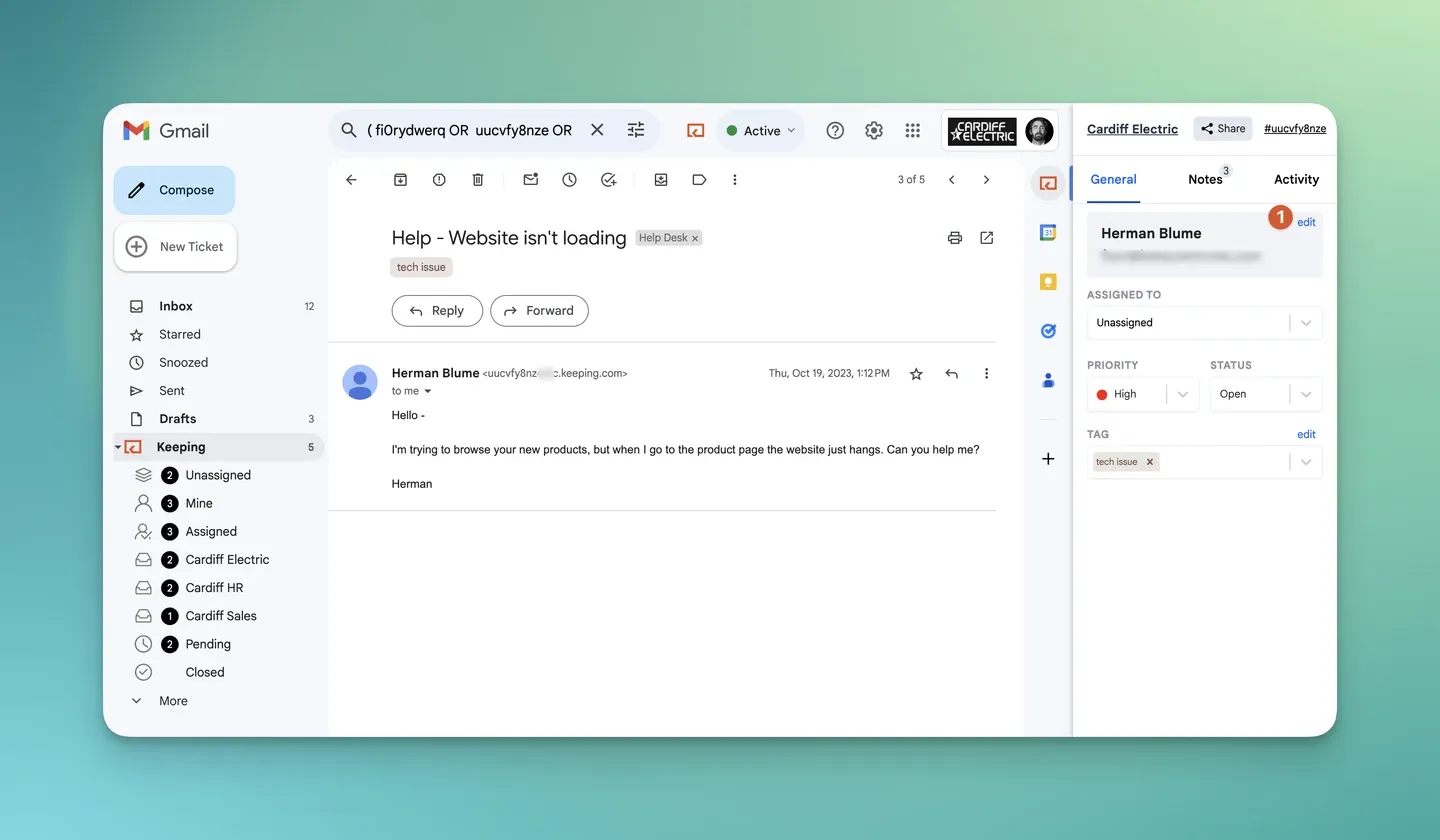
If your team mainly answers shared email in Gmail, consider a shared inbox in Gmail instead. Keeping lets agents assign and track emails inside Gmail, and Advanced includes SLAs, shared drafts, CSAT and advanced reporting.
Source: Using Keeping in Gmail help guide, retrieved September 28, 2026.
At September 28, 2026 prices, Keeping Advanced costs $24 per user per month billed annually: $1,440 a year for five users, compared with $3,900 for five Front Professional seats. Keeping requires at least two users on every plan, while Front Starter and Professional require one license. This compares subscription cost, not feature parity: Keeping’s Gmail workflow requires Gmail or Google Workspace and does not replace Front’s omnichannel offering.
Use our Front alternatives guide to compare Front and Keeping side by side, and Keeping pricing for plan details. If Hiver is also on your shortlist, our Hiver alternative page covers that separate comparison.
Run your shared inbox inside Gmail. Try Keeping free for 14 days, with no credit card required.
Frequently asked questions about Front pricing
Is Front app worth the investment?
Front is worth considering when shared conversations require multiple channels, automation and reporting that your team will use. For email-only work, compare the required workflow and annual bill with other customer service tools before committing. A smaller feature set may be enough.
Can I combine seats across multiple plans?
No. Front assigns a single plan to the organization, so its seats cannot mix Starter, Professional and Enterprise, according to the pricing FAQ checked September 28, 2026. Budget any required upgrade across the organization rather than applying the higher rate only to selected teammates.
Can I connect multiple channel types with the Starter plan?
No. Starter supports a single channel type, according to Front’s pricing FAQ checked September 28, 2026. Connecting several email addresses is different from combining email and chat. Multiple channel types require Professional or Enterprise, even when your team fits within Starter’s seat cap.
Is Front’s AI included?
Some AI features are included on every plan, but Copilot, Smart QA and Smart CSAT cost extra on Starter and Professional. Enterprise includes those three, while Autopilot is separately priced on every plan, according to Front’s pricing page checked September 28, 2026.