SLA compliance is the share of conversations that met the targets in your service level agreement, usually a first response time and a resolution time. Divide the conversations that met the target by all the conversations the SLA covered and multiply by 100: 380 of 400 on time is 95%. For an email team, measure in business hours and pause the resolution clock while you’re waiting on the customer, or the rate will make the team look worse than it is.
The targets here are reply and resolution times for a team answering support email. Uptime percentages on a hosting contract are a different kind of SLA.
I run Keeping, so I spend a lot of time in response-time data. The arithmetic is simple. When a team’s number is wrong, it’s usually because they counted the wrong conversations.
What is SLA compliance?
SLA compliance measures how often you kept the promise in your service level agreement. The SLA is the promise itself (“we reply within 4 business hours”). The compliance rate is how often you kept it over a period, such as last month. A breach is one conversation where you didn’t.
Struggling to keep customer emails under control?
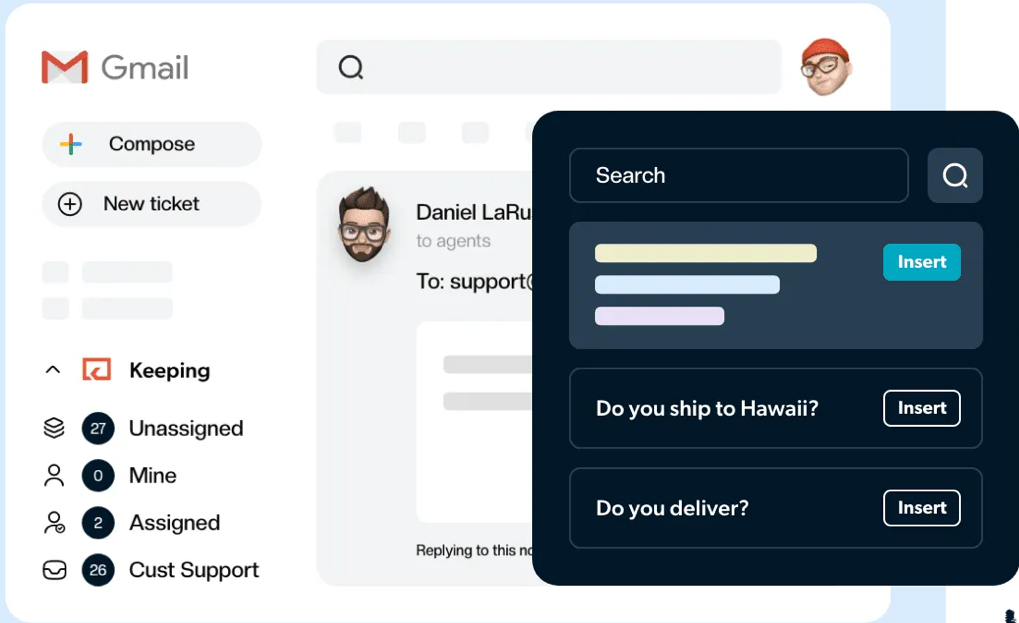
Keeping gives you everything you need to manage incoming customer emails without ever leaving Gmail.
Email teams usually promise two things:
- A first response time, meaning how long a customer waits for the first human reply.
- A resolution time, or how long the conversation stays open before it’s solved.
Each gets its own rate. They’re two of many SLA metrics, and the two customers actually feel.
Some contracts attach service credits or an exit clause to missed targets. Even without one, the rate is the honest answer to “are we keeping up?”, and you’d rather hear it from a report than from an annoyed customer.
How to calculate SLA compliance
SLA compliance rate = conversations that met the target ÷ conversations the SLA covered × 100
Run it once for first response and once for resolution, and never average the two. A team can answer fast and still leave problems open for days.
Take one month for a five-person team with a 4-business-hour first response target and a 2-business-day resolution target:
| Target | Conversations covered | Met the target | Compliance rate |
|---|---|---|---|
| First response within 4 business hours | 412 | 389 | 94.4% |
| Resolved within 2 business days | 371 | 341 | 91.9% |
The covered counts differ on purpose. First response counts every conversation that started in the month and needed a reply. Resolution counts those resolved in the month plus any still open past the deadline.
To build those counts:
- Pick the period, usually a calendar month, by the date each conversation started.
- Keep only what the SLA covers: its mailboxes and conditions, from the day the rule went live.
- Drop spam and internal mail. Auto-replies don’t count as a first response either (Keeping’s SLA docs exclude them), so leave them out.
- Count a conversation still unanswered past its target at month end as a miss.
Then measure the way you promised. Keeping’s docs use this example: with business hours of 9 to 5, an email that arrives at 4 pm and gets a reply at 10 am the next day took 2 business hours, or 18 calendar hours. On a 4-hour target, one passes and one fails.
There’s no standard for a good rate. 95% is common in examples, but set yours from last month’s real numbers and raise it from there. For a sense of normal, our first response time data says this: across Keeping accounts from June 22 to September 20, 2026, 33% of first replies came within one working hour and 15% took more than 48 working hours. My read is that most breaches live in that long tail.
What counts as an SLA breach?
An SLA breach is a single conversation that missed a target in your SLA. It’s a response breach when the first human reply came too late, and a resolution breach when the conversation stayed open past its deadline. Some tools call it an “SLA violation” instead, and it means the same thing.
Most arguments about breaches are really arguments about the clock, so write down how yours works:
- It starts when the customer’s email lands in the shared mailbox.
- For response time, it stops at the first reply from a person.
- For resolution time, it stops when the conversation is closed and should pause while you wait on the customer. Keeping pauses it whenever a ticket is pending or closed and resumes if the ticket reopens.
A “4 hour SLA” usually means a first human reply within 4 business hours of arrival. With 9-to-5 hours, an email that comes in at 3 pm on Friday is due by 11 am Monday. On calendar time, it’s due at 7 pm Friday.
Why SLA breaches happen in a shared inbox
In my experience, most breaches in a shared inbox aren’t slow agents. They’re emails nobody owned.
- Everyone read it. Three people open a message and each assumes someone else is replying.
- After-hours mail hits a calendar-time SLA. A Friday evening email breaches a 4-hour promise before anyone logs in Monday.
- Pending becomes a parking spot. If pending pauses the clock, a hard ticket parked there without a question to the customer keeps the rate clean while the customer waits.
- One urgent customer sits in a first-come queue, a failed payment stuck behind thirty how-do-I questions.
- A ticket gets handed over at hour three of four and breaches on the new owner’s watch.
Telling the person whose name is on the ticket to try harder fixes none of these.
How to prevent SLA breaches
- Give every email an owner. Assign new mail as it arrives, by hand or by round robin, or route each email to an owner by topic or mailbox.
- Separate urgent from standard. Set ticket priority on the way in, give each level its own target, and decide who takes a P1 when its owner is out.
- Alert before the deadline, not after. Add a second, shorter SLA rule on the same mailbox that notifies the owner first, say a 3-hour internal rule ahead of a 4-hour promise. If you’re already on Keeping, our SLA guide covers the rule options.
- Set business hours and time zones first. If support@ is staffed in New York and eu-support@ in London, each mailbox needs its own time zone or one team’s timers run on the other’s clock.
- Go through the breaches once a week. They tend to cluster in one inbox, shift or request type, and the fix is usually routing or staffing.
A starting point for the priority levels in step 2:
| Priority | Example | First response target |
|---|---|---|
| P1, urgent | Customer can’t log in, payment failed | 1 business hour |
| P2, standard | How-to question, order change | 4 business hours |
| P3, low | Feature request, general feedback | 1 business day |
How to track SLA compliance in Gmail
Gmail has no SLA timer of its own, so you need a tool that runs one on top of it. Here’s how to set up an SLA in Keeping:
- In Keeping’s settings, open Automations and click Add SLA.
- Name the SLA and choose its mailbox. Each SLA watches one mailbox.
- Pick First response time or Resolution time, set the hours, and choose business or calendar time. Extra conditions are optional.
- Choose the actions. The SLA Violation tag is always added. Assigning agents and sending desktop notifications are optional.
- Review the rule and click Activate.
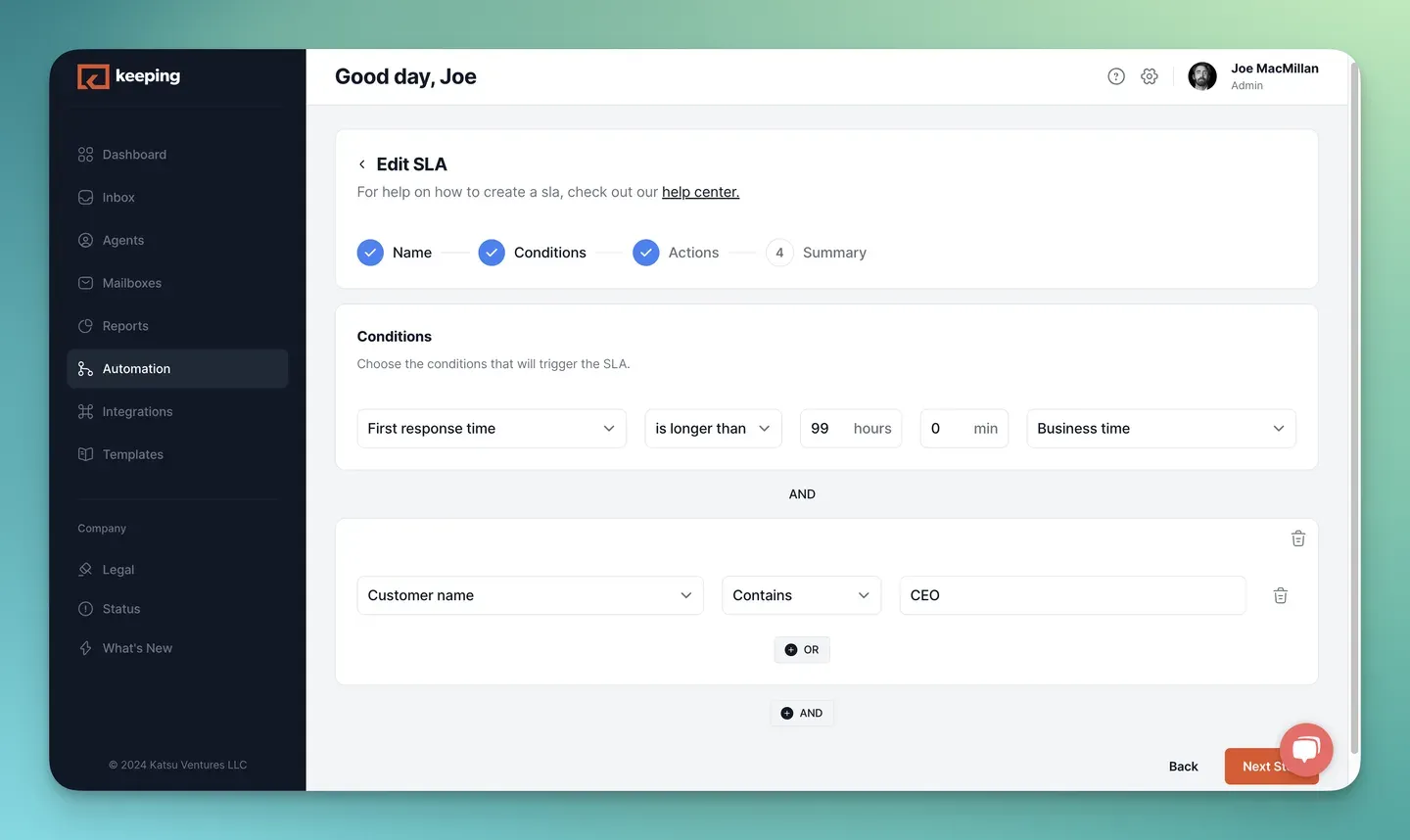
Source: Keeping’s Creating an SLA help guide, retrieved October 24, 2026.
An SLA applies only to conversations that start after you create or change it, so switch it on at the start of a period. A conversation that misses the target gets the SLA Violation tag in Gmail, permanently. Filter by it to go through the month’s misses.
The tag is for reviewing breaches, not for computing the rate. SLA reporting in Keeping shows average first response and resolution times by mailbox in business hours, and every table exports to CSV. The export is daily totals and averages, not a row per conversation, so you still count the rate by hand as described above. The report’s resolution time also keeps running while a ticket is pending, unlike the SLA clock. More on the reporting side in our guide to email response time tracking.
When a conversation an SLA covers misses your target, Keeping tags it in Gmail and can assign it or notify the people you choose. SLAs are on the Advanced plan: $29 per user a month, or $24 per user a month billed annually, as of October 2026. Try Keeping free for 14 days.
Start with targets you can keep
If you haven’t written your SLA yet, start from a customer support SLA template and set the first response target from what your team actually did last month. A target you hit 95% of the time earns more trust than an ambitious one you miss every Friday. Once targets are set, an email ticketing system keeps owners, statuses and deadlines in one place.
Frequently asked questions about SLA compliance
How to measure SLA compliance?
Measure each target separately over a fixed period. Count the conversations the SLA covered and how many met the target, divide the second by the first, and multiply by 100. Use business hours if your SLA does, leave out spam and auto-replies, and count anything still unanswered past the deadline as a miss.
What is SLA compliance?
SLA compliance is how consistently a team meets the targets in its service level agreement. For an email support team those targets are usually a first response time and a resolution time. It is reported as a percentage per target, such as 94% of conversations answered within four business hours last month.
What does 4 hour SLA mean?
A 4 hour SLA usually promises a first human reply within four hours of the email arriving. Check whether those are business or calendar hours, because the gap is large. With 9-to-5 business hours, an email that arrives at 4 pm is due by noon the next working day.
What is SLA P1, P2, P3, P4?
P1 to P4 are priority levels, each with its own SLA target. P1 is the most urgent, such as a customer who can’t log in or pay, and gets the fastest reply. P4 is the lowest, such as a feature request. Small email teams often use three levels instead of four.
What is the meaning of SLA breaching soon?
Breaching soon is a warning that a conversation is close to missing its SLA target but hasn’t missed it yet. It gives the owner time to reply or hand the ticket off. If your tool only alerts at the breach, add a second, shorter rule that alerts first, such as three hours on a four-hour promise.
Is an SLA violation the same as an SLA breach?
Yes. Both mean a conversation missed a target in the service level agreement. Different tools just use different words. In Keeping, a missed target adds an SLA Violation tag to the conversation. The tag stays on as a permanent record, so you can filter on it when you review the month’s misses.