

Shared inbox software gives a team one place to view, assign, and answer messages sent to an address such as support@. Each conversation has an owner and a status, so an opened email does not quietly become everybody else’s problem. The best choice depends on where your team wants to work and which features it will actually use.
For a Google Workspace team of 2–25 people, start by deciding whether agents should stay inside Gmail. Keeping, Hiver, Drag, and Gmelius support that workflow. Help Scout, Front, Missive, and Freshdesk give you a separate workspace. Google Groups is a useful starting point when you need basic assignment without another software subscription.
We make Keeping. It’s on this list, and so are the cases where you should pick something else. This comparison focuses on shared inbox management, seat costs, and everyday ownership of a shared address. If you need the basics first, here’s what a shared inbox is.
What is the best shared inbox software for a small Gmail team?
For a small Gmail team, the best shared inbox software works inside Gmail and gives every email an owner and a status. Keeping, Drag, Hiver and Gmelius all do that, from $12 to $25 per user a month billed annually, checked September 28, 2026. If you need it free, start with a Google Groups Collaborative Inbox.
A complete help desk, inside Gmail?
Keeping turns your Gmail into a fully featured help desk. It's not magic, but it feels magical.
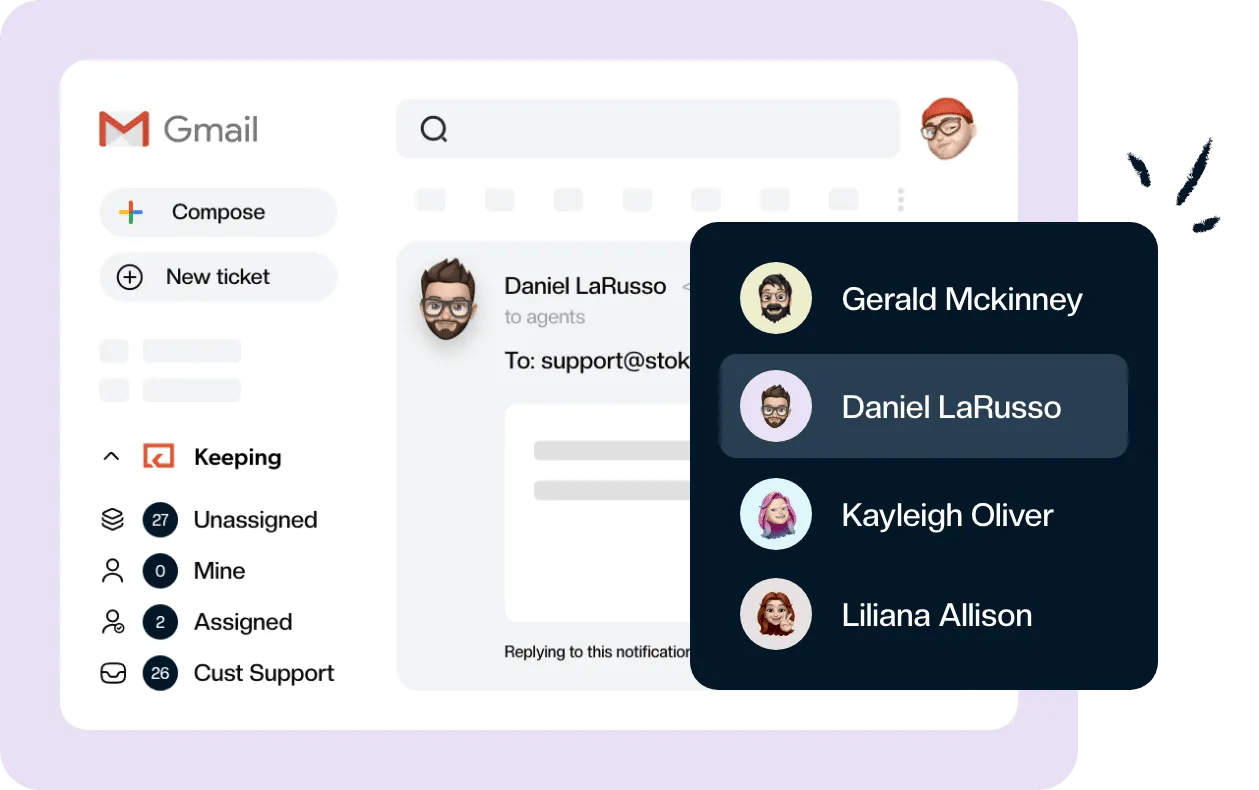
Here is where to start your shortlist, based on the plans and documentation checked September 28, 2026:
- Keeping: shared-email ownership and support workflows inside Gmail, with web and mobile portal access too.
- Hiver: a Gmail-based service workspace, with a separate Hiver Omni product for broader channel needs.
- Drag: the lowest paid entry price among the Gmail options here, without a seat minimum.
- Gmelius: Gmail collaboration and automation for teams handling both sales and support.
- Help Scout: a free standalone option for up to five users handling a small contact volume.
- Front: a separate workspace for teams connecting Gmail and Microsoft 365.
- Missive: email conversations and internal team chat together.
- Freshdesk: a dedicated ticketing system with a relatively low paid entry price.
- Google Groups Collaborative Inbox: basic assignment and completion tracking included with Google Workspace.
Try two finalists with the same shared address and sample requests. Include a handoff, a customer follow-up, and a conversation that needs an internal answer before anyone replies. Those situations reveal more than a long feature checklist.
Shared inbox software compared: price, seats and where you work
Best shared inbox comparison: prices checked on each vendor’s pricing page on September 28, 2026. All paid rates below are USD per user or agent per month. “Annual” means the monthly equivalent when billed yearly; “monthly” means month-to-month billing. Free plans have their own limits.
| Software and entry plan | Annual | Monthly | Seat or usage limits to notice | Where agents work |
|---|---|---|---|---|
| Keeping Essentials | $14 | $19 | Minimum 2; maximum 10 agents, 2 mailboxes | Inside Gmail; web/mobile portal also available |
| Hiver in Gmail Growth | $25 | $35 | Minimum 2; then 5-seat increments; maximum 10 users, 2 inboxes | Inside Gmail |
| Drag Starter | $12 | $16 | No seat minimum; unlimited users | Inside Gmail; other apps available |
| Gmelius Growth | $25 | $33 | Up to 50 users | Inside Gmail |
| Help Scout Free | $0 | $0 | 5 users, 1 inbox, 100 contacts/month | Separate app |
| Front Starter | $25 | $35 | Up to 10 seats | Separate app; Gmail and Microsoft 365 |
| Missive Starter | $14 | $18 | Up to 5 users; no automation rules | Separate app; Gmail, Outlook, and IMAP |
| Freshdesk Growth | $19 | $23 | No seat cap stated on the pricing page | Separate help desk |
| Google Groups Collaborative Inbox | Included with Workspace | Included with Workspace | Admin must enable the service | Google Groups website |
SLAs can change the comparison. Keeping requires Advanced, and Hiver and Drag each require Pro. Gmelius Growth lists SLA analytics, while Help Scout Standard includes one basic SLA policy. Front puts SLA functionality on Professional, and Freshdesk lists multiple SLA policies on Pro. Missive’s pricing page does not list a dedicated SLA policy feature, so don’t count its rules as one.
What does a five-person team pay in year one?
These totals use five seats for twelve months at the annual rates above, checked September 28, 2026. They exclude taxes, add-ons, usage charges, and your existing Google Workspace bill. The plans cover basic shared-email handling; they do not provide identical automation or reporting.
| Software | Plan used | Five-user year-one cost |
|---|---|---|
| Google Groups | Collaborative Inbox | $0 additional software subscription |
| Drag | Starter | $720 |
| Keeping | Essentials | $840 |
| Missive | Starter | $840 |
| Freshdesk | Growth | $1,140 |
| Hiver | Growth | $1,500 |
| Gmelius | Growth | $1,500 |
| Front | Starter | $1,500 |
For example, Keeping Essentials is 5 × $14 × 12 = $840. If those same five agents need SLAs and round robin assignment, Advanced is 5 × $24 × 12 = $1,440. Compare the plan your workflow needs, rather than assuming the cheapest row covers it.
Want to try shared inbox management inside Gmail with your own team? Keeping lets you test ownership, notes, and replies from your shared address. Start a 14-day free trial, no credit card.
How we chose and ranked these tools
We looked for Gmail or Google Workspace compatibility, shared-conversation ownership, status handling, published prices, and limits that affect a five-person team. The comparison also distinguishes working inside Gmail from connecting Gmail to another app. Both can work well; they ask different things of your team.
This is a review of vendor pricing pages and public documentation as of September 28, 2026. We did not re-test competitors hands-on for this article. The example costs are calculations, and the “best for” recommendations are our judgment about fit. During a trial, check the entry plan separately: a trial may expose features you will lose when it ends.
The 8 best shared inbox software options for Gmail teams
1. Keeping: best for straightforward shared-email work inside Gmail
Best for: teams that want clear ownership of support@ or info@ while continuing to answer email in Gmail. We make Keeping, a shared inbox app for Gmail, so this is our own product recommendation.
What works: agents can assign conversations, change status, and leave internal notes through the Chrome or Safari extension. Essentials includes collision detection, shared templates, notes with @mentions, and standard reporting. Web and mobile portal access gives teammates another way to work. Replies reach the customer from the shared mailbox address.
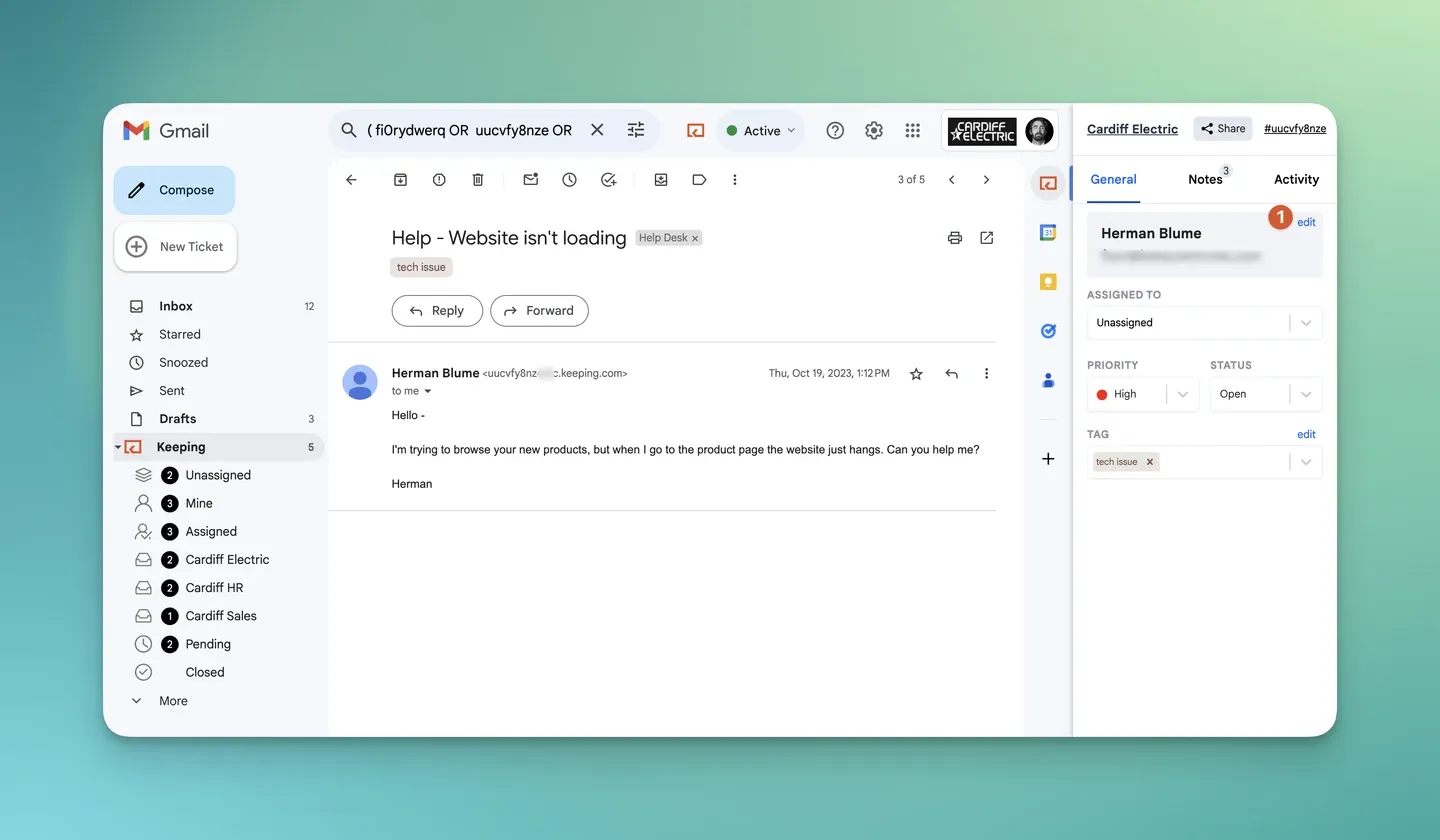
Keeping’s ticket sidebar in Gmail. Screenshot from the Using Keeping in Gmail help guide.
To assign a conversation, open the request and choose an owner from the agent dropdown in the ticket sidebar. The context stays with the conversation.
Price: Keeping pricing for Essentials is $14 per user per month billed annually, or $19 billed monthly. Advanced is $24/$29, and HIPAA, which includes a signed BAA, is $49/$59. All figures are as of September 28, 2026.
See Keeping’s shared inbox for Gmail for the workflow, or put it through a real handoff with your team. Start a 14-day free trial, no credit card.
2. Hiver: best for a broader service workspace in Gmail
Best for: teams that want shared-email work in Gmail and are evaluating a broader service platform.
What works: Hiver in Gmail Growth combines shared inboxes, ownership, rule-based automation, and prebuilt analytics. Pro adds SLAs and more advanced reporting. The Gmail edition uses a Chrome extension, so agents can keep email as their starting point.
Watch out for: seats are sold in steps: two, then five, then increments of five. Three responders can therefore mean paying for five seats. Growth is also limited to ten users and two inboxes. Distinguish Hiver in Gmail from Hiver Omni, too. Hiver describes Omni as its separate platform for email, live chat, Slack, voice, WhatsApp, and social channels. Do not assume the Gmail plan includes the same channel experience.
Price: Growth is $25 per user per month billed annually, or $35 billed monthly. Pro is $55/$65. The Gmail pricing page shows a seven-day trial and no free plan as of September 28, 2026. If your main requirement is ownership of one shared address, compare those limits with a Hiver alternative before paying for the broader package.
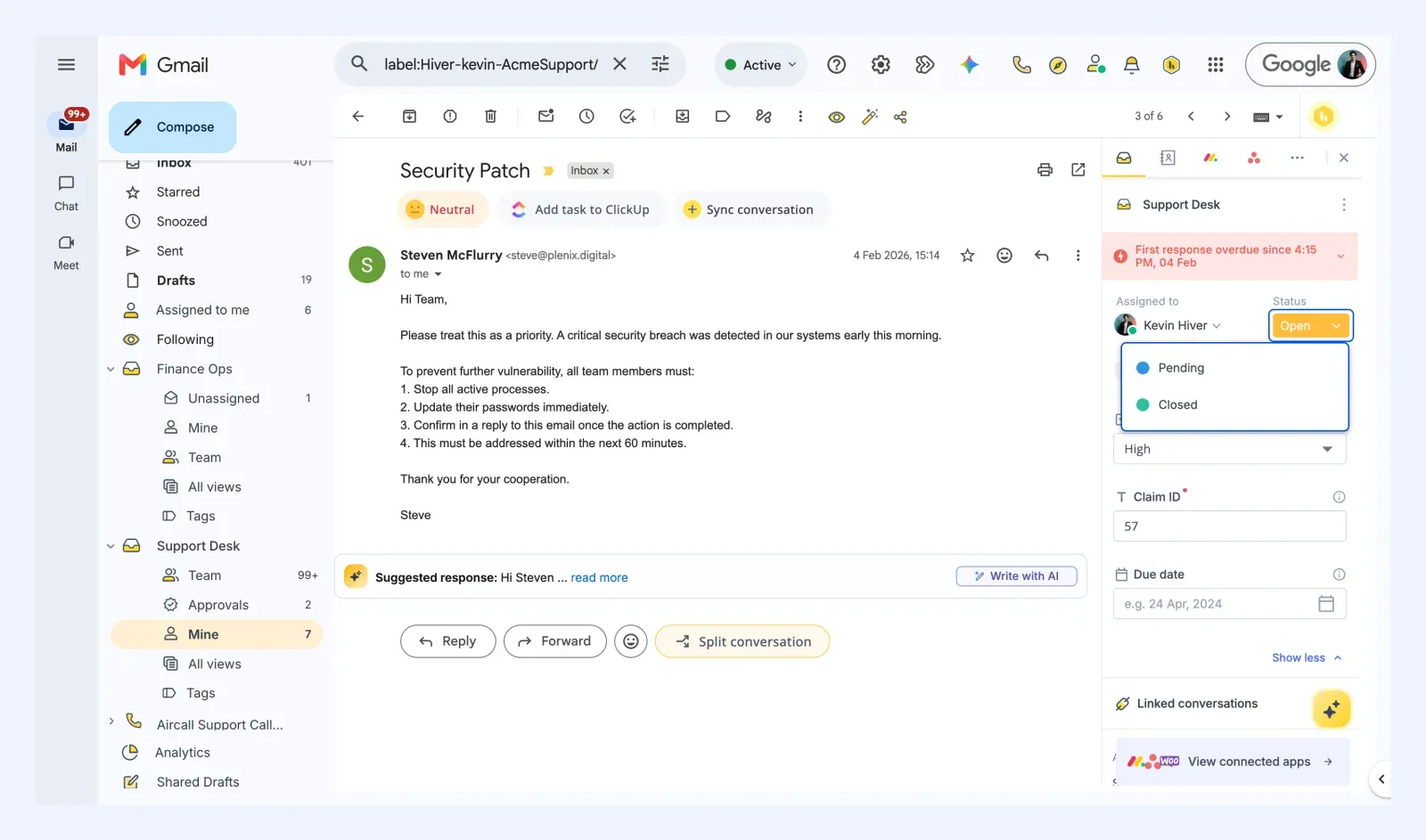
Hiver’s panel in Gmail. Screenshot from Hiver’s Managing email conversations help article, retrieved September 28, 2026.
3. Drag: best for the lowest paid entry price inside Gmail
Best for: small teams that want Gmail-based shared-email handling with no seat minimum.
What works: Drag Starter combines shared inboxes with assignment, notes, templates, and board views. Drag lists collision detection on every plan. A board can be useful when requests move through stages and the team prefers seeing that queue visually.
Watch out for: Starter includes ten automation rules and a three-month reporting window. SLAs and round robin assignment are Pro features. Decide whether you need those before using Starter’s price as your budget. A low entry price is most useful when you can stay on that plan after the trial.
Price: Starter is $12 per user per month billed annually, or $16 billed monthly. Plus is $18/$22 and Pro is $24/$30 on the Drag pricing page, checked September 28, 2026. Our Drag alternative comparison looks at the choice between its broader board workflow and a simpler shared inbox.
4. Gmelius: best for sales and support automation in Gmail
Best for: teams whose shared address handles both customer service and sales follow-up.
What works: Gmelius Growth includes shared inboxes, shared labels, automation rules, automatic assignment, templates, and SLA analytics. That automation is worth considering when routing and follow-up are as important as answering incoming requests. Our Gmelius alternative page compares Gmelius with Keeping.
Watch out for: Growth is the first plan to compare for shared inboxes. The cheaper Meli plan is a different starting point and does not include them. Growth allows up to fifty users; Pro raises usage caps and adds capabilities. Ask which automations your team would configure during the first week, then price that specific workflow.
Price: Growth is $25 per user per month billed annually, or $33 billed monthly. Pro is $40/$50. Gmelius pricing lists a seven-day trial, checked September 28, 2026. A team that simply needs to assign and close email should weigh how much of the extra automation it will use.
5. Help Scout: best free plan for a small, low-volume team
Best for: up to five teammates who can work in a separate help desk and stay within the Free plan’s volume limit.
What works: Help Scout Free includes five users, one inbox, and one Docs site. That makes it a practical option for testing a shared-email process without buying seats. Standard adds basic workflows and one basic SLA policy.
Watch out for: the Free plan is very restrictive, with only 100 contacts per month. Help Scout defines a contact around a person who receives a reply or has a question resolved by its AI assistant, rather than simply counting incoming messages. Check your likely customer volume. Standard supports up to twenty-five users and includes two inboxes; Pro has a ten-user minimum.
Price: Free is $0. Standard is $25 per user per month billed annually, or $30 billed monthly, according to Help Scout pricing, checked September 28, 2026. If a separate application is the sticking point, a Help Scout alternative that works in Gmail may be a better fit even when it adds a subscription cost.
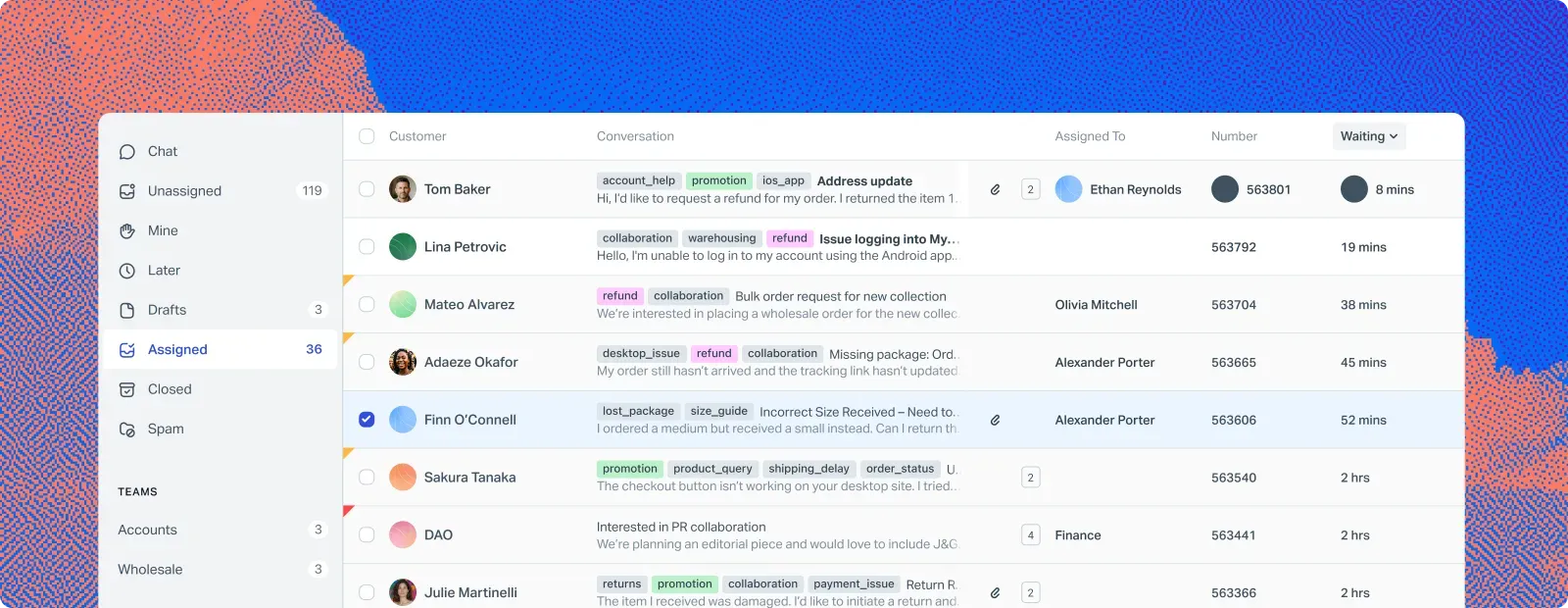
Help Scout’s inbox list. Image from Help Scout’s shared inbox page, retrieved September 28, 2026.
6. Front: best for teams using both Gmail and Outlook
Best for: teams that need one working interface across Gmail and Microsoft 365, or expect to combine multiple support channels.
What works: Front brings shared inboxes, assignment, internal comments, and shared drafts into its own workspace. Starter covers basic shared-email handling; Professional adds broader automation and omnichannel support.
Watch out for: Front gets expensive quickly. Moving from Starter to Professional takes a seat from $25 to $65 a month on annual billing, so five seats go from $1,500 to $3,900 a year. Connecting Gmail also does not mean working inside Gmail. Starter supports one channel type and up to ten seats. Professional supports up to fifty seats and includes SLA functionality. Map your required channels and response targets before choosing a tier; those requirements can matter more than headcount.
Price: Starter is $25 per seat per month billed annually, or $35 billed monthly. Professional is $65/$85. Enterprise is $105 per seat per month, with annual billing only. These are Front’s published rates as of September 28, 2026. Teams handling email alone can compare a Front alternative against Professional before taking on its broader scope.
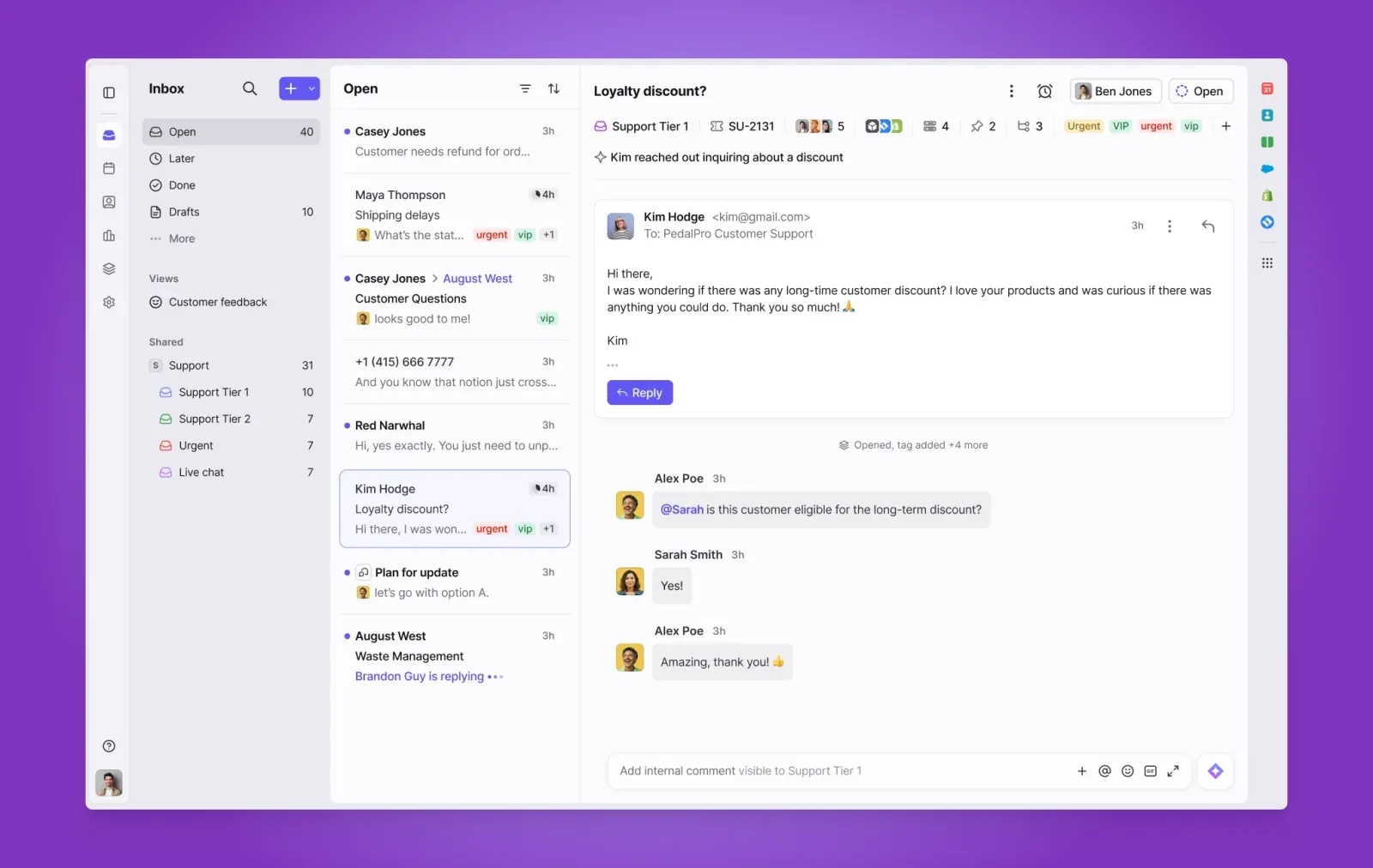
Front’s inbox with internal comments. Image from Front, retrieved September 28, 2026.
7. Missive: best for email plus internal team chat
Best for: teams that want internal discussion and customer email in the same separate application.
What works: Missive supports Gmail, Outlook, and IMAP accounts, with team inboxes, conversations, and tasks. It is a sensible shortlist candidate when teammates spend as much time discussing a request as composing the customer reply.
Watch out for: Starter stops at five users and does not include automation rules. Productive adds rules and supports up to fifty users. A five-person team is therefore already at Starter’s ceiling. Its pricing page does not list dedicated SLA policies, so verify any response-target workflow you need during the trial.
Price: Starter is $14 per user per month billed annually, or $18 billed monthly. Productive is $24/$30 and Business is $36/$45. Missive’s pricing page, checked September 28, 2026, offers a thirty-day trial. If the team would rather keep customer work in its existing inbox, compare the workflow with a Gmail-based Missive alternative.
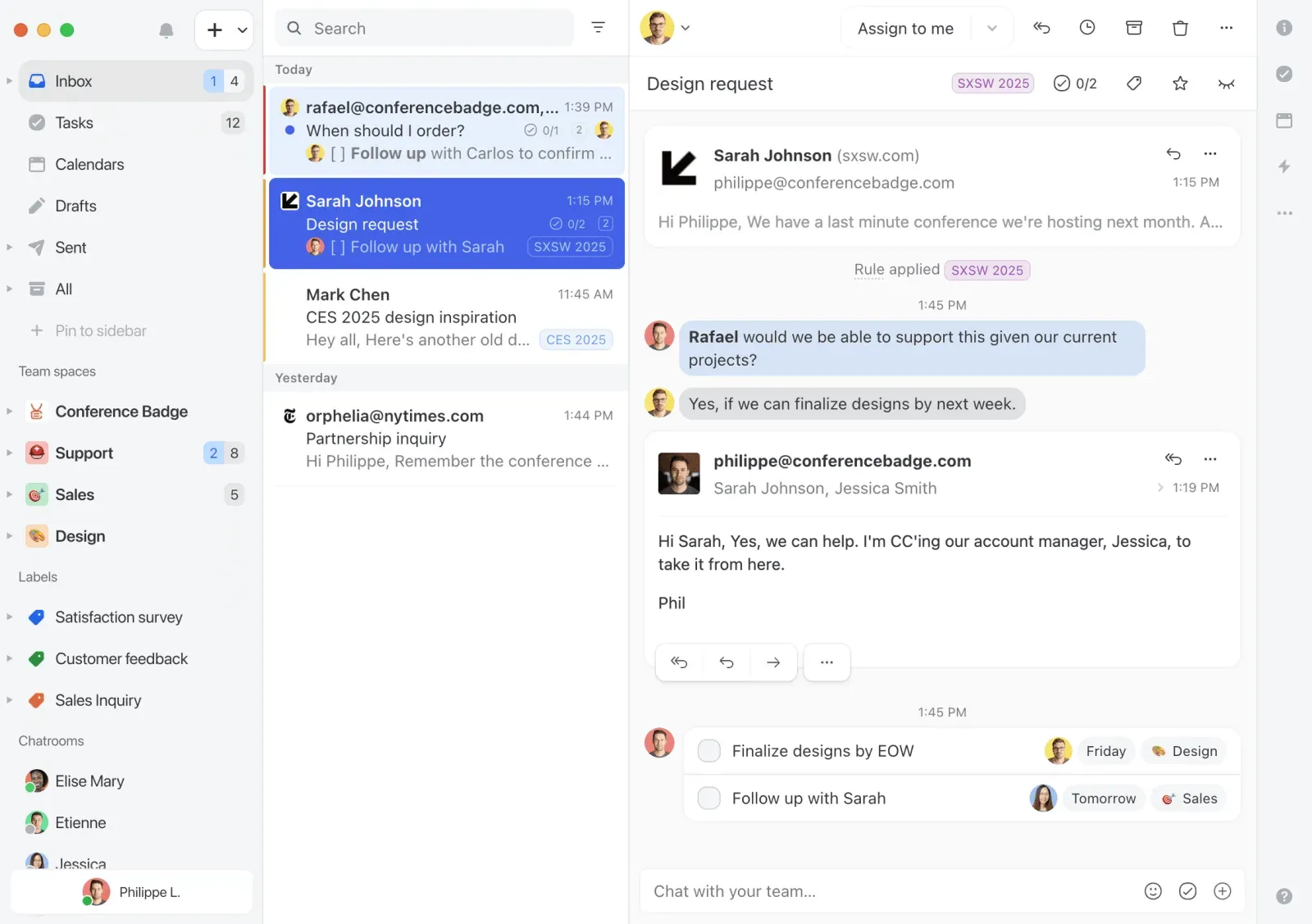
Missive’s team inbox. Image from Missive’s website, retrieved September 28, 2026.
8. Freshdesk: best for dedicated ticketing on a budget
Best for: teams that want to move shared-email work into a dedicated help desk.
What works: Freshdesk Growth includes ticketing, a shared inbox, a customer portal, a knowledge base, and standard analytics. That is a broader starting package than basic email assignment. It belongs on the shortlist when you are choosing an email ticketing system and want customers to have self-service options too.
Watch out for: agents work in a separate help desk. Pro adds multiple SLA policies and more advanced reporting; paid add-ons can increase the bill. The pricing page shows a fourteen-day trial, not a free plan, as of September 28, 2026.
Price: Growth is $19 per agent per month billed annually, or $23 billed monthly. Pro is $55/$66 and Enterprise is $89/$107 on the Freshdesk pricing page, checked September 28, 2026. A Freshdesk alternative built around email is the comparison to make when your team mainly needs to share ownership of Gmail conversations.
Is there free shared inbox software? Start with Google
Yes. Google Workspace includes delegation and Google Groups Collaborative Inbox as ways to share email work. Delegation gives teammates access to a mailbox. Collaborative Inbox adds conversation assignment and completion tracking through Google Groups. Help Scout also has a separate free plan, with five users, one inbox, and a monthly contact limit.
Start with delegation if access is the problem: several people need to read and answer one account’s email. Our guide to setting up a Gmail shared inbox covers the available approaches. Shared access still needs a team convention for ownership and follow-up.
A Google Groups Collaborative Inbox goes further. Members can take, assign, and mark conversations complete. Those controls live on the Groups website, not in each person’s Gmail inbox. Do not mistake receiving group messages in Gmail for having its assignment workflow there.
Consider paid software when the team repeatedly asks who owns a request, sends duplicate answers, or needs response-time reporting and SLA tracking. The upgrade should solve a problem you can name. If Groups handles the volume and nobody is losing track of work, there is no need to replace it simply because another product has more features.
What to look for in shared inbox management tools
Prioritize clear ownership, visible status, teammate activity, internal context, and useful reporting. Then check the plan limits and where agents will work. These questions help you choose software your team can use consistently.
Assignment and status
Can you see who owns each request and what still needs action? Test reassignment and a customer’s follow-up. An unread count alone does not tell you whether the team owes someone a reply.
Collision detection
Check how agents see someone else composing a response. Keeping includes collision detection on Essentials, and Drag lists it on every plan. For any other product, confirm which plan includes it during the trial. A checkmark or a general collaboration claim does not show how it behaves.
Internal notes
Ask a teammate for help without forwarding the conversation. Keep the answer beside the request so the next agent can understand the decision. Our email collaboration tools guide compares this wider collaboration workflow.
Reporting and SLAs
Separate measuring response times from setting targets and escalating breaches. Ask to see the exact report and SLA behavior on the plan you intend to buy.
Seat minimums and billing basis
Count occasional responders as well as daily agents. Check minimum seats, purchasing increments, and the cost of adding a sixth person. Annual discounts help only if you are comfortable with the commitment.
Where your email lives
Review extension permissions, admin approval, data processing, and export options before connecting a shared address. Keeping processes email through its service; working in Gmail does not mean messages never leave Google. Ask what remains accessible after cancellation, including notes and assignment history.
Finally, make accountability part of your team inbox management process: who handled the request, what changed, and who owns the next step? Use that same test with every finalist.
Frequently asked questions about shared inbox software
What are the disadvantages of using a shared mailbox?
A shared mailbox can leave ownership unclear, encourage duplicate replies, and make follow-up hard to track if the team relies only on read status. Shared credentials also complicate access management. Delegation avoids sharing a password, while software with assignment, status, and activity history can make responsibility easier to see.
What is the best shared inbox tool for Gmail users?
For a Gmail team, pick a tool that works inside Gmail if keeping that interface is a priority. Keeping, Drag, Hiver in Gmail, and Gmelius are options. Compare the plan that includes your required automation, mailbox count, and reporting, then test it with the people who will answer email every day.
What shared inbox tools work natively inside Gmail?
Keeping, Drag, Hiver in Gmail, and Gmelius add shared-email workflows inside Gmail. That is different from connecting a Gmail address to a separate app such as Front or Help Scout. Check browser requirements, account permissions, and the daily assignment workflow before choosing an extension for your team.
What is the best shared inbox software?
The best shared inbox software fits your email provider, team size, budget, and required channels. A small Gmail team may prefer Keeping or Drag, while a team on both Gmail and Outlook may prefer Front or Missive. Help Scout Free can suit a low-volume team willing to use a separate app. There is no universal winner.
Is there free shared inbox software?
Yes. Google Groups Collaborative Inbox is included with Google Workspace and supports assignment and completion tracking. Help Scout Free includes five users, one inbox, and up to 100 contacts per month as of September 28, 2026. Check those limits against your workload. A free trial is different from an ongoing free plan.
What’s the simplest shared inbox tool to set up?
The simplest option is the one that fits your existing accounts and working habits. A Gmail team can start by evaluating Google delegation or a Gmail-based shared inbox such as Keeping or Drag. Test mailbox connection, permissions, and one complete handoff before judging setup effort. No single product is the quickest to set up for every team.