

Customer service tools help your team receive, assign, answer, and track customer requests. For most small teams, the first purchase should solve one everyday problem: keeping customer emails organized, answering website questions, or giving callers a reliable way to reach you.
Start with Keeping if your team wants shared-email ownership inside Gmail, Freshdesk for a dedicated email ticketing workspace, Intercom for AI-led conversations, or Gorgias for ecommerce support. Add other customer support tools when a specific gap appears.
Keeping publishes this guide. We compare documented features, pricing, and fit, not hands-on tests of every product. These customer care tools serve different needs.
What are customer service tools?
Customer service tools are software for managing customer questions and resolving problems. They include shared inboxes, ticketing systems, live chat, knowledge bases, phone systems, AI assistants, and reporting. Their purpose is to make requests visible, give work an owner, and help customers get a useful answer without repeating themselves.
Customer service tools list: compare 15 options
Keeping and Hiver fit Gmail workflows; Help Scout and Front offer separate collaboration workspaces; Zendesk and Freshdesk support structured queues. Intercom emphasizes AI conversations, while Gorgias centers ecommerce. Document360, Quo, and Chatwoot address other needs within the support stack.
Prices checked September 22, 2026. All figures are USD before taxes, add-ons, and usage charges. Five-person totals are our calculations for the named plan, not equivalent feature bundles. “Annual” means the monthly equivalent of annual billing. Gmail fit describes the agents’ working interface, not whether a product can receive email sent to a Gmail address.
| Tool | Best for | Starting paid price and billing | Five-person base cost/month | Free plan | Work inside Gmail? |
|---|---|---|---|---|---|
| Keeping | Gmail-based email teams | Essentials: $14/user, annual | $70 | Trial only | Yes |
| Help Scout | Small support teams | Standard: $25/user, monthly | $125 | Yes; 5 users, usage limits | Separate inbox |
| Front | Collaborative client service | Starter: $25/seat, annual | $125 | Trial only | Separate inbox |
| Hiver in Gmail | Gmail teams wanting automation | Growth: $25/user, annual | $125 | No free tier listed for this edition | Yes |
| Zendesk | Structured multichannel support | Support Team: $19/agent, annual | $95; Suite Team $275 | Trial only | Separate workspace |
| Freshdesk | Dedicated email ticketing | Growth: $19/agent, annual | $95 | No ongoing free tier listed on current pricing page | Separate workspace |
| Zoho Desk | Budget-conscious small teams | Express: $7/user, annual | $35 | Yes; 3 users | Separate workspace |
| HubSpot Service Hub | Existing HubSpot customers | Starter: $7/seat advertised offer | $35 at advertised offer; eligibility and term apply | Yes; 2 users | Separate workspace |
| Salesforce Service Cloud | CRM-centered service operations | Starter Suite: $25/user, monthly or annual | $125 | Trial only | Separate workspace |
| Intercom | AI-led chat and support | Essential: $29/seat, annual | $145, plus Fin usage | Trial only | Separate workspace |
| Crisp | Website chat teams | Mini: $45/workspace, monthly | $95 on Essentials; Mini has 4 seats | Yes; 2 seats | Separate workspace |
| Gorgias | Ecommerce support | Starter: $10/month, 50 tickets | Confirm five-seat package and ticket volume* | Trial only | Separate workspace |
| Document360 | Dedicated knowledge management | Custom quote | Quote for required editor access | Trial offered; no free tier listed | Not an email inbox |
| Quo | Shared business calls and texts | Starter: $15/user, annual | $75, plus applicable fees | Trial only | Separate phone app |
| Chatwoot | Teams wanting open-source options | Cloud Startups: $19/agent, annual | $95 hosted; self-hosting costs vary | Cloud: 2 agents; Community Edition also available | Separate workspace |
*Gorgias charges by ticket volume. Its plan guide lists Basic at $60/month for 300 tickets, but gives conflicting Basic seat limits in its table and description. Confirm five-agent access before using that figure as your budget. Document360 requires a quote, so a five-person total cannot be calculated from public pricing.
The 7 types of customer service tools
Help desks and ticketing systems
Ticketing systems turn requests into trackable work with an owner, status, and history. You need one when your team cannot reliably tell which requests are waiting. Start with email ticketing systems if email drives your volume; connect CRM context when account details change how you respond.
Shared inboxes and email management
A shared inbox lets teammates manage a common address, such as support@, together. You need one when forwarding and CCs create confusion about who is replying. Compare customer service email management tools for assignment, internal notes, and customer service email tracking. Useful customer communication management starts with visible ownership.
Four tools in this category run inside Gmail itself: Keeping, Hiver in Gmail, Gmelius, and Drag. Help Scout and Front move the shared inbox into a separate workspace. Gmelius and Drag are not in the comparison table above; see how each stacks up against Keeping in our Gmelius and Drag comparisons.
Live chat and messaging
Live chat connects customers with your team while they are on your website or in your app. You need it when a short exchange can remove a buying or onboarding obstacle. Before adding chat for support, decide who covers it and what happens when nobody is available.
Knowledge bases and self-service
A knowledge base gives customers or teammates a searchable collection of answers. You need one when the same questions keep returning. Public instructions can help customers solve problems independently; an internal knowledge base can keep agents consistent on policies and troubleshooting. Assign someone to update both.
Phone and SMS
Business phone and SMS tools let a team handle calls and texts through shared business numbers. You need them when customers expect a conversation or a time-sensitive update. Plan how a missed call becomes assigned follow-up work, and where the next teammate will find the customer’s history.
AI customer support tools and automation
AI support tools can draft replies, retrieve answers, or handle eligible conversations; rules automate predictable steps such as tagging and routing. You need them when repetitive work is clearly defined and your source information is reliable. Start with customer service automation, then assess AI in customer service against answer quality and escalation needs.
Feedback, CSAT, and reporting
Feedback tools collect customers’ views, while reporting shows workload, response times, and recurring issues. You need them when anecdotes stop explaining what is going wrong. Start with a few help desk metrics, tag the reasons people contact you, and read actual conversations alongside the charts.
The best customer support tools, compared
These are the best customer service tools by use case. For ticketing depth, see our best help desk software guide.
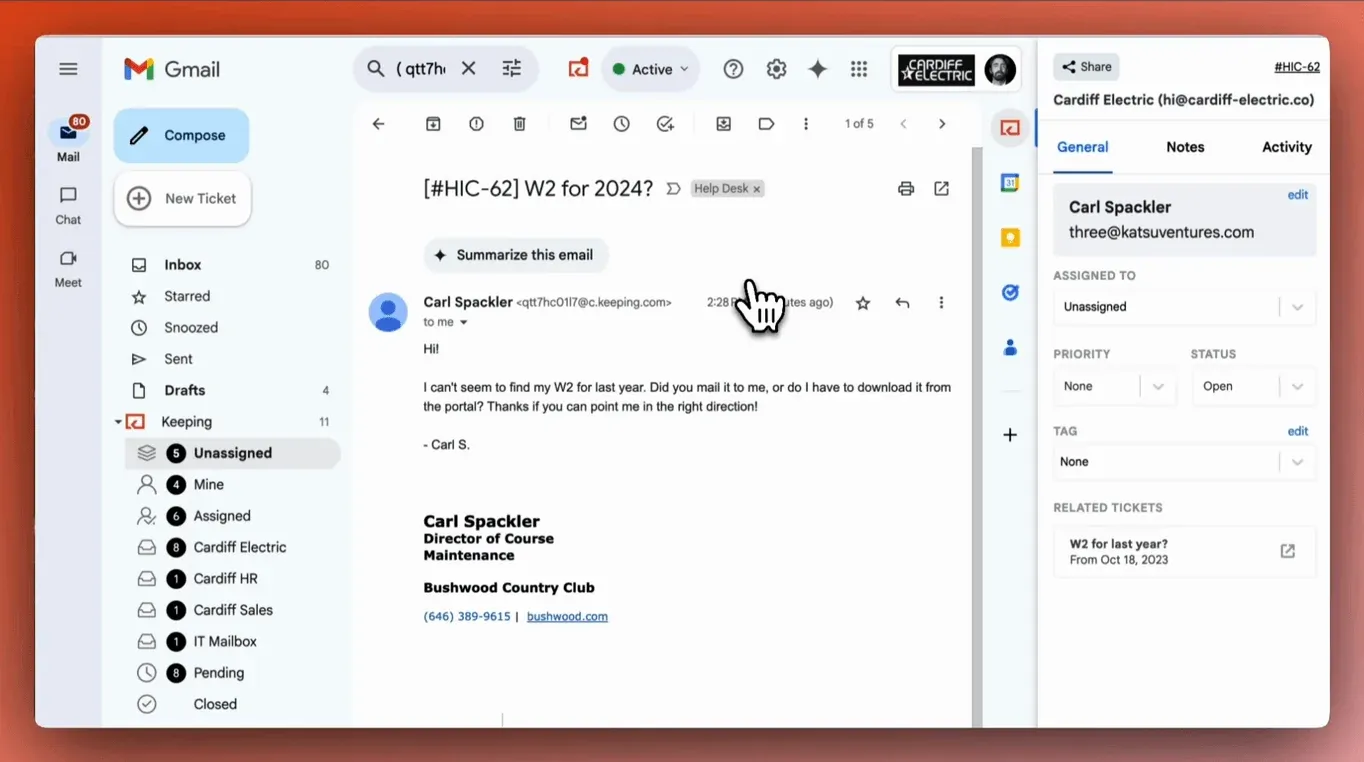
1. Keeping: for teams that want to stay in Gmail
Source: Keeping.
Best for: Small teams answering shared email from Gmail. Not for: Outlook teams or businesses whose main requirement is an integrated phone, chat, and social support platform.
Keeping adds assignment, status tracking, internal notes, templates, and collision detection to your Gmail workflow. Its standout benefit is making customer service email tracking part of the place your team already works. Customer replies come from the shared mailbox address.
Keeping pricing starts at $14 per user/month annually or $19 monthly, with a 2-user minimum. Essentials includes 2 mailboxes and supports up to 10 agents. Advanced adds shared drafts, CSAT, SLAs, and more automation at $24 annually or $29 monthly per user.
2. Help Scout: for a dedicated, approachable support inbox
Source: Help Scout.
Best for: Teams comfortable moving support into a separate workspace. Not for: Teams that require agents to answer shared requests inside Gmail.
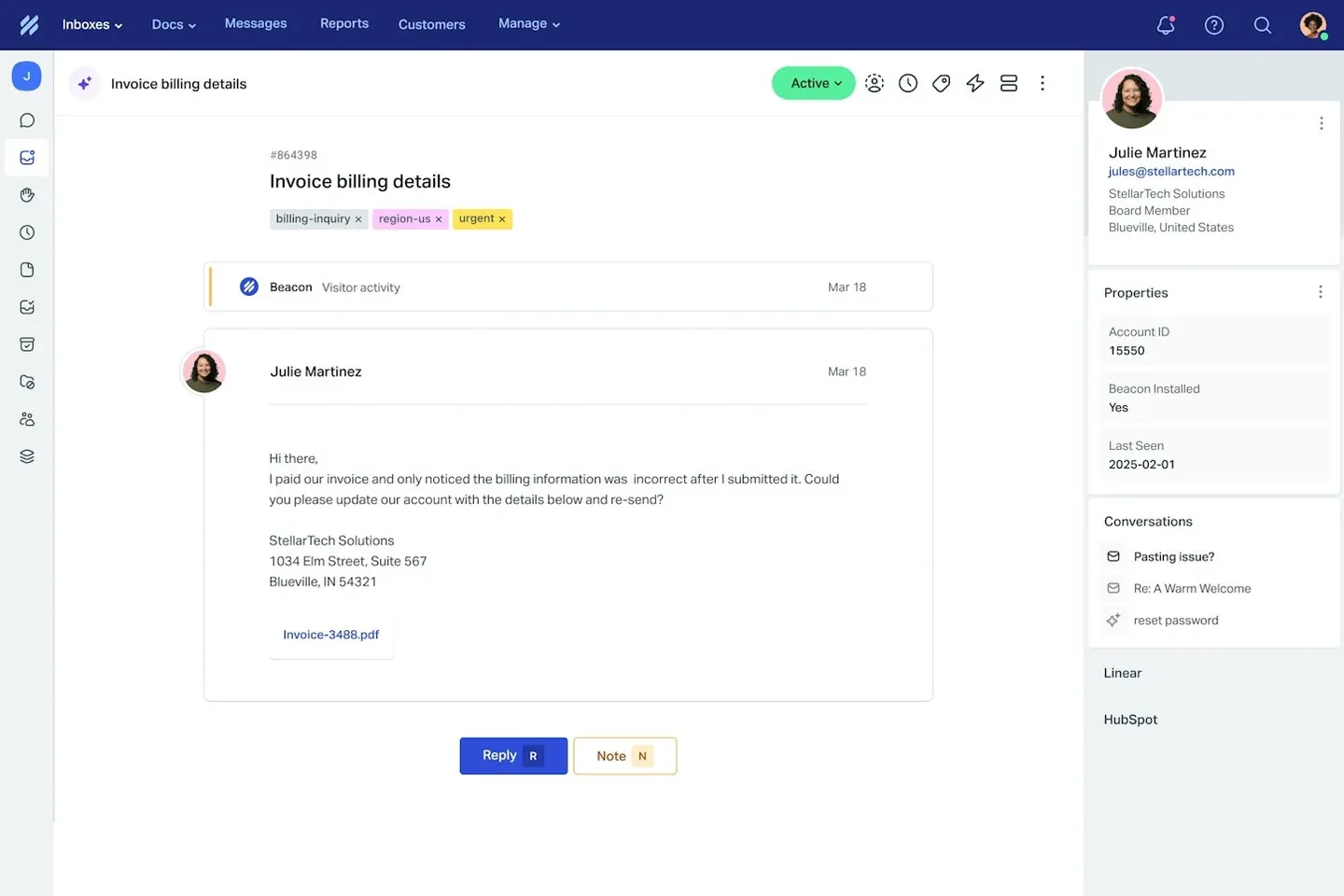
Help Scout combines a shared inbox with Docs knowledge bases and a website support widget. That makes it a useful shortlist option when you want email and self-service together, with room to add channels. The main workflow decision is whether to move support into a dedicated app or keep it in Gmail, as our Help Scout and Keeping comparison explains.
Standard starts at $25 per user/month. Its free plan includes five users, but limits you to one inbox and 100 contacts helped per month; five seats do not mean unlimited service volume. AI Answers carries a separate resolution charge.
3. Front: for collaborative client conversations
Source: Front.
Best for: Teams sharing responsibility for ongoing customer relationships. Not for: Buyers expecting the entry plan to combine multiple channel types.
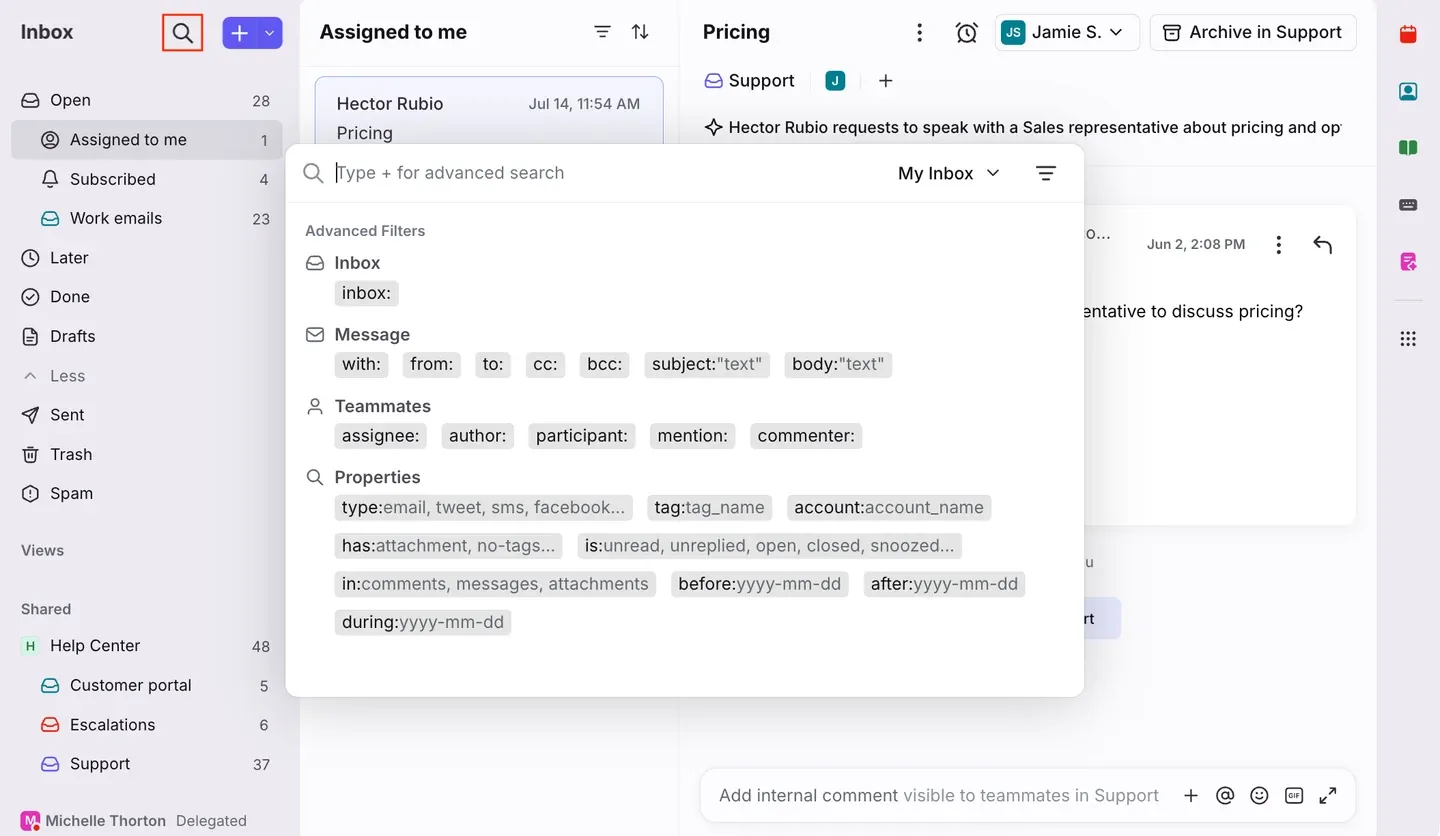
Front gives teams a shared workspace for customer messages, internal collaboration, and routing. It is worth considering when support regularly needs input from operations or account managers.
Starter costs $25 per seat/month annually, supports up to ten seats, and includes shared inboxes, ticketing, and basic analytics. It supports one channel type: email, Front Chat, or SMS. Professional adds multichannel support at $65 per seat/month annually.
Five Professional seats cost $325, a significant step up if you mainly need email. In that case, Front vs. Keeping is a useful comparison before paying for multichannel support.
4. Hiver: for Gmail teams comparing broader automation
Source: Hiver in Gmail.
Best for: Teams that want shared-inbox workflows within Gmail. Not for: Buyers assuming every Hiver edition or AI feature has the same pricing and interface.
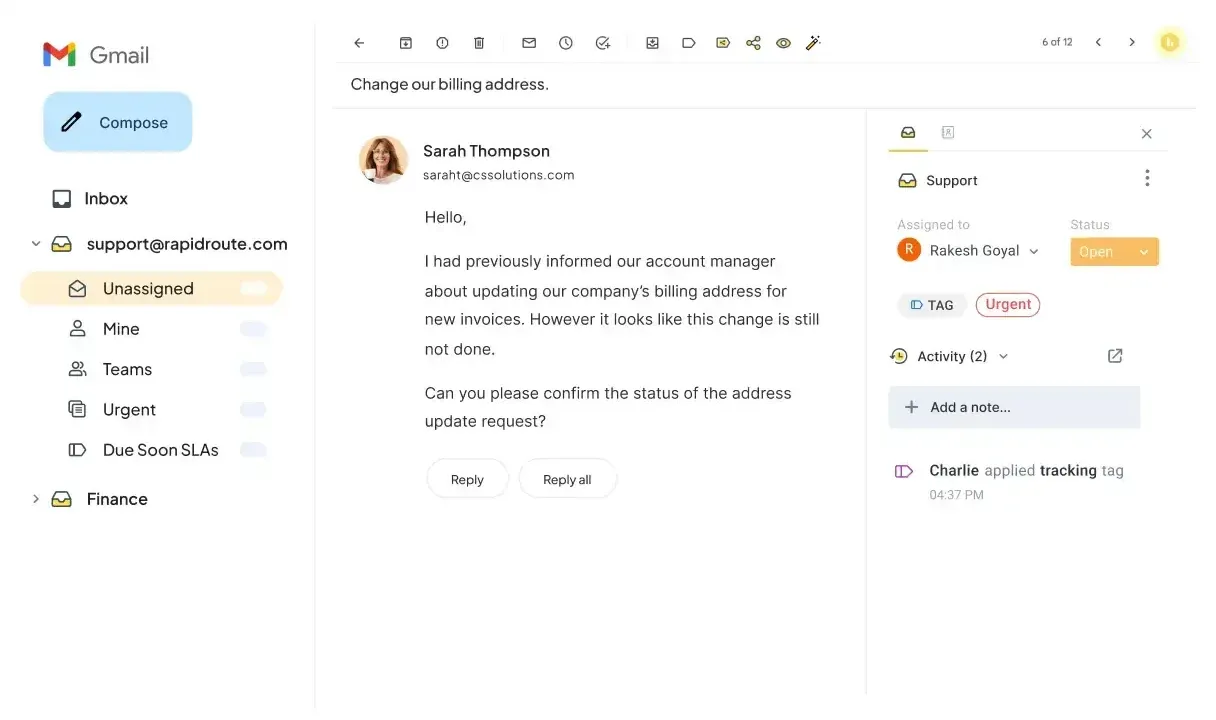
Hiver now presents separate Hiver Omni and Hiver in Gmail offerings. The Gmail edition adds shared inboxes, ticketing, rule-based automation, and analytics around an existing Gmail workflow. When weighing Hiver against Keeping, try the same assignment and handoff tasks in both to see which fits your team.
Growth costs $25 per user/month annually or $35 monthly. Pro adds capabilities including SLAs and CSAT, so check the tier that matches your requirements. The current Gmail pricing page lists paid plans and a trial, rather than the free tier mentioned in older comparisons.
Your customer support tool, right inside Gmail.
Track every customer email, see who's replying, and stop answering twice. Try it free for 14 days. No credit card required.
5. Zendesk: for structured multichannel operations
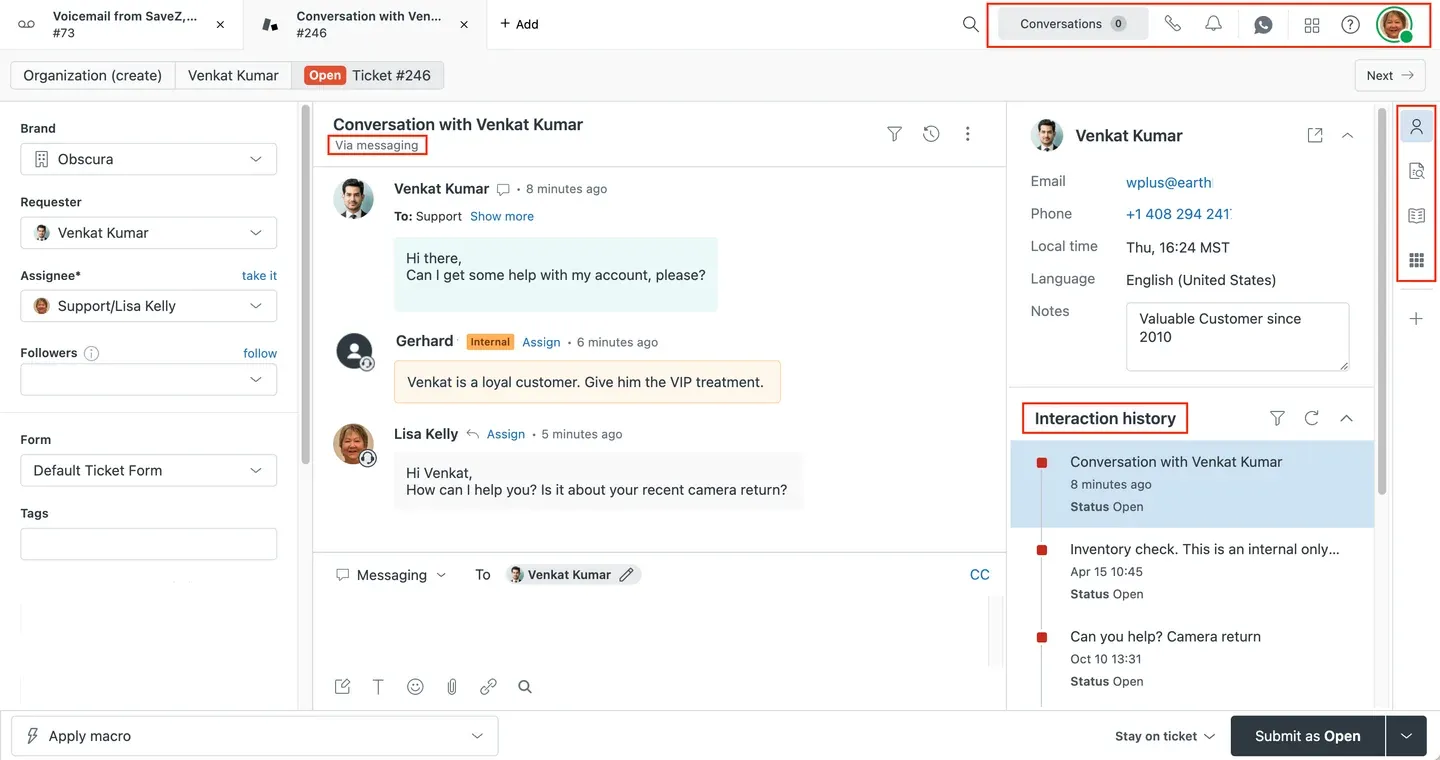
Source: Zendesk.
Best for: Teams coordinating support across channels with defined processes. Not for: Small teams that only need a shared inbox with clear ownership.
Zendesk offers a broad service platform with ticketing, routing, knowledge management, and reporting. Its appeal grows when multiple queues and specialist teams need to operate together.
Support Team starts at $19 per agent/month annually, but that is not the price of the full multichannel suite. Suite Team starts at $55, taking five seats from $95 to $275 per month before extras.
6. Freshdesk: for structured email ticketing
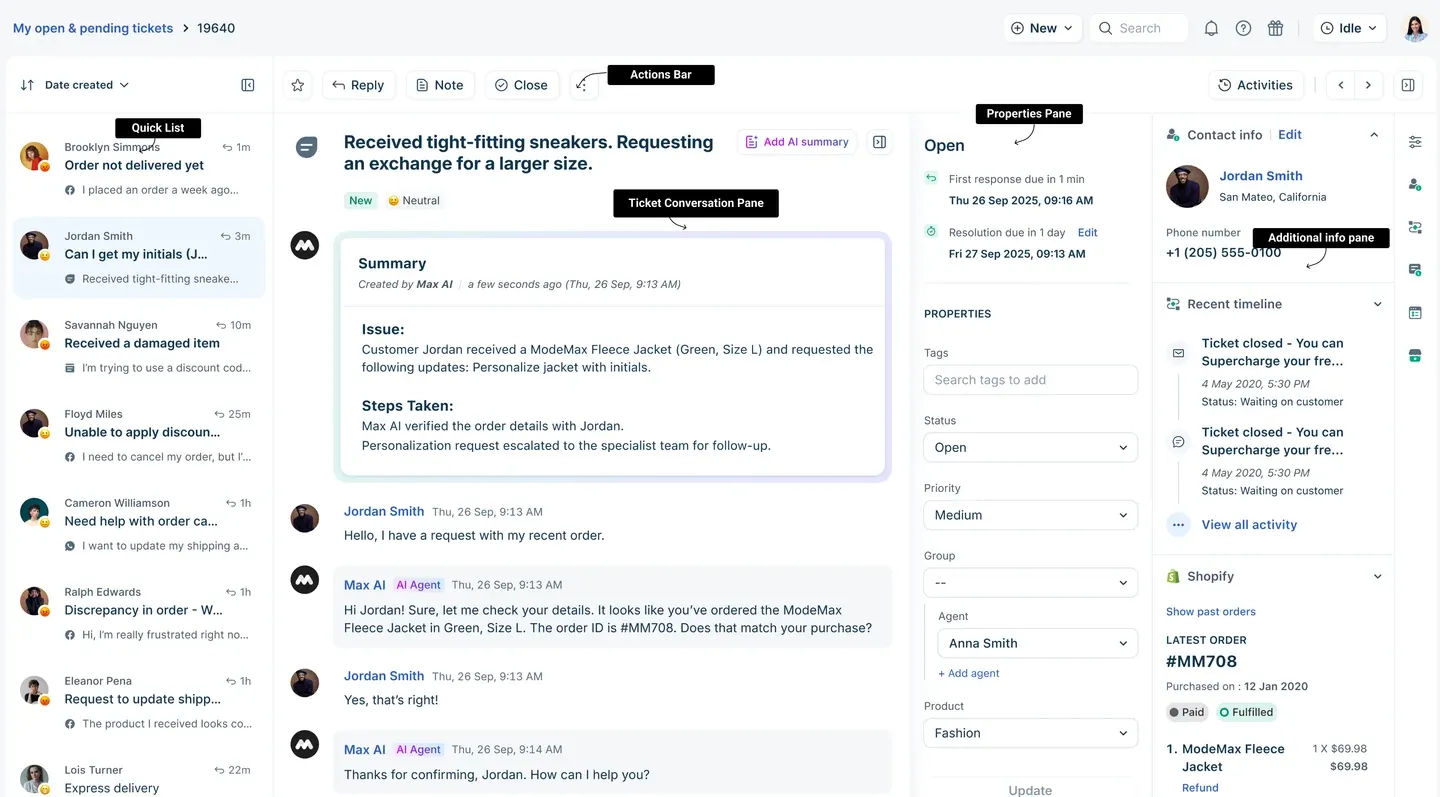
Source: Freshdesk.
Best for: Teams ready for a dedicated support queue. Not for: Teams expecting every Freshworks channel and AI capability in the entry price.
Freshdesk is a practical candidate when you need ticket ownership, a customer portal, and reporting in a separate system. Its Growth plan gives smaller teams a starting point for a more formal service process. If the separate workspace is a sticking point, Keeping handles ticketing inside Gmail.
Growth costs $19 per agent/month annually; five agents cost $95. The pricing page lists additional Freddy AI Agent sessions at $49 per 100 sessions, showing why the seat price is only part of an AI budget.
Evaluate Freshdesk separately from Freshdesk Omni.
7. Zoho Desk: for cost-conscious small teams
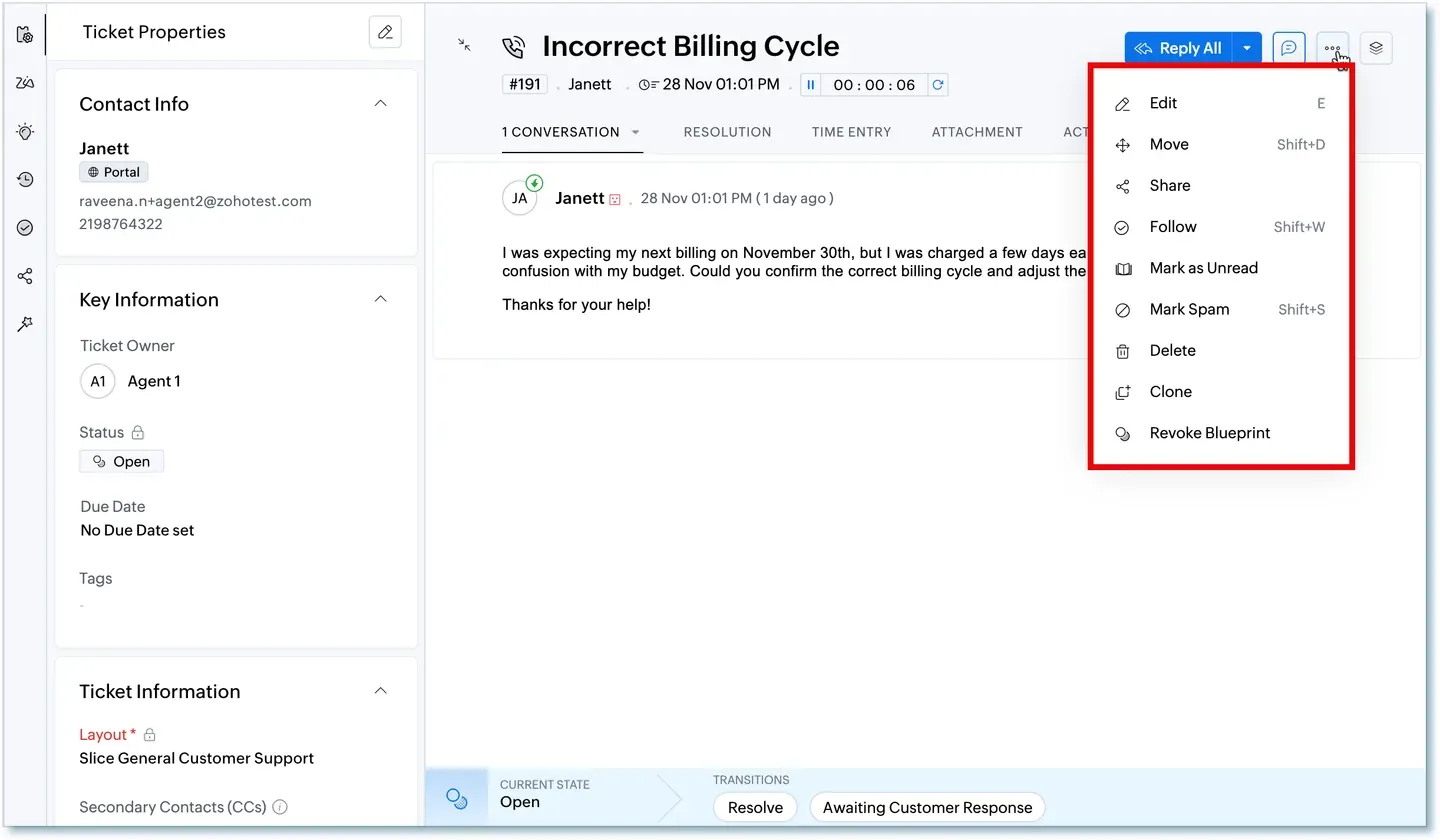
Source: Zoho Desk.
Best for: Small teams seeking inexpensive ticketing, particularly existing Zoho users. Not for: Buyers choosing solely on the lowest price without checking edition limits.
Zoho Desk combines ticket management with automation and customer context. Existing Zoho users have a clear reason to consider it; teams rooted in Google Workspace may prefer Keeping’s Gmail-based approach. The low-cost Express edition is designed for small businesses, though more advanced service requirements may point you toward another tier.
Express starts at $7 per user/month annually, making five users $35. The free edition supports three users, so a five-person team cannot stay on that plan.
Check routing and reporting entitlements before choosing an edition.
8. HubSpot Service Hub: for teams already using HubSpot
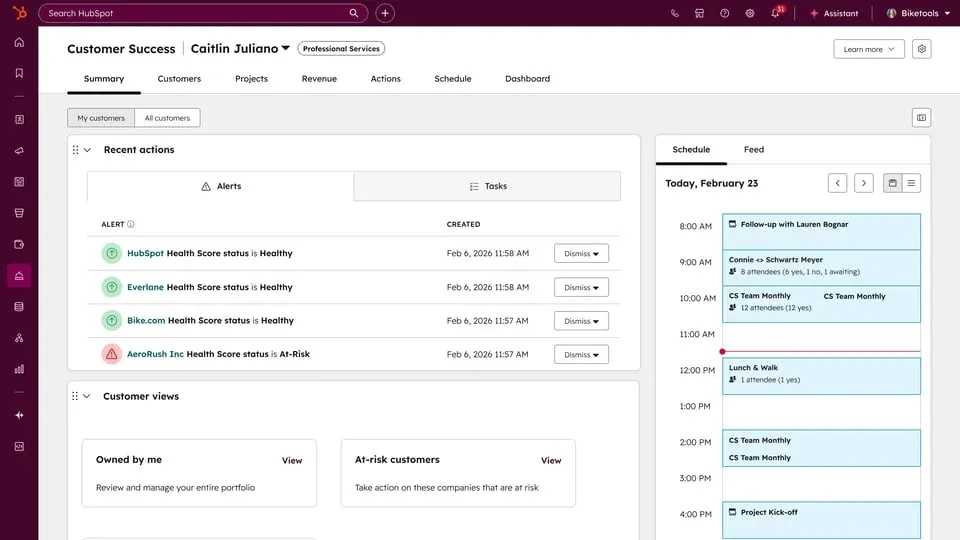
Source: HubSpot Service Hub.
Best for: Businesses that want service connected to their existing customer records. Not for: Buyers assuming Starter includes the full Professional help desk.
Service Hub’s strongest reason to make your shortlist is shared customer context across marketing, sales, and service. Evaluate that benefit against the specific tools your agents will use daily.
HubSpot advertises Starter from $7 per seat/month, alongside a $20 reference price. Treat the lower price as an offer whose term and eligibility need checking. Professional starts at $90 per seat/month with annual billing, plus a listed $1,500 onboarding fee.
Five Professional seats cost $450 per month before onboarding and extras.
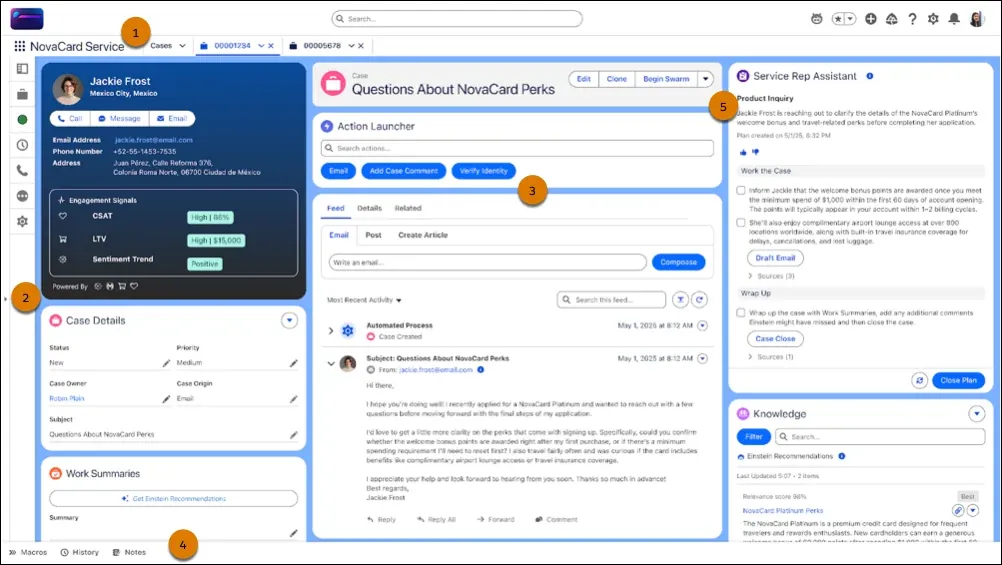
9. Salesforce Service Cloud: for CRM-centered operations
Source: Salesforce Service Cloud.
Best for: Organizations building service around Salesforce customer data. Not for: Small email teams without a clear reason to take on a larger CRM implementation.
Salesforce is worth evaluating when cases must connect to detailed account processes. Its standout value is that broader customer context; realizing it requires setup and ongoing administration.
Starter Suite begins at $25 per user/month, or $125 for five users. Do not treat that as a budget for an advanced Service Cloud deployment. Higher editions, integrations, and implementation can change the cost substantially.
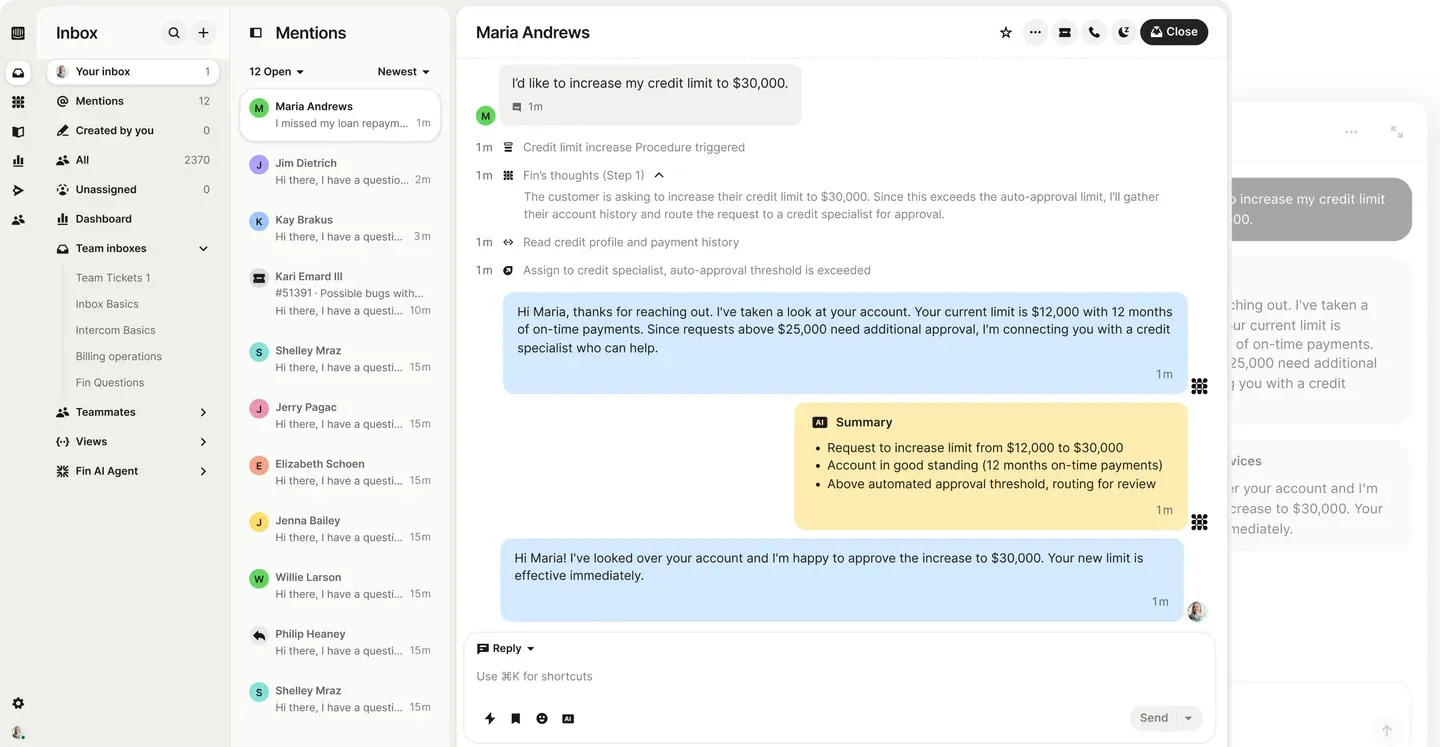
10. Intercom: for AI-led customer conversations
Source: Intercom.
Best for: Teams combining a support messenger with AI-assisted or automated answers. Not for: Buyers needing a seat-only budget regardless of AI volume.
Intercom pairs its support workspace with Fin AI Agent. It belongs on the shortlist when conversational support and automated answers are central to your service model.
Essential starts at $29 per seat/month annually, making five seats $145 before usage. Fin starts at $0.99 per outcome. An illustrative 500 outcomes would add $495, bringing that example to $640 before other charges.
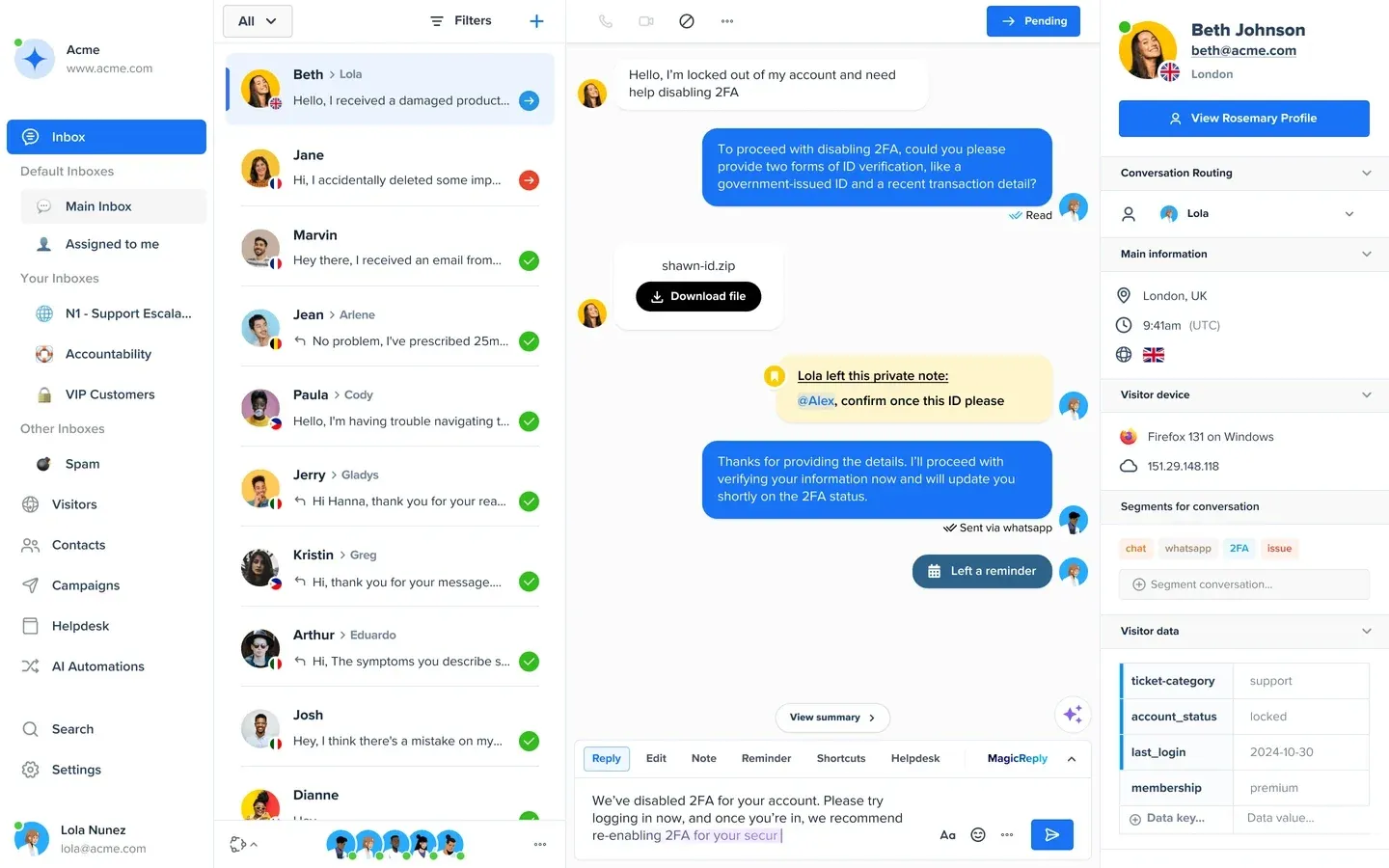
11. Crisp: for website chat with workspace pricing
Source: Crisp.
Best for: Small teams supporting visitors through website chat. Not for: Five-person teams budgeting from a plan that includes only four seats.
Crisp combines messaging with shared-inbox features and sells plans by workspace. That pricing model makes it useful to compare with per-agent products, particularly as your team grows.
Mini costs $45 per workspace/month and includes four seats. A five-person team needs Essentials at $95, which includes ten seats. The free plan supports two seats; AI allowances also differ by plan.
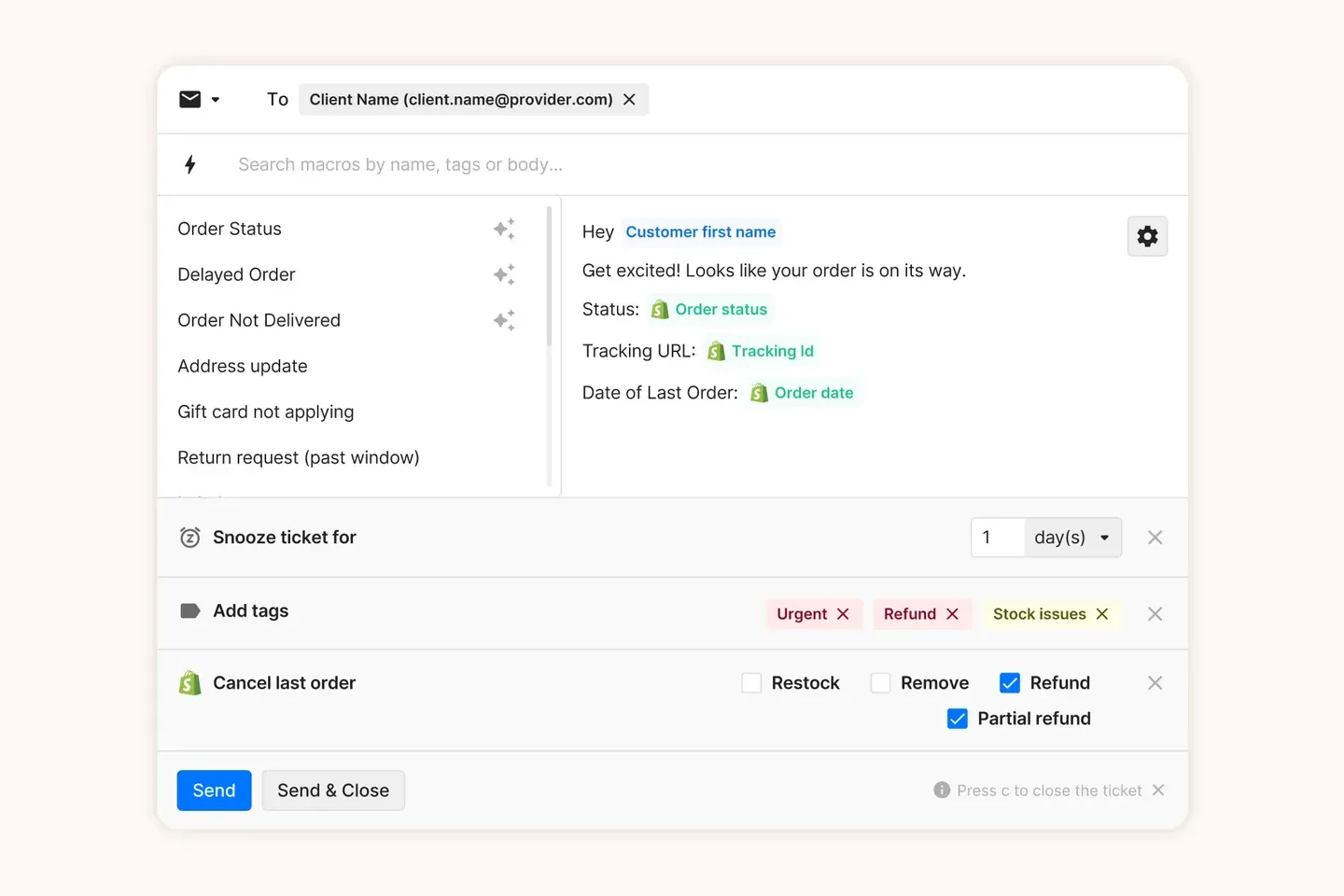
12. Gorgias: for ecommerce customer support
Source: Gorgias.
Best for: Ecommerce teams handling order-related conversations. Not for: Businesses with little need for store data or buyers comparing costs by seat count alone.
Gorgias connects customer conversations with ecommerce information, including Shopify order context. That focus makes it relevant when agents repeatedly look up purchases, shipping details, and returns.
Pricing starts at $10 per month for 50 tickets. Budget against ticket volume, AI resolutions, and any voice or SMS add-ons. Confirm the seat allowance for your chosen package because the public plan guide contains conflicting Basic limits.
Compare normal and peak-month costs. Explore the Shopify customer service app workflow before choosing.
13. Document360: for a dedicated knowledge base
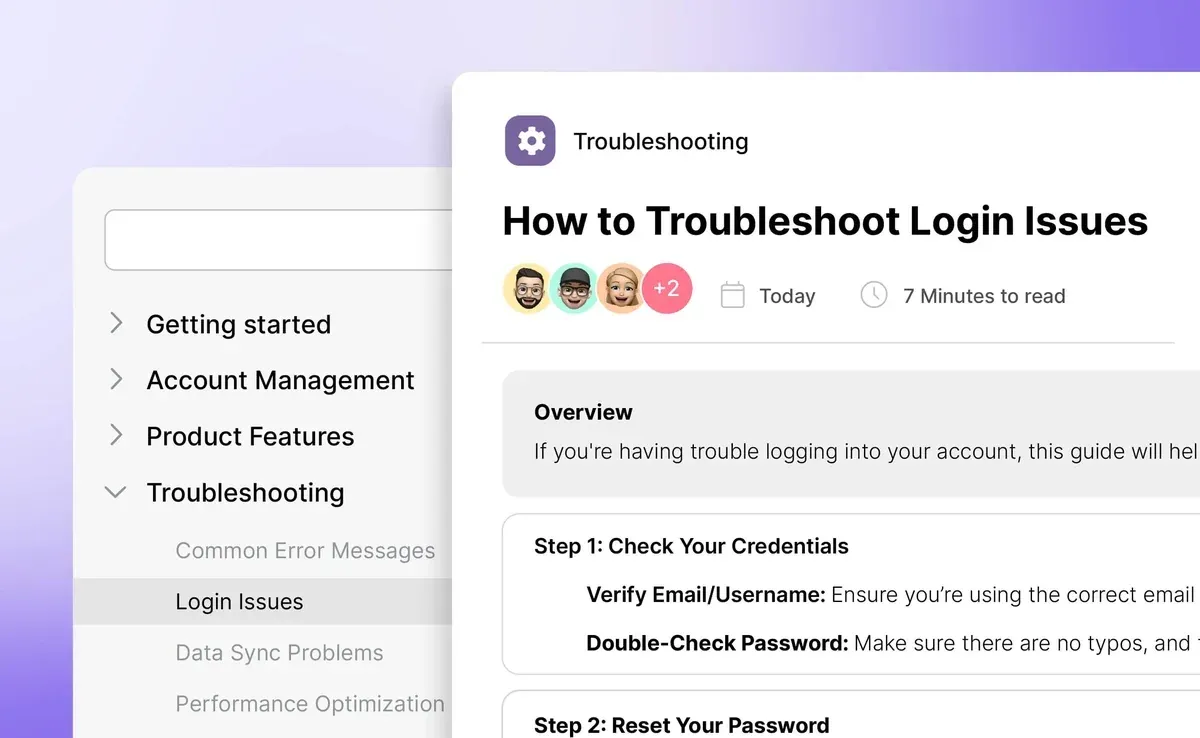
Source: Document360.
Best for: Teams with documentation that needs an organized publishing process. Not for: Buyers seeking an inbox to assign and answer customer emails.
Document360 supports knowledge-base creation, article history, reusable content, and publishing workflows. Its role is helping customers and agents find consistent information rather than managing the conversation itself.
Pricing is customized to your setup. Request a quote covering editor access, public or private content, and the AI capabilities you need; a five-person support team may not require five publishing seats.
14. Quo: for business calls and texts
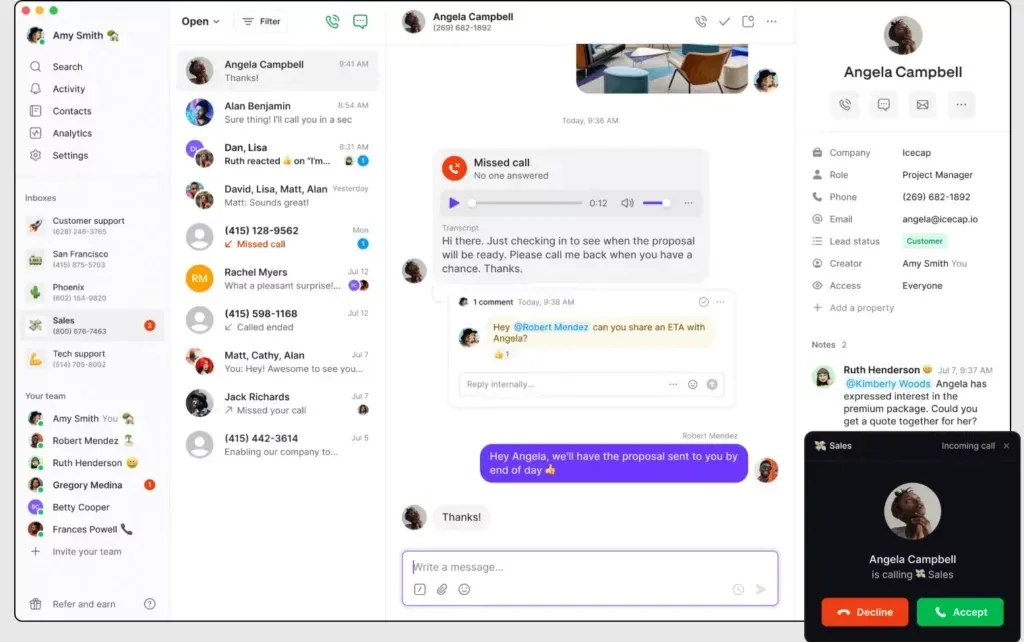
Source: Quo.
Best for: Small teams sharing customer calls and messages. Not for: Teams whose only problem is managing support email.
Quo, formerly OpenPhone, provides a shared business phone workspace. It complements an email tool when customers need to call or text and several teammates need access to that history.
Starter costs $15 per user/month annually or $19 monthly. Five annual seats cost $75 per month before applicable messaging registration fees, additional numbers, and other usage or add-ons.
15. Chatwoot: for teams wanting open-source options
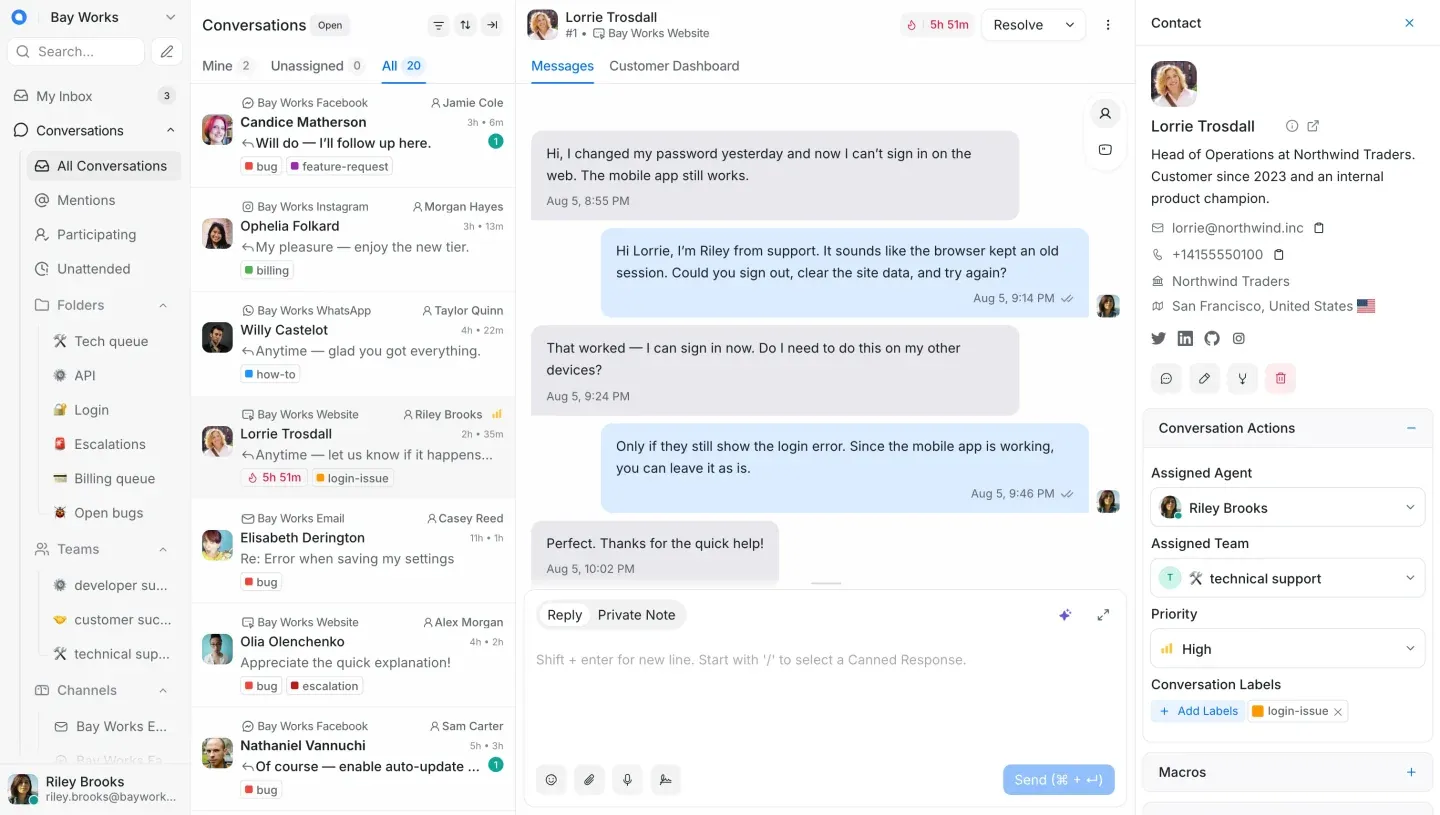
Source: Chatwoot.
Best for: Teams that value deployment choice and can assess the operational trade-offs. Not for: Buyers assuming self-hosted software costs nothing to run.
Chatwoot offers a hosted service and a self-hosted Community Edition. That choice makes it worth evaluating if control over infrastructure is a real requirement.
Hosted Startups costs $19 per agent/month annually, or $95 for five agents. The free hosted plan is limited to two agents and live chat; it is not a free five-person email help desk. Community Edition has no license fee, but you supply hosting and maintenance.
Customer service tools for small business: what to buy at each stage
A five-person team usually needs assignment, statuses, templates, teammate visibility, and basic reporting before advanced AI. Match capabilities to workload, not just headcount.
For a sense of scale: between June 22 and September 20, 2026, the median Keeping team received about 18 new customer conversations on a working day, and the busiest quarter of teams received 44 or more. These figures come from Keeping’s aggregated usage reporting and describe the customer base as a whole, not any single team.
| Team stage | Start with | Add when the need appears |
|---|---|---|
| 1–3 people | A shared inbox or basic ticket queue, plus saved replies | A small help center for repeated questions |
| 4–10 people | Assignment, teammate visibility, statuses, and reporting | Routing rules and clearer escalation responsibilities |
| 10+ people | Workflows, service targets, and workload visibility | CSAT, specialist queues, chat, or AI for a defined use case |
You can turn Gmail into a help desk or choose a separate simple ticketing system. Match your requirements to Keeping’s plans or the equivalent competitor tier.
Free customer service tools: useful limits to check
Help Scout’s free plan supports five users but limits monthly contacts helped. Zoho Desk supports three free users, while Crisp and Chatwoot’s hosted free plans support two seats. Hiver’s current Gmail edition does not list the free plan found in older comparisons.
A free plan works when its channel and usage limits match your service. Check what happens when you exceed them, and whether you can export the information you need before committing the team.
Customer service apps: supporting customers from your phone
A mobile customer service app is useful for urgent triage and coverage away from a desk. Evaluate whether an agent can read the full conversation, identify its owner, respond, and hand it over without losing context. A notification alone is not a workable support process.
Help Scout offers mobile access, and Front provides mobile apps. Keeping includes a mobile and web portal on every plan; do not confuse that with running its browser extension inside the Gmail mobile app. Check the current app and required actions for any other product you shortlist.
How to choose customer service tools
Document your channels, identify what breaks, decide where agents will work, calculate costs, and test a live workflow. Review results after two weeks. Choose the product that makes a recurring task measurably easier.
- List your channels and volume. Count requests in a typical week and a busy week. Separate email, chat, calls, and social messages.
- Ask the team what breaks today. Collect examples of missed replies, duplicate answers, slow approvals, and unclear ownership. Pick the most costly recurring problem.
- Choose the working interface. Decide whether agents should stay in Gmail or move support into a dedicated application. Test that preference with the people answering customers.
- Price your real requirements. Include every paid agent, the required edition, onboarding, integrations, and usage. Compare annual commitments separately from flexible monthly plans.
- Trial with real work. Connect a mailbox, invite teammates, assign requests, and test an absence or escalation. Measure customer response time and inspect the quality of answers.
- Review after two weeks. Ask what improved, what still needs a workaround, and who will maintain the setup. Choose the smallest plan that supports the process you tested.
A benchmark for step 5. Over the same 90 days, one in three first replies from Keeping teams went out within an hour, three in four within 24 hours, and about one in seven took longer than two days. The typical team answered 30% of its new conversations within an hour. Compare the numbers your trial produces against those.
“The fast teams in our data are not the biggest ones. In my experience they are the ones that decided who owns each email before anyone reads it, and then measured the reply time instead of guessing at it.”
Cody Duval, founder of Keeping
Watch for red flags: essential features reserved for a much higher tier, unexplained usage charges, awkward exports, or agents quietly returning to their old workflow.
AI pricing needs its own calculation. Some products charge per resolution or outcome; others charge per session, credit, or agent. Those units are not interchangeable. Ask what triggers a charge, how failed answers count, and whether you can cap spending. Keep base subscription and AI usage on separate budget lines.
If your bottleneck is shared email, evaluate email customer service software before adding another channel.
A real-world example: Goal Grass
Goal Grass illustrates a common buying trigger: customer volume had outgrown informal coordination. In the account Keeping published in its best help desk software guide, the artificial turf company’s nine-person support team handled roughly 40–50 daily inquiries using Google Groups for customer support and Gmail labels before switching to Keeping. That volume would place them in the busiest quarter of Keeping teams today.
A separate manufacturing customer’s testimonial, reproduced on Keeping’s customer support page, says: “We’ve been able to cut our customer response time down to mere minutes for the vast majority of requests.” The page attributes it to a verified G2 user. It is an individual customer’s experience, not a promised response-time improvement.
Frequently asked questions
Which tool is most useful in helping customer service?
The most useful tool fixes your biggest recurring service problem. For missed emails, start with a shared inbox or ticketing system. For repeated questions, improve self-service. Choose chat or phone tools when customers need those channels and your team can support them reliably.
What are the best tools for customer communication?
Shared inboxes suit email, live chat suits website conversations, and business phone tools suit calls and texts. The best combination keeps ownership and customer history clear across those channels. Begin with the channel customers already use most rather than launching several at once.
What software is used in customer service?
Customer service teams use ticketing systems, shared inboxes, live chat, knowledge bases, phone tools, AI assistants, and reporting. Some also use CRM software for customer context. You can get several capabilities in one product; you do not need a separate subscription for every category.
What is the best customer service tool for Gmail users?
Keeping, Hiver in Gmail, Gmelius, and Drag all run inside Gmail. Keeping is a strong fit for teams that want assignment, status tracking, internal notes, and collision detection without leaving the inbox. Choose by testing the plans and workflows your team needs, including reporting, automation, and access away from a desktop.
Are there any free customer service tools?
Yes. Help Scout, Zoho Desk, Crisp, and Chatwoot offer free options with different seat, channel, and usage limits. Chatwoot also offers a self-hosted Community Edition. Check those limits against your actual workload, and include infrastructure and maintenance costs when considering self-hosting.
Can I use ChatGPT for customer service?
Yes. You can use ChatGPT to draft messages and summarize customer information, then review the result against your policies and source records. Start with human-reviewed work and your company’s approved data practices. OpenAI’s customer-success guidance includes examples of drafting follow-ups and reviewing customer themes.
What tools help customer support teams identify top customer issues?
Ticket tags, conversation reports, knowledge-base search data, and customer feedback can reveal recurring issues. Use a consistent set of categories and review volume alongside customer impact. Read representative conversations before treating an automatically generated theme or sentiment score as an explanation of the problem.
What are the top 10 ticketing tools?
Ten options to evaluate are Keeping, Help Scout, Front, Hiver, Zendesk, Freshdesk, Zoho Desk, HubSpot Service Hub, Gorgias, and Chatwoot. This is a shortlist, not a universal ranking. Compare ownership, channels, reporting, and total costs using our guide to email ticketing systems.
What customer service tools do you have experience with?
In an interview, name the tools you have actually used and explain the work you did with them: assigning tickets, updating help articles, or reviewing response times. Give one concrete example rather than a list of logos. Prepare with these customer service interview questions.
Bring customer support into Gmail
Your customer support tool, right inside Gmail.
Track every customer email, see who's replying, and stop answering twice. Try it free for 14 days. No credit card required.