Closing a ticket due to no response takes three emails after your original question: a first follow-up two business days later, a final notice two days after that with the date you’ll close, and a closing email on day 7 that says a reply reopens the ticket. Count business days and keep the customer’s original subject line.
A ticket acknowledgement email confirms the request arrived, gives the ticket number, and says when a person will reply, for example “within 4 business hours”, not “as soon as possible”. Add one line on how to add details (reply to this email and keep the subject) and an urgent contact if you have one. For a shared support inbox, send the acknowledgement automatically for every new support ticket, with a separate after-hours version.
The no-response sequence comes first, then six ticket acknowledgement templates, then four closure emails. They’re written for a small team answering support@ out of Gmail, so there’s no customer portal in them, just “reply to this email”. For the rest of the ticket (refunds, apologies, troubleshooting), our library of customer service email templates covers the middle.
Closing a ticket due to no response
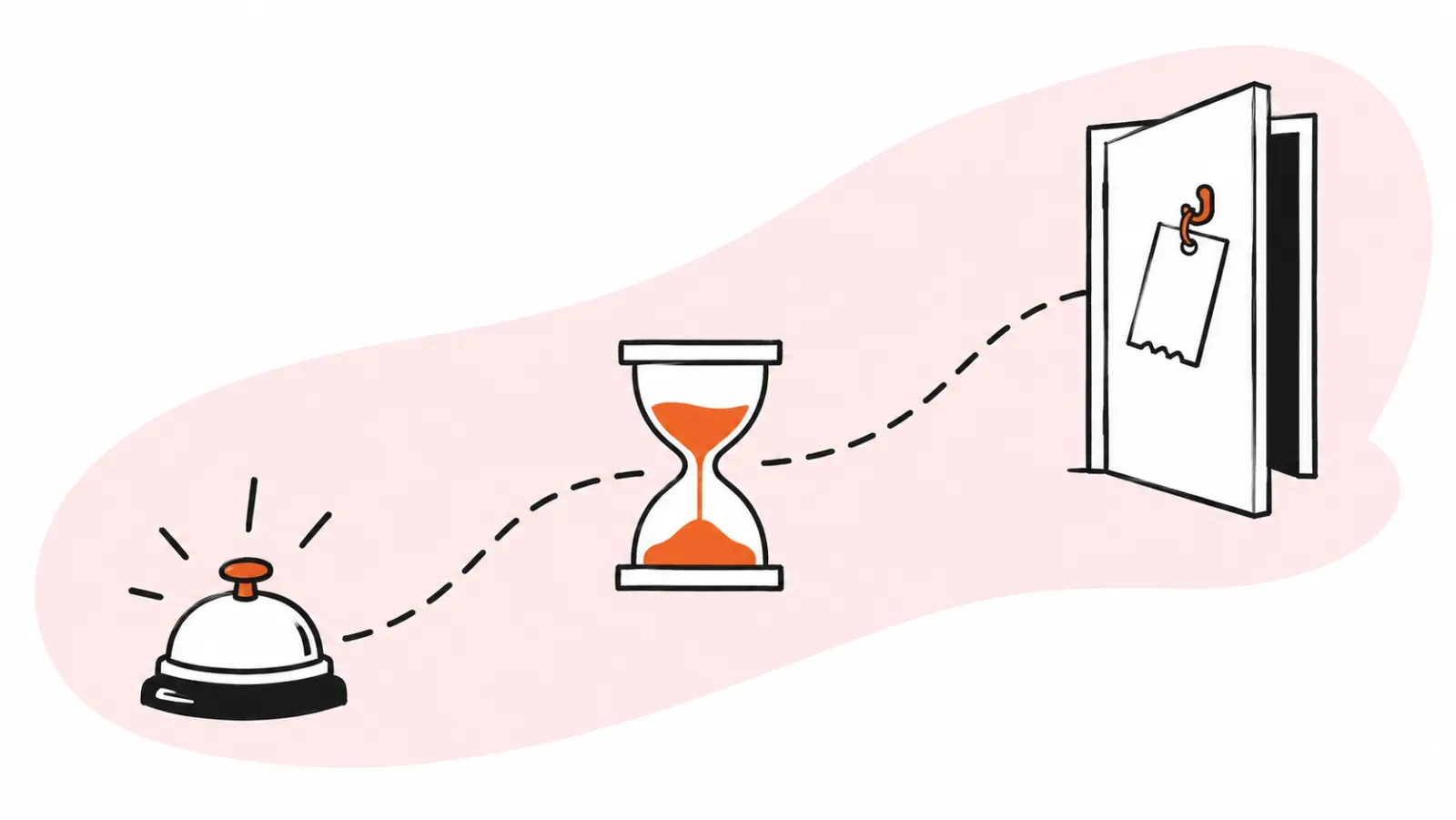
Close a ticket due to no response after your original question plus two follow-ups. Send the first follow-up on business day 2 and a final notice with the close date on day 4. Close on day 7 with an email saying a reply reopens it. Keep the ticket Pending while you wait, so it stays out of the open queue.
A complete help desk, inside Gmail?
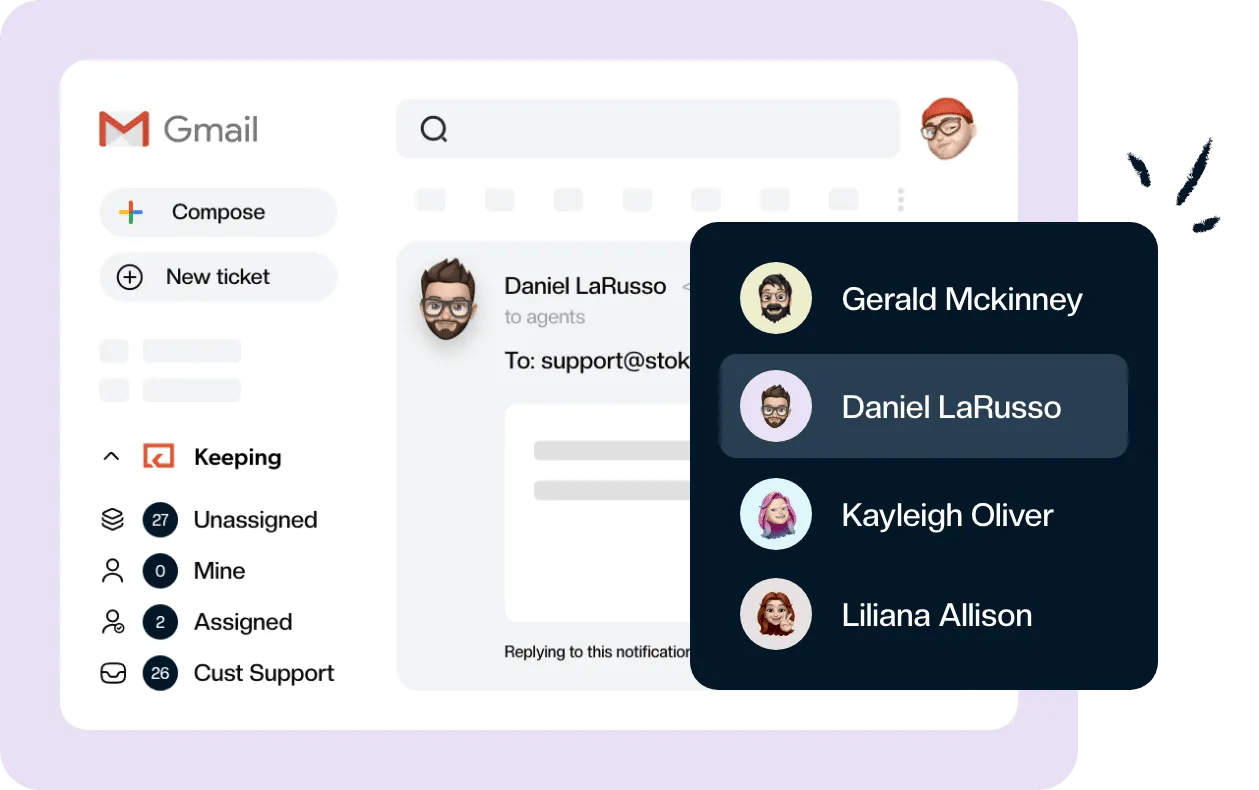
Keeping turns your Gmail into a fully featured help desk. It's not magic, but it feels magical.
| Business day | Ticket status | |
|---|---|---|
| Day 0 | Your question (what you need from them) | Pending |
| Day 2 | First follow-up | Pending |
| Day 4 | Final notice, with the close date | Pending |
| Day 7 | Closing ticket due to no response | Closed |
| Any day | The customer replies | Back to Open, same owner |
Two nudges is roughly where people who run service desks for a living end up. When ITSM.tools asked a group of practitioners what to do when a user goes quiet, Stuart Rance described the common rule as “three attempts and then close the ticket”. Another, Darren Hampton, tells users “If we do not hear back within a week we’ll consider the matter resolved”, sends a reminder two days later, and closes when the week is up (ITSM.tools, Service Desk Basics: When the End User Doesn’t Respond). Your original question plus two nudges is the same three attempts.
I’d stop at two for a simpler reason. The third reminder rarely gets the answer the first two didn’t, and by then the customer has either fixed it, given up, or gone on holiday. All three of those are fine outcomes for a ticket that reopens the moment they write back.
A note on subject lines before you copy anything. Send follow-ups as replies in the existing thread and leave the subject alone (“Re: Can’t log in”). Changing it can split the thread in the customer’s mail app, and the original subject is what they’ll recognize. The subject lines below are for when you have to start a fresh email.
First follow-up after no response
Send this on day 2 if the customer hasn’t answered your question. Repeat exactly what you need. Don’t make them scroll down to find it.
Subject: Still need one thing for your request [#{{ticket.id}}]

Hi {{customer.first_name | default: "there"}},

Just checking in on this one. To keep going, I need:

[the one thing: order number / screenshot of the error / the email address on the account]

If it's already sorted on your side, reply "done" and I'll close the ticket.

Thanks,
{{agent.first_name}}
The “reply done” line does more work than anything else in this email. Plenty of tickets go quiet because the problem went away, and the customer doesn’t think you need to hear about it.
Second follow-up email after no response
This is the final notice, sent on day 4. It names a real date, so nobody is surprised when the ticket closes.
Subject: Closing your request [#{{ticket.id}}] on [Friday, Nov 6] unless we hear from you

Hi {{customer.first_name | default: "there"}},

I haven't heard back about [short description of the issue], so I'll close this ticket on [Friday, Nov 6].

If you still need help, reply to this email any time before then with [the one thing]. If you reply after it's closed, that's fine too. The ticket will open again and come straight back to me.

{{agent.first_name}}
Write the date out. “In 3 days” means nothing to someone reading it on a Sunday.
Closing ticket due to no response email template
Send this on day 7, when you close the ticket. Keep it short and leave the door open.
Subject: Closing your request [#{{ticket.id}}]: no reply received

Hi {{customer.first_name | default: "there"}},

We haven't heard back, so I've closed this ticket for now.

Nothing is lost. If you still need help, reply to this email and the ticket opens again with the full history, so you won't have to explain it twice.

Thanks,
{{agent.first_name}}
{{mailbox.name}}
Leave out “as we did not receive a response to our previous two emails”. The customer knows. Listing your attempts reads like you’re building a case.
Make sure that last sentence is true before you send it. In Keeping, a reply to a Closed or Pending ticket sets it back to Open, so a customer who answers three weeks later lands back in the queue even if nobody is watching the thread. That’s the main thing a help desk inside Gmail gives you over a shared login and a label called “waiting”. If you only need a single reminder for a quiet thread, there’s a shorter no-response nudge in our template library.
What a ticket acknowledgement email should include
A ticket acknowledgement email is there so the customer stops wondering whether anyone got their message. It should confirm the request arrived, give the ticket number, and say when a person will reply in hours or days. Add how to send more details and, if you offer one, an urgent route. Five lines is plenty.
| Part | Example | Why it’s there |
|---|---|---|
| Confirmation | “Thanks for writing to Acme Support.” | The customer knows the email didn’t vanish |
| Ticket number | “Your request is logged as #eq7am42cxs.” | Something to quote if they write again or call |
| Response window | “Someone will reply within 4 business hours.” | Stops the “did you get my email?” follow-up |
| How to add details | “Reply to this email and keep the subject line.” | Extra screenshots land on the same ticket, not a new one |
| Urgent route | “If your site is down, call 555-0100.” | Only if someone actually answers that number |
Be careful with the response window. Promise what you hit on a bad day, not your average. If your typical reply is 90 minutes but Mondays run to five hours, say “within one business day” and beat it.
An acknowledgement buys you some patience, but it isn’t a reply. Automated replies don’t count toward first response time, so the clock keeps running until a person answers. And if you’re after general wording to acknowledge receipt of an email, like an invoice or a job application, that’s a different post. For a ticket intake form rather than an email, see our help desk templates.
Ticket acknowledgement templates
Six templates, starting with the automatic ones. The variables in double curly braces ({{ticket.id}}, {{customer.first_name}}) are the ones Keeping fills in for auto replies and shared templates. In plain Gmail, replace them by hand before you send, because Gmail’s own templates don’t fill anything in.
Use a fallback on every name variable. Shared mailboxes get plenty of email from addresses with no name attached, and “Hi ,” looks worse than “Hi there,”.
1. Automatic acknowledgement during business hours
The everyday version, sent the moment a ticket comes in. For more variations, we have a separate set of automated response email examples.
Subject: We've received your request [#{{ticket.id}}]

Hi {{customer.first_name | default: "there"}},

Thanks for writing to {{mailbox.name}}. Your request is logged as #{{ticket.id}}.

Someone on the team will reply within 4 business hours. We're here Monday to Friday, 8 AM to 6 PM Eastern.

Need to add something, like a screenshot or an order number? Reply to this email and keep the subject line as it is. It all goes onto the same ticket.

{{mailbox.name}}
Sign it from the team, not a person. Nobody has picked the ticket up yet, and a name at the bottom makes the customer expect that person to reply.
2. After-hours acknowledgement
For anything that lands outside your hours. The setup for sending this one only at night and on weekends is in our guide to Gmail auto reply after hours.
Subject: We've received your request [#{{ticket.id}}]

Hi {{customer.first_name | default: "there"}},

Thanks for getting in touch. Our team is offline right now, and we'll reply first thing on our next working day. We're here Monday to Friday, 8 AM to 6 PM Eastern.

Your ticket number is #{{ticket.id}}. If you write again, keep this subject line and we'll find it straight away.

If something is down and your team can't work, call [on-call number].

{{mailbox.name}}
Drop the last line if nobody is actually on call. An emergency number that goes to voicemail at 11 PM does more damage than not offering one.
3. Acknowledgement during an outage or a busy spell
Switch this in when you know replies will be slow: an outage, a launch, the week after a price change.
Subject: We've received your request [#{{ticket.id}}]

Hi {{customer.first_name | default: "there"}},

Thanks for writing in. Your request is logged as #{{ticket.id}}.

We're getting more email than usual right now, so replies are taking up to 2 business days instead of our usual few hours. We're answering in the order tickets arrived.

If you're writing about [the outage / today's login problem], we're on it and we'll post updates at [status page link]. You don't need to send another email.

{{mailbox.name}}
If you only say “longer than usual”, expect people to write again tomorrow asking where you are. A real number in the second paragraph, even a pessimistic one, heads that off.
4. Acknowledgement that asks for missing details
This one is personal, sent by whoever picks up the ticket when the request can’t be answered as it stands. It’s day 0 of the no-response sequence above.
Subject: Re: [original subject]

Hi {{customer.first_name | default: "there"}},

Thanks for reaching out about [the problem]. I'm looking into it now.

To get this fixed, I need:

1. [Your order number, from the confirmation email]
2. [A screenshot of the error message]

Once I have those I can usually sort this out the same day.

{{agent.first_name}}
Number the asks, and ask for everything in this one email. A second request for “one more thing” a day later is how a two-day ticket turns into a two-week one.
5. First personal reply after assignment
The automatic acknowledgement says “we’ve got it”. This one says “I’ve got it”. Send it when the ticket is assigned and the real answer will take a while. The “even if” in the second paragraph is the part people cut, and it’s the part that stops the customer chasing you two days later. Leave it in, then keep the promise.
Subject: Re: [original subject]

Hi {{customer.first_name | default: "there"}},

I'm {{agent.first_name}}, and I've picked up your ticket (#{{ticket.id}}).

I've reproduced the problem and I'm checking it with our [billing / engineering] team. I'll have an update for you by [Wednesday afternoon], even if it's only to say we're still working on it.

{{agent.full_name}}
{{mailbox.name}}
6. Internal IT or helpdesk acknowledgement
For an it@ or helpdesk@ address where the customers are colleagues. Shorter, and more direct about how to escalate.
Subject: IT request received [#{{ticket.id}}]

Hi {{customer.first_name | default: "there"}},

Got it. Your IT request is logged as #{{ticket.id}}, and someone will pick it up within 1 business day.

Reply here with anything that helps: the device you're on, the error message, or when it started.

If you're locked out or can't work at all, message #it-help in Slack instead.

IT team
Staff will use the queue as long as there’s an obvious way around it for the day their laptop dies.
Ticket closure email templates
A ticket closure email confirms what was done, says the ticket is closed, and tells the customer how to reopen it. Send one whenever you close a ticket for a reason other than silence. The four closing ticket email templates below are the ones I use most.
By default in Keeping, a ticket closes when you reply, so the closure email and the close happen in one step.
Resolved and closed
Subject: Re: [original subject]

Hi {{customer.first_name | default: "there"}},

Good news: [the fix in one sentence, e.g. "your invoice now shows the correct VAT number"].

I've closed ticket #{{ticket.id}}. If anything about this isn't right, reply to this email and it'll open again.

Thanks,
{{agent.first_name}}
Say what you did in plain words. “Your issue has been resolved” makes the customer go and check whether it has.
Resolved, with a one-question satisfaction check
Subject: Re: [original subject]

Hi {{customer.first_name | default: "there"}},

[The fix in one sentence.]

I've closed the ticket. One quick question: did that fully solve it? A one-word reply is perfect. A "no" reopens the ticket and comes straight back to me.

{{agent.first_name}}
One question, answered by reply. If you want a proper rating scale, use a survey tool, but don’t bolt a five-question survey onto the closing email.
Closed as a duplicate
Subject: Re: [original subject]

Hi {{customer.first_name | default: "there"}},

Thanks for the follow-up. It looks like this is the same issue as your earlier ticket, #[original ticket ID], so I've closed this one and added your new details there.

[Agent name] is handling it and will reply in that thread.

{{mailbox.name}}
Tell them where the conversation lives now. Otherwise they’ll reply to both and you’ll have two tickets again by lunchtime.
Closed because it’s not something we can fix
Subject: Re: [original subject]

Hi {{customer.first_name | default: "there"}},

I've looked into this, and [the problem] is caused by [their bank / their email provider / a browser extension], so it isn't something we can change on our side.

What should help: [one concrete step, or who to contact].

I'm closing this ticket, but if that doesn't sort it, reply and I'll take another look.

{{agent.first_name}}
This is the closure most likely to come back as a complaint, so don’t send it without a next step, even if that step is someone else’s support line.
How to send these from a shared Gmail inbox
The templates only help if everyone sends the current version at the right moment. In a shared Gmail inbox, that comes down to four things in Keeping. Auto replies and shared templates are on the Essentials plan.
Turn on the auto reply, with business hours
Each mailbox gets its own acknowledgement. Click the pencil icon next to the mailbox, check Enable Automatic Replies, and choose According to business hours to write one message for During Business Hours and one for Outside Business Hours. Business hours themselves are set under Settings > Organization. Keeping sends each customer at most one auto reply every 24 hours, so a customer who emails five times overnight gets one acknowledgement, not five.
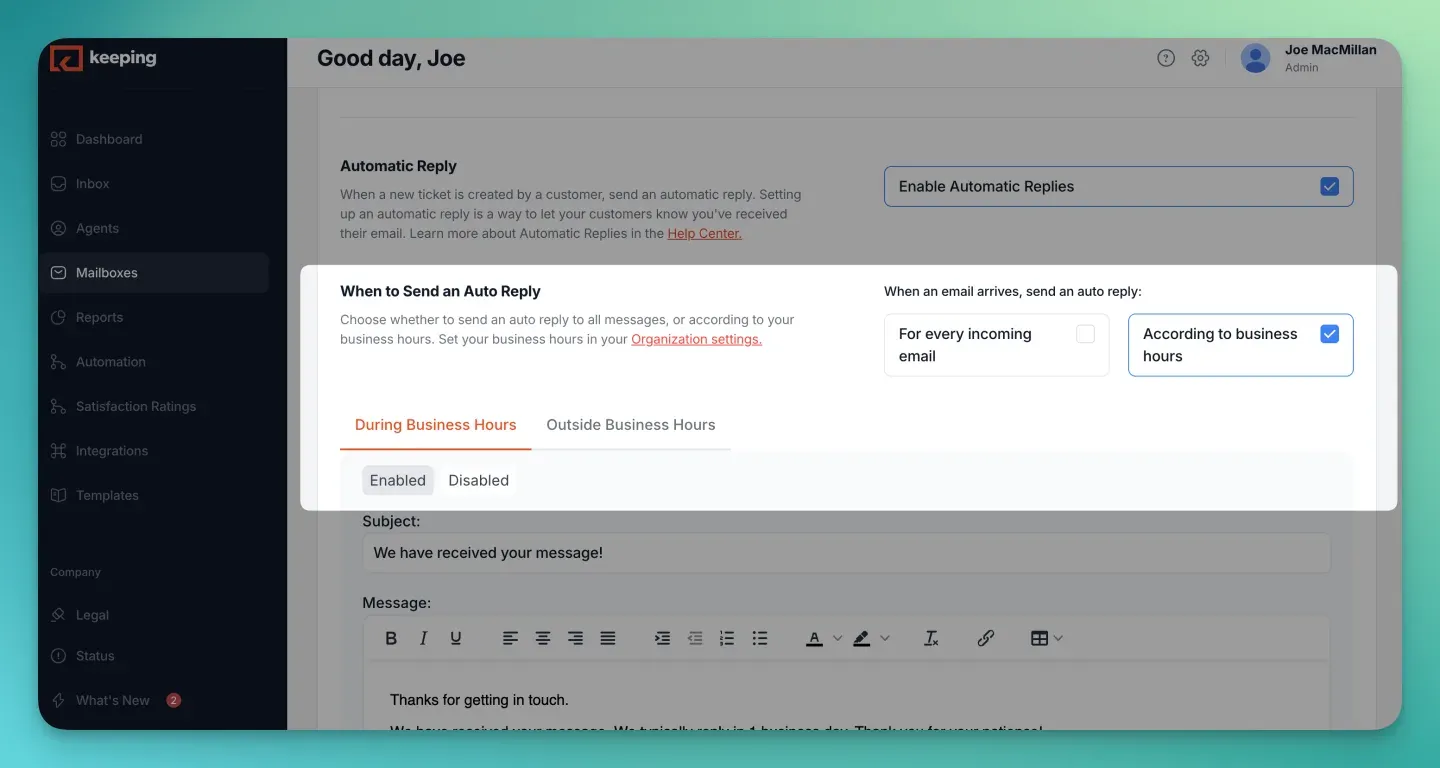
Source: Keeping’s Enable an autoreply help guide, retrieved October 19, 2026.
The full walkthrough, including what plain Gmail can and can’t do here, is in our guide to Gmail auto reply after hours.
Save the follow-ups and closures as shared templates
Add each template under Settings > Templates > Add New Template. Agents insert them from the lightning bolt icon in a Gmail reply, and the variables fill in on insert. When you change the wording, everyone gets the new version the next time they use it. That’s why you share Gmail templates with your team instead of letting each agent keep their own.
Set Pending while you wait, and pick an Auto Close window
When you send a follow-up, use send and set to pending on the Keeping button. Replies close the ticket by default, and you don’t want a ticket you’re chasing to disappear from view.
Then set Auto Close in the mailbox settings. It closes tickets that have had no new messages for 5, 10, 15, 30, 60 or 90 days, chosen per mailbox. It’s silent: Auto Close changes the status and logs it, and it sends the customer nothing. So the final notice from day 4 has to be the last thing they hear, and the date in it should match your window. With a 5-day setting, a ticket closes five days after the last message on it, which lands close to the date in your final notice. If the customer replies later, the ticket opens again and your SLAs apply as normal.
Assign every ticket
Nudges only go out if someone owns the ticket. Unassigned tickets are the ones that sit in Pending for three weeks because everybody assumed someone else was chasing. If your team doesn’t have a habit for this yet, start with how to assign emails in Gmail, and if you’re still deciding whether you need a ticketing setup at all, read about running a Gmail support ticket system.
Keeping’s auto replies and auto close auto-acknowledge every ticket and close stale ones on the schedule you pick, inside Gmail. You can try it free for 14 days.
Frequently asked questions about ticket follow-ups and closures
How many follow-ups before closing a ticket?
Two follow-ups after your original question, then close. That is the same as the “three attempts” rule many IT service desks use, counting the first request. Space them two business days apart and close on day 7, so a customer who is away for a week still has a fair chance to answer.
How do you say no response professionally?
State the fact without blame: “We haven’t heard back on this, so we’re closing the ticket for now.” Then tell the customer how to pick it up again. Avoid “you didn’t reply” or “as per my last email”. The customer may simply have fixed the problem.
What do you say when a client is not responding?
Repeat the one thing you need from them, make it easy to answer, and give a date. “Could you send the order number by Thursday? If it’s sorted, just tell me and I’ll close this” gets more replies than a general check-in.
How to get an unresponsive client to respond?
Ask for one specific thing, keep the email short, and offer an easy way out such as “reply done if it’s fixed”. Send it at the time of day they usually write to you. If two nudges get nothing, close the ticket politely and let a reply reopen it.
Should I use pre-written responses?
Yes, for the emails that are the same every time: acknowledgements, follow-ups and closures. Save them as shared templates so the whole team sends the current wording. Personalize the first line and the specific request, and write the actual fix yourself.
Should a ticket acknowledgement be automated or sent by a person?
Both, at different moments. Send an automatic acknowledgement the moment a ticket arrives, with the ticket number and a response window. Then send a short personal reply when someone picks up the ticket. The automatic one doesn’t count toward first response time; the personal one does.