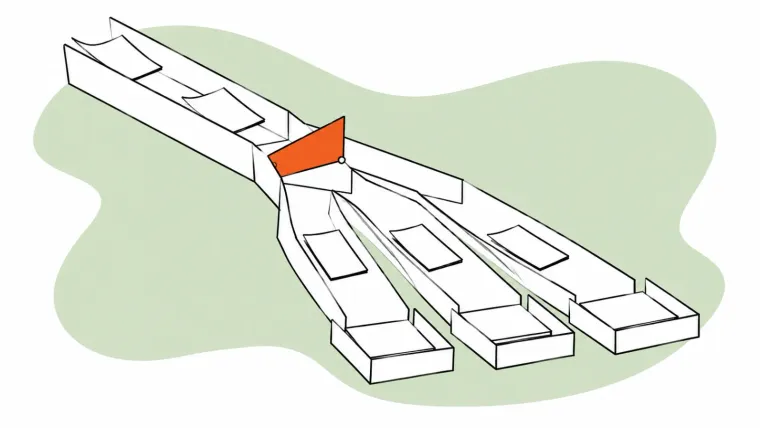
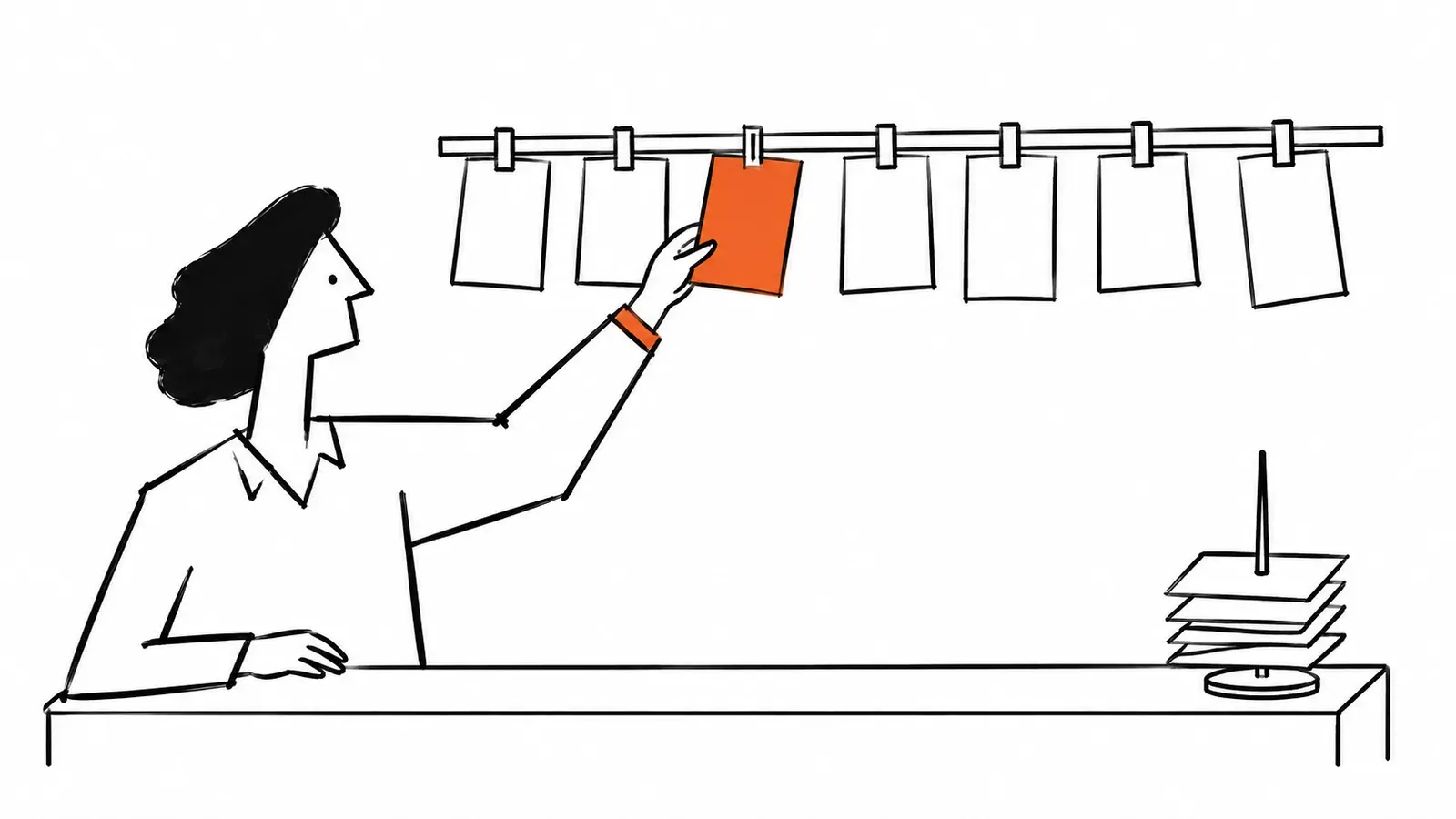
A ticketing system turns each request your team receives into a ticket: a record with one owner, a status such as open, pending or closed, and the full conversation history. That way nothing gets answered twice or not at all.
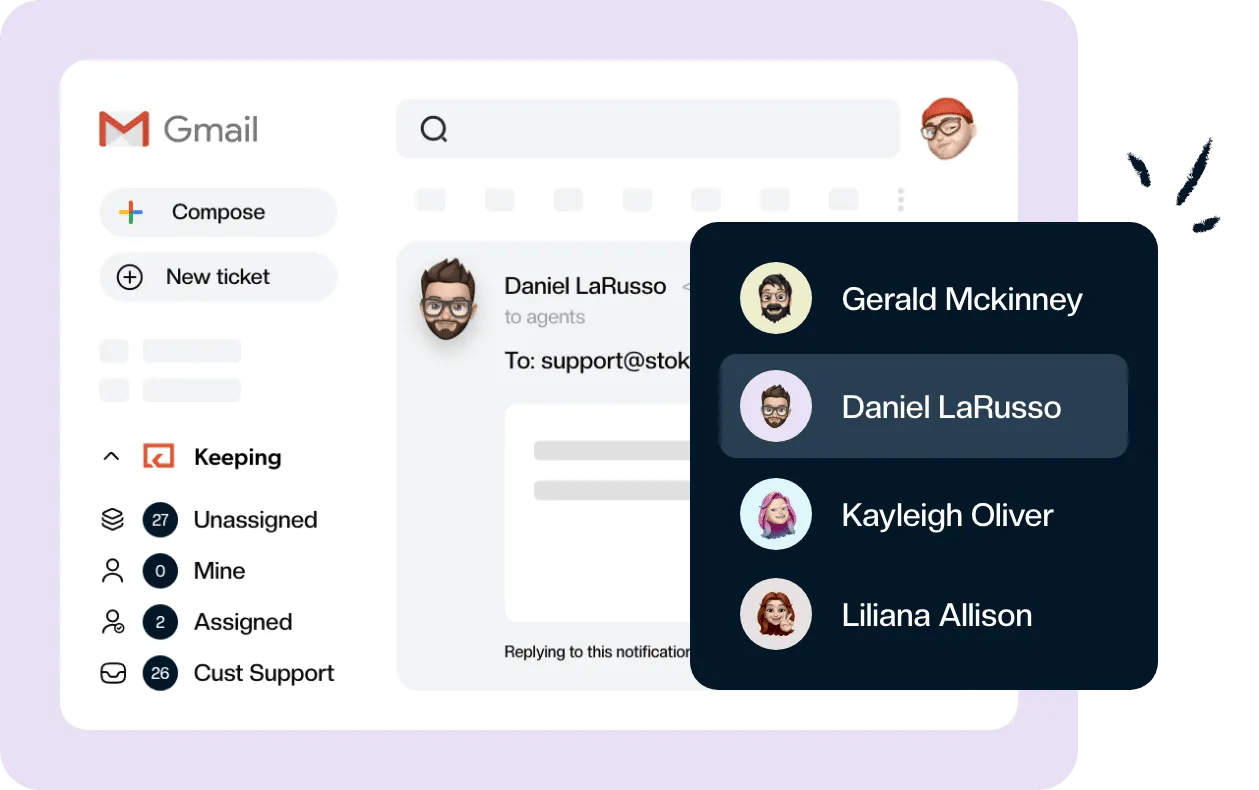
It doesn’t have to be a separate app. For a team that answers support@ in Gmail, tools like Keeping add assignment, statuses and collision detection inside the inbox, and customers keep getting ordinary email replies without ticket numbers. This guide covers how a ticketing system works, the main types, and how to tell whether a shared inbox is enough for you.
What is a ticketing system?
A ticketing system is a tool that records every incoming request as a ticket, so a team can track it from arrival to resolution. Each ticket has one owner, a status and the complete history of the conversation. Anyone on the team can see what is open, who is handling it and what is waiting on the customer.
The ticket itself is the unit of work. It usually holds an ID, the person who asked, the agent who owns it, a status, a priority, every message sent back and forth, and internal notes the customer never sees. If you want the detail on that record, here’s what a support ticket is and how it’s structured.
A complete help desk, inside Gmail?
Keeping turns your Gmail into a fully featured help desk. It's not magic, but it feels magical.
One quick clarification for anyone who arrived here looking for event tickets: this guide is about handling support and service requests, not selling seats to a concert.
How does a ticketing system work?
A ticketing system works in five steps: a request comes in and becomes a ticket, the ticket is categorized and prioritized, it’s assigned to an owner, the team tracks it through statuses, and it’s resolved and reported on. The details vary by tool, but every system follows this loop.
- A request arrives and becomes a ticket. A customer emails support@, fills in a web form, starts a chat or calls. The system creates a ticket and gives it an ID. In an inbox-based system, the email itself becomes the ticket, and later replies join the same thread.
- It gets categorized and prioritized. The ticket is tagged with a type, such as billing or a bug, using a short list of ticket categories. Then it gets a ticket priority, so an outage jumps ahead of a feature request.
- It’s assigned to an owner. Someone triages the queue and assigns each ticket to one person, or rules do it automatically with ticket routing. Ownership is the whole point: one name on every request.
- The team tracks it with statuses. The owner replies and moves the ticket between statuses such as open, pending (waiting on the customer) and closed. Teammates leave internal notes instead of forwarding the thread around.
- It’s resolved and reported on. The ticket closes when the customer has their answer. The system then reports on response times, resolution times and workload, and on SLAs if you’ve promised customers a deadline.
Here’s what that loop looks like inside Gmail. In Keeping, an email to your shared address arrives as a ticket, and you assign it from the sidebar. By default, your reply closes the ticket and a customer’s reply reopens it, so the queue stays accurate without anyone updating statuses by hand. Mailbox settings can change that default.
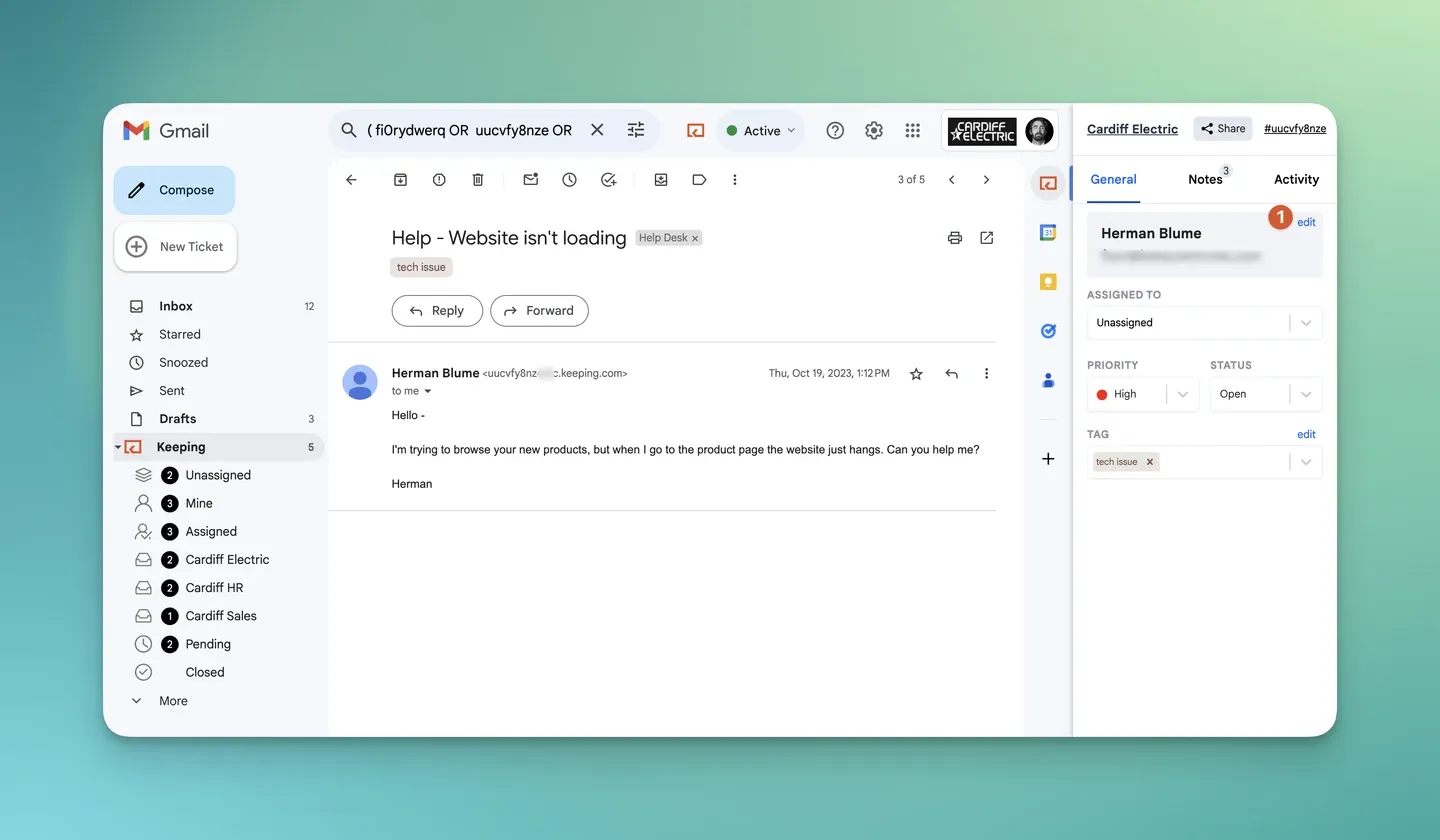
Source: Using Keeping in Gmail.
What is a ticketing system used for?
A ticketing system is used anywhere a team receives requests from people and has to answer every one of them. The three most common uses are customer support, IT help desks and internal requests.
Customer support. Customers ask about orders, bills, bugs and how-tos. The ticketing system makes sure each question has an owner and gets a reply, and it shows managers how long customers wait.
IT help desks. Employees report broken laptops, locked accounts and access requests. IT teams often use service management tools such as ServiceNow or Jira Service Management, which add incident, change and asset tracking on top of tickets.
Internal requests. HR, finance, facilities and legal teams field a steady stream of questions from colleagues. A ticketing system replaces the “did anyone see my email?” follow-up with a status that the person asking can trust.
Types of ticketing systems
The main types of ticketing systems differ in where your team works and which channels they cover. Here’s how the four common types compare:
| Type | Where agents work | Channels | Best fit | Examples |
|---|---|---|---|---|
| Inbox-based email ticketing | Inside Gmail | Small teams whose customers write in by email | Keeping, Hiver | |
| Standalone help desk | A separate web app | Email, chat, phone, social, forms | Dedicated support teams across many channels | Zendesk, Freshdesk |
| IT service desk | A separate web app | Portal, email, chat | IT teams handling incidents and changes | ServiceNow, Jira SM |
| Open source, self-hosted | A web app on your own server | Mostly email and web forms | Teams with someone to run and patch a server | osTicket, FreeScout |
If your requests arrive by email, an email ticketing system is the type to look at first. That guide compares eight of them side by side, so it doubles as a list of examples of email ticketing systems with current prices.
Open source tools are free to license, but you pay in hosting, updates and someone’s time. Our roundup of free and open source options covers the trade-offs.
Advantages and disadvantages of a ticketing system
The main advantage of a ticketing system is accountability: every request has an owner and a status. The main disadvantage is that it can make customers feel processed rather than helped.
Advantages
- One owner per request. Nobody wonders who is replying, and two people don’t answer the same customer.
- Nothing slips through. Open and pending tickets stay visible until someone closes them.
- History in one place. Whoever picks up a ticket can read the whole conversation and the internal notes.
- Measurable service. You can see response times and workload instead of guessing.
Disadvantages
- Customers can feel like a number. In a 2018 Salesforce survey, 84% of consumers said being treated like a person, not a number, is very important to winning their business. Ticket numbers in subject lines, “do not reply below this line” and portal links all push the other way.
- Per-agent cost. Most tools charge per agent, per month, and the useful features often sit on higher plans.
- Setup and a second tool. A separate help desk means moving the address, setting up rules, and teaching everyone a new place to work. Colleagues who answer only now and then often stop checking it.
The first disadvantage isn’t a given. Keeping, for example, never shows your customer a ticket ID: replies look like ordinary email from your support address.
Ticketing system vs shared inbox vs help desk
A shared inbox with ticket ownership and statuses is a ticketing system for one channel: email. A help desk is a ticketing system that adds more channels, a customer portal and escalation rules. A shared address with no controls on top is neither, and that’s where requests get lost.
The common advice to replace a “cluttered shared inbox” with a ticketing system mixes these up. The problem is a shared inbox without ownership, not email itself. Here’s how the options compare:
| Shared address alone | Google Groups Collaborative Inbox | Shared inbox with ticket controls (Keeping) | Standalone help desk | |
|---|---|---|---|---|
| Who owns the reply? | Nobody, or whoever gets there first | Members can take or assign conversations | A named agent, assigned in Gmail | A named agent or team, with routing |
| Statuses | Read and unread | Assigned or marked complete | Open, pending, closed | Configurable ticket states |
| Where agents work | Gmail | Google Groups | Gmail | A separate app |
| What the customer sees | Ordinary email | Ordinary email | Ordinary email, no ticket ID | Email, often with a ticket number |
| Reporting | None | None listed in Google’s help | Response time and workload reports | Detailed reports, more on higher tiers |
| SLAs | None | None listed in Google’s help | On the Advanced plan | Usually on higher plans |
Google Groups Collaborative Inbox deserves a fair hearing. According to Google’s help page, members can take a conversation, assign it to someone else, mark it complete, or drop it to unassign it. Every one of those actions needs the “Who can moderate metadata” permission, which only a group Owner or Manager can grant, and the work happens in Google Groups rather than Gmail.
So Groups can work as a basic ticketing system if your team is happy to work in Groups. Our guide to running support out of Gmail walks through that option alongside the others.
Do you need a ticketing system? When a shared inbox is enough
You need some kind of ticketing system as soon as more than one person answers the same address. You need a separate help desk only when your support spans channels and processes that an inbox can’t hold.
Signs you need ticket controls:
- Two or more people answer the same address, such as support@ or info@.
- Customers get duplicate replies, or no reply at all.
- Nobody can say quickly what’s open, what’s waiting on the customer and who has what.
- You have no idea how long customers wait for a first response.
Signs you’ve outgrown an inbox:
- Chat or phone is a core channel, not an occasional extra.
- Tickets move through tiers, such as first-line support passing to engineering, with formal escalation.
- Customers expect a portal where they can log in and track their requests.
- You have contractual deadlines that your current plan can’t track or report on.
Notice what isn’t on either list: team size or email volume. Headcount alone isn’t a reason to move, and there’s no magic number of emails a day where a help desk starts paying off. What matters is the channels and processes you need around each request.
If you’re on the first list and not the second, a shared inbox with ticket controls is a ticketing system, and you can keep working in Gmail. Keeping lets your team assign, track and resolve support@ email without leaving the inbox, so everyone can see who is handling what. See a simpler alternative to a traditional help desk, with a 14-day trial and no credit card required. If you want to compare other options first, here’s our pick of the best ticketing system for small businesses.
How much does a ticketing system cost?
A ticketing system costs anywhere from nothing to well over $100 per agent a month, depending on type. As of October 13, 2026:
- Open source tools such as osTicket are free to license, but you pay for hosting and the time it takes to run and update them.
- Keeping starts at $14 per user a month billed annually ($19 monthly), with a 2-user minimum. SLAs come with Advanced at $24 per user a month billed annually.
- Zendesk Support Team starts at $19 per agent a month billed annually ($25 monthly), per Zendesk’s pricing page.
- Freshdesk Growth starts at $19 per agent a month billed annually, per Freshdesk’s pricing page.
Entry prices rarely tell the whole story, because routing, SLAs and reporting often sit on higher tiers. Our comparison of email ticketing systems breaks down what each plan includes. If you want ticketing without a separate app, see how Keeping works as a help desk inside Gmail.
Frequently asked questions about ticketing systems
What is the ticketing system?
A ticketing system is a tool that records each incoming request as a ticket with an owner, a status and the full conversation history. It lets a team see what is open, who is handling it and what is waiting on the customer, so no request is answered twice or forgotten.
What is an example of a ticketing system?
Zendesk and Freshdesk are standalone help desks, ServiceNow and Jira Service Management are IT service desks, osTicket is open source, and Keeping and Hiver add ticketing to Gmail. They all give each request an owner and a status. They differ in where agents work and which channels they cover.
What are the three types of tickets?
In IT service management, the three most common ticket types are incidents (something broke), service requests (someone needs something, such as access or a new laptop) and problems (the underlying cause behind repeat incidents). Many service desks add changes as a fourth type. Customer support teams usually sort tickets by topic instead.
Jira Service Management, for example, sets up service requests, incidents, problems, changes and post-incident reviews as its default categories.
Is Zendesk a CRM or ticketing system?
Zendesk is mainly a customer service platform built around a ticketing system. It keeps customer profiles and the history of past conversations, which overlaps with what a CRM does, but its core job is managing support tickets rather than a sales pipeline.
Is ServiceNow just a ticketing system?
No. ServiceNow is an IT service management platform. Ticketing for incidents and requests is at its core, but it also covers change management, asset tracking, service catalogs and workflow automation across IT, HR and other departments, which is why it is built and priced for large organizations.
What are the top 5 ticketing systems?
Five worth knowing: ServiceNow, Jira Service Management, Zendesk and Freshservice, which are built for IT departments and large support teams, and Keeping, which adds ticketing inside Gmail for small teams answering customer email. The right one depends on your team. If you read your support mail in Gmail today, start with the one that works where the team already is.
Does Gmail have a ticketing system?
No. Gmail has no built-in ticketing system with ticket owners and statuses. Google Groups Collaborative Inbox lets members take, assign and complete conversations in Google Groups, and Gmail extensions such as Keeping add assignment, statuses and notes inside Gmail itself.
For the options side by side, see our guide to choosing a Google ticketing system.
How to build a ticketing system?
You can build a basic ticketing system with Google Forms and Google Sheets, where each form response becomes a row with an owner and a status column. It works for low volume but breaks down when customers reply by email, so most teams switch to a ready-made tool once replies matter.
The Google ticketing system guide walks through that Forms and Sheets build step by step.